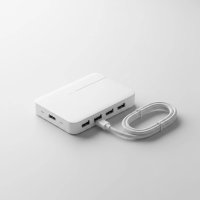
In today’s world of sleek, minimalist laptops, there’s one glaring problem: a severe lack of ports. If you’ve ever tried to connect an external monitor, a mouse, and charge your device simultaneously, you know the struggle. The Anker 555 USB C Hub (also known as the Anker 8-in-1) aims to solve this digital-age dilemma, packing a massive amount of connectivity into a single, compact device. But does it live up to the hype?
As someone who has tested countless USB hubs over the years, I’ve seen everything from flimsy, unreliable dongles to overpriced, underperforming docks. The Anker 555 promises a perfect balance of power, speed, and versatility. In this comprehensive review, we’ll dive deep into its features, real-world performance, and help you decide if this is the ultimate accessory for your workspace. For see our usb hubs recommendations on this site.
What is the Anker 555 USB C Hub?
The Anker 555 USB C Hub is a multi-port adapter designed to expand the connectivity of a single USB-C port on your laptop, tablet, or even smartphone. It transforms that one port into eight different connections, including HDMI for an external display, high-speed USB data ports, Ethernet for stable internet, and card readers for photographers and content creators. It’s built for professionals, students, and anyone who needs to do more with their modern devices.
“The move towards thinner laptops has created a huge demand for reliable external hubs,” explains tech hardware analyst, Sarah Jenkins. “A quality hub like the Anker 555 isn’t just a convenience; it’s an essential tool for maintaining productivity. The key is its ability to handle data, video, and high-wattage power delivery simultaneously without faltering.”
A Port-by-Port Breakdown of Features
The magic of the Anker 555 lies in its versatile port selection. Let’s break down exactly what you get and what it means for your daily workflow.
Power Delivery and High-Speed Data
- 100W USB-C Power Delivery (PD) Input: This port is for connecting your laptop’s USB-C charger. The hub takes in up to 100W of power.
- 85W USB-C Pass-Through Charging: Of the 100W coming in, the hub itself uses about 15W to operate its various functions. The remaining 85W is passed directly to your laptop. This is more than enough to charge even powerful devices like a MacBook Pro 16-inch at full speed.
- 10Gbps USB-C Data Port: This is a game-changer. This port is purely for data, offering transfer speeds up to 10Gbps. It’s perfect for connecting a super-fast external SSD, allowing you to transfer large video files or backup your system in seconds.
- Two 10Gbps USB-A 3.2 Gen 2 Ports: You also get two traditional USB-A ports running at the same blazing-fast 10Gbps speed. These are ideal for modern external drives, webcams, or any peripheral where speed is a priority.
Video and Media Connectivity
|
Our Picks for the Best USB Hub in 2026
As an Amazon Associate I earn from qualifying purchases.
|
||
| Num | Product | Action |
|---|---|---|
| 1 | P9R PRO USB C Hub Ethernet, 10 in 1 USB Docking Station 10Gbps with 4K@60Hz HDMI, USB C and 2 USB A 3.2, LAN, 2 USB A 2.0, PD 100W, SD/TF Ports, USB to Ethernet Adapter for PC, iPhone 16/15, Mac |

|
| 2 | Powered USB Hub, Wenter 11-Port USB Splitter Hub (10 Faster Data Transfer Ports+ 1 Smart Charging Port) with Individual LED On/Off Switches, USB Hub 3.0 Powered with Power Adapter for Mac, PC |
|
| 3 | UGREEN USB 3.0 Hub, 4 Ports USB A Splitter Ultra-Slim USB Expander for Mouse, Keyboard, Flash Drive, U Disk, Printer Compatible with Laptop, Desktop PC, Xbox, PS5, and More |
|
| 4 | USB Hub 3.0, 7-Port USB Hub Splitter with Individual On/Off Switches and Lights, 3.2ft/1m Long Cable Compatible with MacBook, Laptop, Surface Pro, PS4, PC, Flash Drive, Mobile HDD |
|
| 5 | Anker Laptop Docking Station Dual Monitor, 8-in-1 USB C Hub, 4K Dual Monitor with 2 HDMI, 1 Gbps Ethernet Hub, 85W Power Delivery, SD Card Reader for MacBook Pro, XPS and More (Charger not Included) |
|
| 6 | 3-in-1 USB C Splitter, 3 in 1 Type-C Charging Data Cable Data Transmission Decive Charging Adapter Power Charger Equipment for ome Office Use, Fast & Efficient |
|
| 7 | Powered USB Hub 10Gbps, intpw 9-Port USB 3.2 Hub, USB C Hub with USB A/USB C 3.2, 4 USB 3.0, 2 PD 45W Charging Ports, 65W Power Adapter and 3.3FT Cable, Aluminum USB Hub for Laptop, iPhone 17/16/15,PC |
|
| 8 | USB C Docking Station with M.2 NVMe SSD Enclosure 10Gbps, 9 in 1 USB-C Hub, Type C SSD Slot with 4K@60Hz HDMI, USB 3.2 Gen2, PD100W, SD/TF Card Reader, Laptop Docking Station for Dell/HP/Lenovo/Mac |
|
| 9 | 13 in 1 USB C Docking Station - Dual Monitor, Triple Display, 8 USB C/A Ports, Ethernet, Audio - LIONWEI USB C Hub for MacBook,Dell,HP,Lenovo,Surface |
|
| 10 | Anker USB Hub 4 Ports with 5Gbps Data Transfer, Multiple USB 3.0 Hub, USB Splitter for Laptop, Extender for A Port Laptop, PC, Desktop and More [Charging Not Supported](0.7 ft USB-A) |
|
- 4K@60Hz HDMI Port: Connect a high-resolution monitor or TV and enjoy a crystal-clear, smooth picture. The 60Hz refresh rate is crucial—it means you get fluid motion without the jittery, lagging feel of older 30Hz hubs. This makes it great for video editing, graphic design, and even casual gaming.
- SD and microSD Card Slots: A must-have for photographers and videographers. You can transfer photos and videos from your camera’s memory cards directly through the hub, with support for speeds up to 104 MB/s.
Stable Network Connection
- Gigabit Ethernet Port: Wi-Fi is convenient, but for tasks like large file downloads, streaming high-quality video, or competitive online gaming, a wired connection is unbeatable. The Gigabit Ethernet port provides a stable, reliable internet connection up to 1 Gbps, eliminating lag and dropouts.
Real-World Performance and Compatibility
Specs on a page are one thing, but how does the Anker 555 USB C Hub perform in a real work environment? I put it to the test with a MacBook Pro M1 and a Dell XPS 13.
The setup was seamless—truly plug-and-play with no drivers needed. I connected a 4K monitor via HDMI, an NVMe SSD to the USB-C data port, a wireless mouse dongle to a USB-A port, and plugged in my 96W MacBook charger to the PD port.
The results were impressive. The 4K display ran smoothly at 60Hz, and I was able to transfer a 20GB video file from the SSD in under 30 seconds. Most importantly, my laptop continued to charge rapidly, and the hub itself only became moderately warm to the touch, which is a significant improvement over many other hubs that can get excessively hot.
Device Compatibility:
- Laptops: Fully compatible with MacBook Pro, MacBook Air, Dell XPS, HP Spectre, Lenovo Yoga, and most other USB-C laptops.
- Tablets: Works great with iPad Pro, iPad Air (with USB-C), and Samsung Galaxy Tab series.
- Other Devices: It’s also compatible with devices like the Steam Deck, expanding its gaming and docking capabilities.
Who is the Anker 555 USB C Hub For?
This hub is an excellent choice for a wide range of users, but it particularly shines for a few key groups.
The Ideal User
- Remote & Hybrid Workers: If you move between home and the office, the Anker 555 allows you to create a powerful desk setup anywhere with just one cable.
- Content Creators: The combination of a 4K@60Hz HDMI port, high-speed data ports, and dual card readers makes it a perfect companion for photographers and video editors.
- Students: Easily connect to projectors for presentations, use external drives for large projects, and keep your devices charged during long study sessions.
- Power Users: Anyone who needs to connect multiple high-performance peripherals to a modern laptop will appreciate the speed and power this hub offers.
When to Look Elsewhere
- You Need Dual Monitors: The Anker 555 only has one HDMI port and does not support multi-stream transport (MST) for dual extended displays on macOS. If you need two or more external monitors, you’ll need to look at a more advanced Thunderbolt dock.
- You’re on a Tight Budget: While reasonably priced for its features, it’s a premium hub. If you only need one or two extra ports, a simpler, cheaper dongle might suffice.
Frequently Asked Questions (FAQ)
Q: Does the Anker 555 get hot during use?
A: It can become warm to the touch, especially when using power delivery and multiple ports simultaneously. However, its aluminum casing is designed to dissipate heat effectively, and it generally runs cooler than many competitors.
Q: Can the Anker 555 support two monitors?
A: No, this hub is designed for a single external monitor via its HDMI port. It does not support dual extended displays.
Q: Is the Anker 555 compatible with the M1, M2, and M3 MacBooks?
A: Yes, it is fully compatible with all Apple Silicon MacBooks, including the MacBook Air and MacBook Pro models, providing full functionality for a single external display and all other ports.
Q: Do I need to install any drivers for the Ethernet port to work?
A: No, the Anker 555 is plug-and-play. The Ethernet port, along with all other functions, should work immediately upon connection without requiring any manual driver installation on Windows, macOS, or ChromeOS.
Q: What is the benefit of a 10Gbps port over a standard 5Gbps port?
A: A 10Gbps port offers double the data transfer speed. This means you can move large files, like 4K video footage or entire photo libraries, to and from an external SSD in half the time compared to a 5Gbps port, significantly speeding up your workflow.
The Verdict: A Powerful and Reliable Hub
After extensive testing, the Anker 555 USB C Hub stands out as a top-tier choice in a crowded market. It offers a fantastic combination of high-speed data transfer, powerful pass-through charging, and essential media ports in a well-built and reliable package. While it doesn’t support dual monitors, it excels at being a master-of-one for single-display setups.
If you are looking for a do-it-all hub to reclaim the connectivity your modern laptop lacks, the Anker 555 is a powerful, reliable, and highly recommended investment for boosting your productivity.
Get our weekly buyer guide
Practical specs, not advice. Unsubscribe anytime.