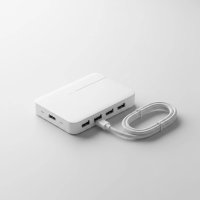
In today’s world of sleek, minimalist laptops, the scarcity of ports has become a universal frustration. You have a powerful machine, but connecting a simple mouse, an external monitor, and a memory card at the same time feels like an impossible puzzle. This is where a quality Satechi USB-C hub transforms your workflow from a tangled mess into a streamlined, efficient experience. It’s not just another dongle; it’s the central command for all your peripherals.
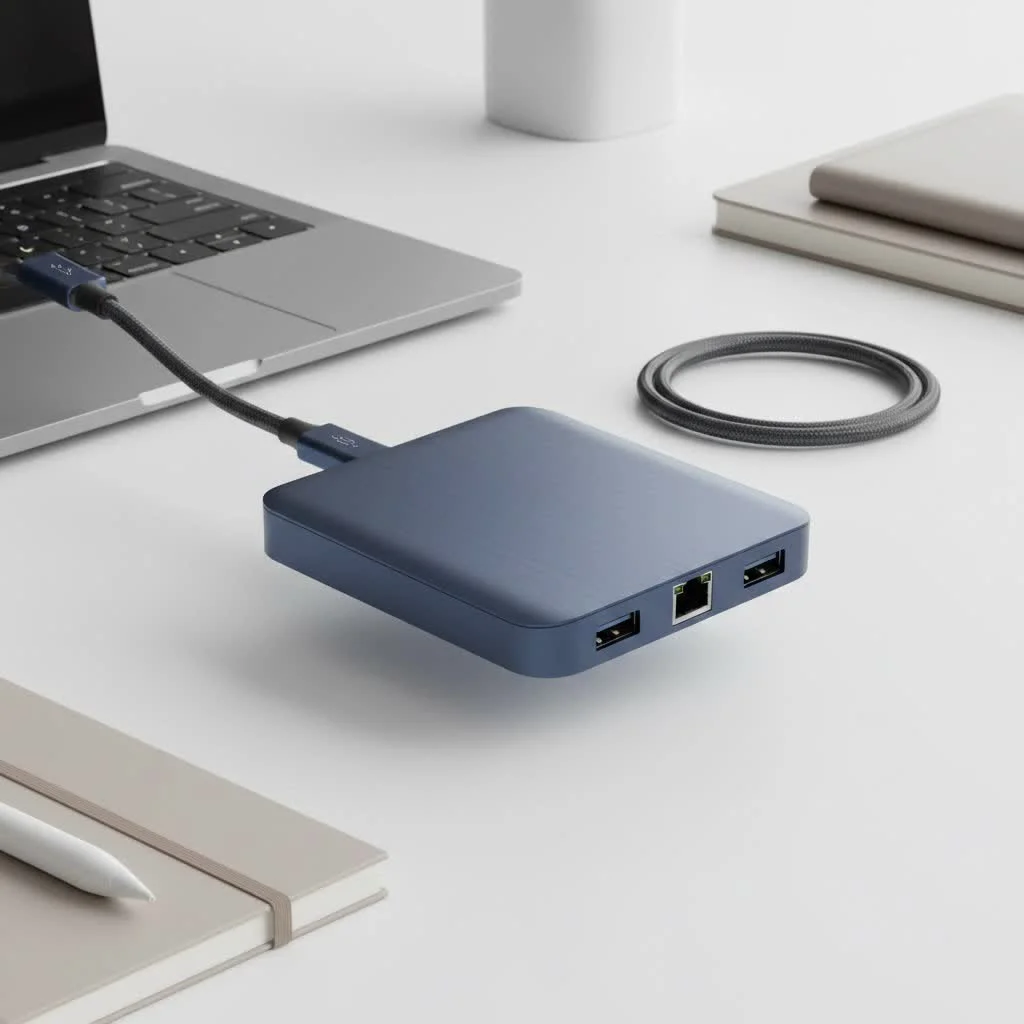
As a specialist with over a decade of experience, I’ve seen countless hubs come and go. Satechi has consistently remained a top recommendation for its perfect blend of design, functionality, and reliability, especially for users within the Apple ecosystem.
Why Choose a Satechi Hub Over Cheaper Alternatives?
When you’re browsing online, you’ll find a sea of USB-C hubs, many at a fraction of Satechi’s price. So, what makes a Satechi hub worth the investment? The answer lies in three core pillars: superior build quality, reliable performance, and thoughtful design.
- Impeccable Build Quality: Satechi hubs are crafted from anodized aluminum, giving them a premium feel that perfectly matches the aesthetic of devices like the MacBook Pro and iPad Air. This isn’t just for looks; the metal enclosure helps dissipate heat more effectively than cheap plastic alternatives.
- Consistent, Reliable Performance: A cheap hub might work fine one day and fail to detect your SSD the next. Satechi uses higher-quality chipsets and internal components to ensure that every port functions reliably, even when multiple are in use. This means stable 4K HDMI output, consistent data transfer speeds, and reliable pass-through charging.
- A Perfect Match for Your Devices: Satechi pays close attention to detail. Their hubs often come in colors like Space Gray and Silver, designed to look like a natural extension of your Apple products.
As tech expert David Chen puts it, “A USB-C hub is the central nervous system of a modern workstation. Opting for a cheap, unreliable model is like putting a faulty fuse box in a new house. Satechi provides the peace of mind that comes with robust engineering and high-grade components.”
Finding the Perfect Satechi USB-C Hub for You
Satechi offers a diverse lineup, and choosing the right one depends entirely on your specific needs. Let’s break down some of the most popular models to help you decide.
For the Creative Professional: The Pro Hub Max
If you’re a video editor, photographer, or designer who demands maximum connectivity, the Pro Hub Max is your workhorse. It’s specifically designed to sit flush against the side of a MacBook Pro, offering a clean, integrated look.
- Key Ports: 4K HDMI (up to 60Hz), Gigabit Ethernet, USB-C PD (Power Delivery), USB-C Data, USB-A 3.0, and Micro/SD card readers.
- Best For: Users who need a stable, high-speed wired internet connection and frequently transfer files from cameras or other devices. The 60Hz HDMI output provides a smoother experience for video work compared to the 30Hz standard on many other hubs.
For the Everyday User: The Multi-Port Adapter V2
|
Our Picks for the Best USB Hub in 2026
As an Amazon Associate I earn from qualifying purchases.
|
||
| Num | Product | Action |
|---|---|---|
| 1 | Anker USB Hub 4 Ports with 5Gbps Data Transfer, Multiple USB 3.0 Hub, USB Splitter for Laptop, Extender for A Port Laptop, PC, Desktop and More [Charging Not Supported](0.7 ft USB-A) |
 on Amazon](https://meeob.com/wp-content/plugins/amazon-tables/assets/images/buy.png)
|
| 2 | Powered USB Hub, Wenter 11-Port USB Splitter Hub (10 Faster Data Transfer Ports+ 1 Smart Charging Port) with Individual LED On/Off Switches, USB Hub 3.0 Powered with Power Adapter for Mac, PC |
|
| 3 | USB Hub 3.0, 7-Port USB Hub Splitter with Individual On/Off Switches and Lights, 3.2ft/1m Long Cable Compatible with MacBook, Laptop, Surface Pro, PS4, PC, Flash Drive, Mobile HDD |
|
| 4 | 13 in 1 USB C Docking Station - Dual Monitor, Triple Display, 8 USB C/A Ports, Ethernet, Audio - LIONWEI USB C Hub for MacBook,Dell,HP,Lenovo,Surface |
|
| 5 | USB C Docking Station with M.2 NVMe SSD Enclosure 10Gbps, 9 in 1 USB-C Hub, Type C SSD Slot with 4K@60Hz HDMI, USB 3.2 Gen2, PD100W, SD/TF Card Reader, Laptop Docking Station for Dell/HP/Lenovo/Mac |
|
| 6 | Anker Laptop Docking Station Dual Monitor, 8-in-1 USB C Hub, 4K Dual Monitor with 2 HDMI, 1 Gbps Ethernet Hub, 85W Power Delivery, SD Card Reader for MacBook Pro, XPS and More (Charger not Included) |
|
| 7 | Powered USB Hub 10Gbps, intpw 9-Port USB 3.2 Hub, USB C Hub with USB A/USB C 3.2, 4 USB 3.0, 2 PD 45W Charging Ports, 65W Power Adapter and 3.3FT Cable, Aluminum USB Hub for Laptop, iPhone 17/16/15,PC |
|
| 8 | P9R PRO USB C Hub Ethernet, 10 in 1 USB Docking Station 10Gbps with 4K@60Hz HDMI, USB C and 2 USB A 3.2, LAN, 2 USB A 2.0, PD 100W, SD/TF Ports, USB to Ethernet Adapter for PC, iPhone 16/15, Mac |
|
| 9 | 3-in-1 USB C Splitter, 3 in 1 Type-C Charging Data Cable Data Transmission Decive Charging Adapter Power Charger Equipment for ome Office Use, Fast & Efficient |
|
| 10 | UGREEN USB 3.0 Hub, 4 Ports USB A Splitter Ultra-Slim USB Expander for Mouse, Keyboard, Flash Drive, U Disk, Printer Compatible with Laptop, Desktop PC, Xbox, PS5, and More |
|
This is Satechi’s all-rounder and one of its most popular products. It packs the essential ports into a compact, portable design connected by a short, flexible cable. It strikes the perfect balance between functionality and portability.
- Key Ports: 4K HDMI (30Hz), Gigabit Ethernet, USB-C PD charging, 3x USB-A 3.0 ports, and Micro/SD card readers.
- Best For: Office workers, students, and general users who need to connect to an external monitor, use legacy USB-A devices, and occasionally need a wired network connection.
For the Traveler: The Slim Multi-Port Adapter V2
If your office is wherever you open your laptop, the Slim Multi-Port Adapter is designed for you. It’s incredibly compact and lightweight, focusing on the most critical ports you’d need on the go without the bulk.
- Key Ports: 4K HDMI (60Hz), USB-C PD, 2x USB-A 3.0, and Micro/SD card readers.
- Noticeable Omission: This model sacrifices the Ethernet port for a slimmer profile, which is a fair trade-off for those who primarily rely on Wi-Fi.
A Deeper Look at Key Features
Understanding the technical specifications can help you appreciate the value a Satechi USB-C hub brings to your setup.
Power Delivery (PD) Charging
Most Satechi hubs feature a USB-C PD port. This isn’t just another data port; it’s a pass-through that allows you to charge your laptop through the hub. You plug your laptop’s charger into the hub, and the hub then passes power to your laptop while simultaneously running all the other connected peripherals. Look for models that support up to 100W PD to ensure even the most powerful laptops, like the 16-inch MacBook Pro, can charge at full speed.
4K HDMI Output
The ability to connect to an external monitor is a primary reason to buy a hub. While most hubs support 4K resolution, the key differentiator is the refresh rate, measured in Hertz (Hz).
- 4K at 30Hz: This is standard on many basic hubs. It’s perfectly fine for static work like browsing the web, writing documents, or watching movies. However, you might notice slight stuttering or “lag” when moving your mouse cursor quickly.
- 4K at 60Hz: This provides a much smoother, more responsive experience. The cursor movement is fluid, and videos look more natural. For professionals or anyone sensitive to visual performance, a hub that supports 60Hz is a significant upgrade.
Data Transfer Speeds
Not all USB ports are created equal. Satechi hubs typically use the USB 3.0 standard (also known as USB 3.1 Gen 1 or USB 3.2 Gen 1), which offers theoretical speeds of up to 5Gbps. This is ideal for transferring files from external SSDs, flash drives, or your phone. It’s a massive improvement over the older USB 2.0 standard, which topped out at a sluggish 480Mbps.
Frequently Asked Questions (FAQ)
Do Satechi USB-C hubs get hot during use?
Yes, it is normal for any USB-C hub, including Satechi models, to become warm during operation. The aluminum casing is designed to act as a heat sink, drawing heat away from the internal components. It may feel warm to the touch, especially when using high-power features like PD charging and HDMI output simultaneously, but it should not become dangerously hot.
Is a Satechi USB-C hub compatible with Windows laptops and other devices?
Absolutely. While Satechi’s design language is closely aligned with Apple products, their hubs are built on the universal USB-C standard. They are fully compatible with most modern Windows laptops, Chromebooks, and even some tablets and smartphones that have a full-featured USB-C port (one that supports video output).
Can I use all the ports on the hub at the same time?
Yes, you can use all the ports simultaneously. However, be aware that the total power and data bandwidth are shared across the hub. For instance, plugging in multiple high-powered devices without connecting the hub to a power source might exceed the power output of the laptop’s single USB-C port.
Will a Satechi hub drain my laptop’s battery?
A USB-C hub does draw a small amount of power from the laptop to operate its own electronics. If left plugged in with no peripherals attached, the power draw is minimal. However, to avoid any battery drain and ensure all your devices run properly, it’s always recommended to use the pass-through charging feature when at your desk.
The Final Verdict
In a market flooded with generic options, the Satechi USB-C hub stands out as a premium, reliable, and well-designed choice. It’s an investment in a hassle-free workflow, ensuring that your accessories work when you need them to, without compromise. By choosing the right model for your specific needs—be it the all-powerful Pro Hub Max or the travel-friendly Slim Adapter—you’re not just buying a dongle; you’re upgrading the capability and versatility of your most important device.
Get our weekly buyer guide
Practical specs, not advice. Unsubscribe anytime.