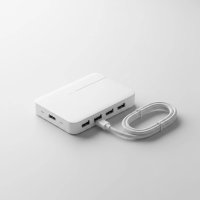
In today’s world of sleek, minimalist laptops, the scarcity of ports is a real struggle. If you’ve ever found yourself needing to connect a monitor, a hard drive, and a memory card all at once, you understand the vital role of a reliable adapter. The Satechi USB C hub has emerged as a premium solution, offering a perfect blend of elegant design and powerful functionality, especially for users of devices like the MacBook Pro and iPad Pro. This guide will walk you through everything you need to know to choose the perfect Satechi hub for your setup.
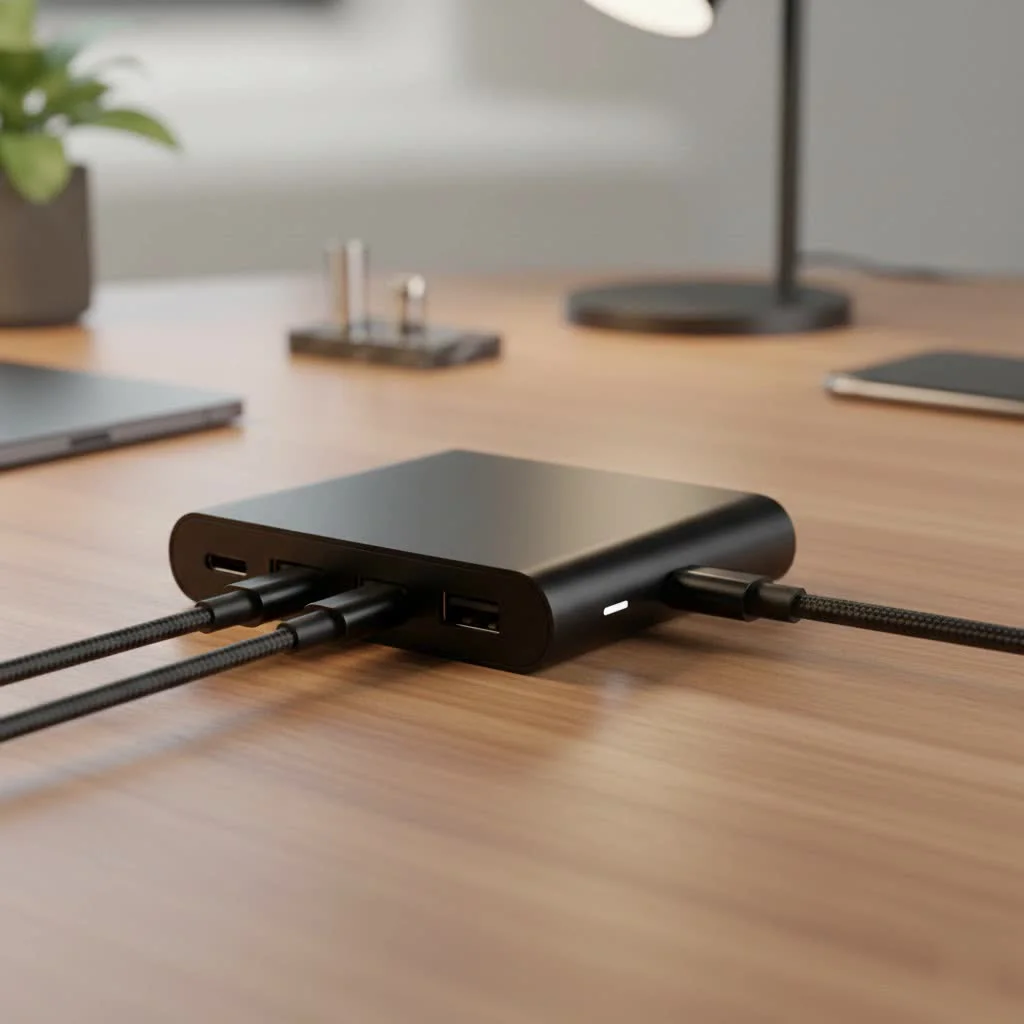
Modern devices are powerful, but their limited ports can be a significant bottleneck. A high-quality USB-C hub isn’t just an accessory; it’s a necessary tool for unlocking your device’s full potential, allowing you to create a versatile and efficient workstation anywhere.
Why Choose a Satechi USB-C Hub?
Satechi has built a strong reputation for creating accessories that match the premium look and feel of the devices they’re designed for, particularly Apple products. Their hubs are typically crafted from high-quality aluminum, making them durable, lightweight, and stylish. But it’s not just about looks; Satechi hubs are engineered for performance and reliability.
Key features that set Satechi apart include:
- Thoughtful Port Selection: Satechi offers a wide variety of hubs tailored to different needs, from simple port expanders to all-in-one solutions with 4K HDMI, Ethernet, SD card readers, and high-wattage Power Delivery.
- High-Speed Data Transfer: Many Satechi models feature USB 3.0 or USB 3.2 Gen 2 ports, offering transfer speeds up to 5 Gbps or 10 Gbps, respectively. This is ideal for creative professionals who frequently move large files.
- Power Delivery (PD) Passthrough: A crucial feature for single-port laptop users. Satechi hubs with PD allow you to charge your laptop through the hub itself, often supporting up to 60W or even 100W, ensuring your device stays powered while you work.
- Superior Build Quality: With aluminum shells and braided cables, Satechi products are designed to withstand the rigors of daily use, whether at a desk or on the go.
As our in-house tech analyst, David Chen, often says, “A hub is the central nervous system of a modern mobile workstation. Choosing a Satechi hub means you’re investing in reliability and design that won’t let you down when you need it most.”
Finding the Right Satechi Hub for You
Satechi’s lineup can be extensive, so it’s important to identify your primary needs. Are you a photographer, a remote worker, a student, or someone who just wants to connect a few extra peripherals?
For the Creative Professional
|
Our Picks for the Best USB Hub in 2026
As an Amazon Associate I earn from qualifying purchases.
|
||
| Num | Product | Action |
|---|---|---|
| 1 | Powered USB Hub, Wenter 11-Port USB Splitter Hub (10 Faster Data Transfer Ports+ 1 Smart Charging Port) with Individual LED On/Off Switches, USB Hub 3.0 Powered with Power Adapter for Mac, PC |

|
| 2 | 3-in-1 USB C Splitter, 3 in 1 Type-C Charging Data Cable Data Transmission Decive Charging Adapter Power Charger Equipment for ome Office Use, Fast & Efficient |
|
| 3 | Anker Laptop Docking Station Dual Monitor, 8-in-1 USB C Hub, 4K Dual Monitor with 2 HDMI, 1 Gbps Ethernet Hub, 85W Power Delivery, SD Card Reader for MacBook Pro, XPS and More (Charger not Included) |
|
| 4 | Anker USB Hub 4 Ports with 5Gbps Data Transfer, Multiple USB 3.0 Hub, USB Splitter for Laptop, Extender for A Port Laptop, PC, Desktop and More [Charging Not Supported](0.7 ft USB-A) |
|
| 5 | USB C Docking Station with M.2 NVMe SSD Enclosure 10Gbps, 9 in 1 USB-C Hub, Type C SSD Slot with 4K@60Hz HDMI, USB 3.2 Gen2, PD100W, SD/TF Card Reader, Laptop Docking Station for Dell/HP/Lenovo/Mac |
|
| 6 | 13 in 1 USB C Docking Station - Dual Monitor, Triple Display, 8 USB C/A Ports, Ethernet, Audio - LIONWEI USB C Hub for MacBook,Dell,HP,Lenovo,Surface |
|
| 7 | P9R PRO USB C Hub Ethernet, 10 in 1 USB Docking Station 10Gbps with 4K@60Hz HDMI, USB C and 2 USB A 3.2, LAN, 2 USB A 2.0, PD 100W, SD/TF Ports, USB to Ethernet Adapter for PC, iPhone 16/15, Mac |
|
| 8 | UGREEN USB 3.0 Hub, 4 Ports USB A Splitter Ultra-Slim USB Expander for Mouse, Keyboard, Flash Drive, U Disk, Printer Compatible with Laptop, Desktop PC, Xbox, PS5, and More |
|
| 9 | USB Hub 3.0, 7-Port USB Hub Splitter with Individual On/Off Switches and Lights, 3.2ft/1m Long Cable Compatible with MacBook, Laptop, Surface Pro, PS4, PC, Flash Drive, Mobile HDD |
|
| 10 | Powered USB Hub 10Gbps, intpw 9-Port USB 3.2 Hub, USB C Hub with USB A/USB C 3.2, 4 USB 3.0, 2 PD 45W Charging Ports, 65W Power Adapter and 3.3FT Cable, Aluminum USB Hub for Laptop, iPhone 17/16/15,PC |
|
If your workflow involves photo or video editing, you’ll need a hub that can handle high-resolution displays and fast file transfers.
- Look for: A hub with a 4K HDMI port (preferably at 60Hz for smoother video), UHS-I or faster SD and microSD card readers, and multiple high-speed USB-A or USB-C ports for external drives.
- Recommended Model: The Satechi Slim Type-C Multi-Port Adapter V2 is an excellent choice. It provides 4K HDMI, SD/microSD card readers, two USB-A ports, and USB-C Power Delivery, covering all the bases for a creative workflow in a compact form factor.
For the Remote Worker and Traveler
Portability and versatility are key when you’re working from different locations. You need a single accessory that can adapt to any situation.
- Look for: A compact, lightweight design with a built-in or short, durable cable. An Ethernet port is a must-have for stable internet when Wi-Fi is unreliable. Power Delivery is also essential to keep your laptop charged with a single connection.
- Recommended Model: The Satechi On-the-Go 7-in-1 USB-C Hub is designed for travel. It’s smaller than many competitors, features a clever magnetic base, and includes Gigabit Ethernet, 4K HDMI, USB-A ports, card readers, and 100W PD passthrough charging.
For the Data Power User
If your work involves managing multiple high-speed drives or you need the fastest possible network connection, a specialized hub is the way to go.
- Look for: A hub that prioritizes data ports, such as multiple USB-C 3.2 Gen 2 ports, and a multi-gigabit Ethernet port. These hubs may sacrifice video outputs for faster data throughput.
- Recommended Model: The Satechi 4-in-1 USB-C Hub with 2.5 Gigabit Ethernet is perfect for this. It features three 10Gbps USB-C ports and a blazing-fast 2.5G Ethernet port, making it ideal for large data transfers and high-speed networking.
What Key Features Should You Look For?
When comparing different Satechi USB C hub models, pay close attention to these specifications to ensure they meet your requirements.
Port Breakdown
| Port Type | Common Use Case | What to Look For |
|---|---|---|
| HDMI | Connecting to external monitors, TVs, or projectors. | 4K resolution is standard. For smoother motion, look for 60Hz refresh rate support. |
| USB-A | Connecting legacy devices like keyboards, mice, flash drives, and external hard drives. | USB 3.0 offers speeds up to 5 Gbps. Check how many ports you’ll need simultaneously. |
| USB-C (Data) | Connecting modern SSDs, smartphones, and other peripherals. | Speeds can range from 5Gbps to 10Gbps (USB 3.2 Gen 2). |
| USB-C (Power Delivery) | Charging your laptop through the hub. | Check the wattage. 60W is good for most ultrabooks, while 100W is better for larger laptops like a MacBook Pro. |
| Ethernet | Wired internet connection. | Gigabit (1Gbps) is standard. 2.5Gbps offers faster speeds for compatible networks. |
| SD/MicroSD Reader | Transferring files from cameras, drones, and other devices. | UHS-I is common and sufficient for most users. Photographers may seek faster UHS-II speeds. |
Design and Form Factor
Satechi offers two main styles: hubs that plug directly into the side of a device and hubs connected by a short, flexible cable.
- Direct-connect hubs: These offer a clean, seamless look, especially with MacBooks. However, they may block adjacent ports and might not work if your device has a protective case.
- Cabled hubs: These are more versatile, working easily with laptops in cases and offering more flexibility in desk placement. The Satechi Slim Type-C Multi-Port Adapter V2 is a great example of this practical design.
Frequently Asked Questions (FAQ)
Q: Are Satechi hubs compatible with non-Apple devices?
A: Absolutely. While Satechi’s design aesthetic is closely aligned with Apple, their hubs are widely compatible with most USB-C enabled devices, including Windows laptops from Dell, HP, Lenovo, and Microsoft Surface, as well as many Android tablets and phones.
Q: Do Satechi USB-C hubs get hot during use?
A: It is normal for any USB-C hub to generate some heat, especially when multiple high-power ports (like HDMI and Power Delivery) are used simultaneously. Satechi’s aluminum enclosures are designed to help dissipate this heat effectively. However, if a hub becomes excessively hot to the touch, you should disconnect it.
Q: Can the USB-A ports on a Satechi hub charge my devices?
A: The USB-A ports are designed primarily for data transfer. While they provide some power, it’s usually not enough to charge larger devices like an iPad. Satechi generally recommends using them for one bus-powered device at a time (like an external SSD) to ensure stable performance.
Q: Is a Satechi hub worth the premium price?
A: For users who value build quality, reliable performance, and a design that complements their high-end devices, a Satechi hub is a worthwhile investment. The solid engineering and thoughtful features often provide a better long-term experience than cheaper, generic alternatives.
Conclusion
Choosing the right Satechi USB C hub is about matching its features to your daily tasks. By evaluating your needs—whether it’s for high-resolution video output, fast data transfer, or all-around portability—you can find a model that seamlessly expands your device’s capabilities. With their premium build and reliable performance, Satechi hubs are a top-tier choice for decluttering your workspace and boosting your productivity. Explore their range, pick the hub that fits your life, and say goodbye to port limitations for good.
Get our weekly buyer guide
Practical specs, not advice. Unsubscribe anytime.