In today’s world of sleek, ultra-thin laptops, minimalism often comes at a cost: a distinct lack of ports. If you’ve ever found yourself juggling a charger, an external monitor, and a USB drive with only one or two USB-C ports available, you understand the frustration. The solution is a USB-C hub, but not just any hub will do. To truly reclaim convenience and efficiency, you need a USB C hub with Power Delivery—a game-changing device that streamlines your entire workspace.
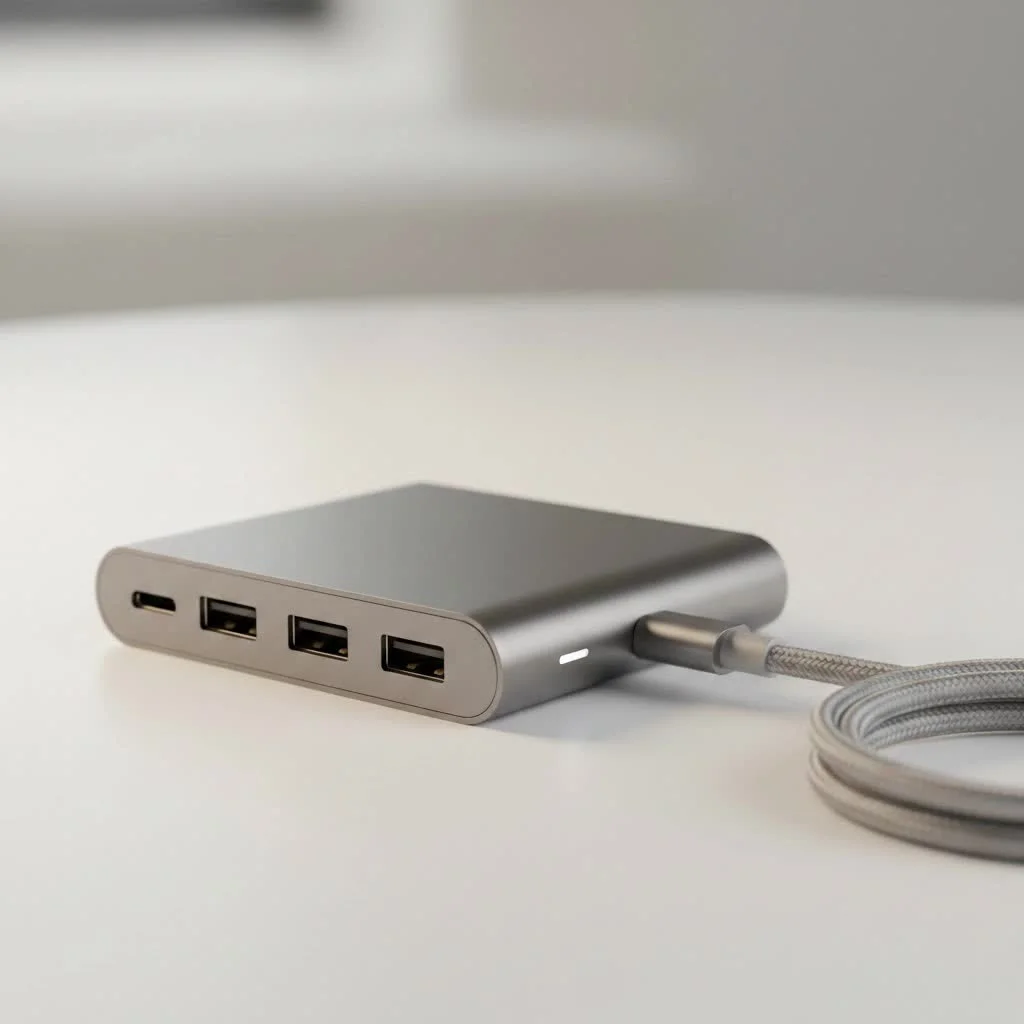
This is the key to unlocking a single-cable setup, allowing you to connect all your peripherals and charge your laptop simultaneously, all through one mighty port. It’s the difference between a cluttered desk and a clean, productive environment.
What Exactly is a USB-C Hub with Power Delivery?
At its core, a USB-C hub is a multiport adapter that expands one USB-C port into several different connection types, such as USB-A, HDMI, Ethernet, and SD card readers. However, the “Power Delivery” (PD) feature is what makes it truly powerful.
Power Delivery is a charging specification that allows for a higher, more dynamic power flow through a USB-C connection. When integrated into a hub, it enables a feature called “pass-through charging.”
Here’s how it works in simple terms:
- You plug your laptop’s original USB-C charger into the designated PD input port on the hub.
- You plug the hub into a USB-C port on your laptop.
- The hub then “passes through” the power from the charger to your laptop, charging it effectively.
- Simultaneously, the hub uses a small portion of that power to run itself and all the peripherals you’ve connected to it, like an external hard drive, keyboard, or monitor.
Essentially, a USB C hub with Power Delivery acts as a middleman, intelligently managing power distribution between your charger, your laptop, and your accessories.
Why You Absolutely Need Power Delivery in Your USB-C Hub
Opting for a hub with PD isn’t just a minor upgrade; it’s essential for a seamless and reliable user experience. Without it, you might find your laptop’s battery draining even while connected to a hub loaded with accessories.
The Magic of Single-Cable Simplicity
The most significant advantage is creating a true “docking station” experience with a single cable. You can leave your external monitor, keyboard, mouse, and charger all connected to the hub. When you get to your desk, you simply plug the hub’s single USB-C cable into your laptop. Everything connects instantly, and your laptop starts charging immediately. It’s the ultimate in convenience and decluttering.
Keep Your Laptop Charged, Always
|
Our Picks for the Best USB Hub in 2026
As an Amazon Associate I earn from qualifying purchases.
|
||
| Num | Product | Action |
|---|---|---|
| 1 | Anker USB Hub 4 Ports with 5Gbps Data Transfer, Multiple USB 3.0 Hub, USB Splitter for Laptop, Extender for A Port Laptop, PC, Desktop and More [Charging Not Supported](0.7 ft USB-A) |
 on Amazon](https://meeob.com/wp-content/plugins/amazon-tables/assets/images/buy.png)
|
| 2 | UGREEN USB 3.0 Hub, 4 Ports USB A Splitter Ultra-Slim USB Expander for Mouse, Keyboard, Flash Drive, U Disk, Printer Compatible with Laptop, Desktop PC, Xbox, PS5, and More |
|
| 3 | Powered USB Hub 10Gbps, intpw 9-Port USB 3.2 Hub, USB C Hub with USB A/USB C 3.2, 4 USB 3.0, 2 PD 45W Charging Ports, 65W Power Adapter and 3.3FT Cable, Aluminum USB Hub for Laptop, iPhone 17/16/15,PC |
|
| 4 | P9R PRO USB C Hub Ethernet, 10 in 1 USB Docking Station 10Gbps with 4K@60Hz HDMI, USB C and 2 USB A 3.2, LAN, 2 USB A 2.0, PD 100W, SD/TF Ports, USB to Ethernet Adapter for PC, iPhone 16/15, Mac |
|
| 5 | USB Hub 3.0, 7-Port USB Hub Splitter with Individual On/Off Switches and Lights, 3.2ft/1m Long Cable Compatible with MacBook, Laptop, Surface Pro, PS4, PC, Flash Drive, Mobile HDD |
|
| 6 | 3-in-1 USB C Splitter, 3 in 1 Type-C Charging Data Cable Data Transmission Decive Charging Adapter Power Charger Equipment for ome Office Use, Fast & Efficient |
|
| 7 | Anker Laptop Docking Station Dual Monitor, 8-in-1 USB C Hub, 4K Dual Monitor with 2 HDMI, 1 Gbps Ethernet Hub, 85W Power Delivery, SD Card Reader for MacBook Pro, XPS and More (Charger not Included) |
|
| 8 | 13 in 1 USB C Docking Station - Dual Monitor, Triple Display, 8 USB C/A Ports, Ethernet, Audio - LIONWEI USB C Hub for MacBook,Dell,HP,Lenovo,Surface |
|
| 9 | USB C Docking Station with M.2 NVMe SSD Enclosure 10Gbps, 9 in 1 USB-C Hub, Type C SSD Slot with 4K@60Hz HDMI, USB 3.2 Gen2, PD100W, SD/TF Card Reader, Laptop Docking Station for Dell/HP/Lenovo/Mac |
|
| 10 | Powered USB Hub, Wenter 11-Port USB Splitter Hub (10 Faster Data Transfer Ports+ 1 Smart Charging Port) with Individual LED On/Off Switches, USB Hub 3.0 Powered with Power Adapter for Mac, PC |
|
A standard USB-C hub without PD draws power from your laptop to operate its ports. If you connect power-hungry devices like an external SSD, you can watch your battery percentage drop surprisingly fast. A hub with Power Delivery solves this by providing a dedicated power source, ensuring your laptop’s battery stays topped up, no matter how many devices you have connected.
Powering Your Peripherals Reliably
Many peripherals, such as portable hard drives and webcams, need a stable power source to function correctly. A USB C hub with Power Delivery ensures there is enough juice to go around, preventing issues like drive disconnections or flickering external displays that can occur with underpowered, non-PD hubs.
How to Choose the Right USB C Hub with Power Delivery
Not all PD hubs are created equal. Choosing the right one is crucial for both the performance of your devices and the safety of your laptop. Here’s what you need to look for.
Check Your Laptop’s Wattage Requirements
This is the most critical factor. Your laptop’s charger has a wattage rating (e.g., 65W, 87W, 100W). Your hub and charger combination must meet or exceed this requirement. You can find the wattage printed in fine text on your power adapter. Using an underpowered hub will result in slow charging or even battery drain under heavy load.
Understand the Hub’s Power Consumption
A common mistake is assuming a 100W hub delivers 100W to your laptop. The hub itself consumes power to operate its own electronics and ports—typically between 5W and 15W.
“Always look at the hub’s power output, not just the input,” advises hardware engineer David Chen. “If your laptop needs 65W, a hub that accepts 65W input might only deliver 50W. You should use a charger and hub rated higher than your laptop’s minimum requirement to ensure a stable charge.”
For a laptop that requires 65W, it’s wise to use a charger and hub that support at least 85W PD to account for this power “tax.”
Port Selection: Beyond Just Power
While Power Delivery is key, the hub’s primary function is to provide ports. Make a list of the devices you use daily and choose a hub that accommodates them. Common ports to consider include:
- HDMI or DisplayPort: For connecting external monitors. Check for 4K resolution support at 60Hz for a smoother experience.
- USB-A (3.0/3.1): For legacy devices like keyboards, mice, and thumb drives.
- Ethernet: For a stable, wired internet connection, which is often faster and more reliable than Wi-Fi.
- SD/microSD Card Readers: Essential for photographers and videographers.
- Audio Jack: For connecting wired headphones or speakers.
Build Quality and Brand Reputation
A hub deals with both data and high-power electricity. A poorly made device can be unreliable or, in the worst-case scenario, damage your expensive laptop. Stick to reputable brands known for quality components and safety certifications. Aluminum casings are generally better for heat dissipation than plastic ones.
Frequently Asked Questions (FAQ)
Here are some quick answers to the most common questions about these versatile devices.
How much wattage do I really need?
Look at the charger that came with your laptop. That’s your baseline. For example, a MacBook Air might need 30W, while a 16-inch MacBook Pro could require 96W or more. Always aim to match or exceed this number with your hub and power adapter combination.
Can I use a higher-wattage charger with my hub and laptop?
Yes, absolutely. The USB Power Delivery standard is designed to be smart. Your laptop will only draw the amount of power it needs. Using a 100W charger on a 65W laptop is perfectly safe and provides plenty of overhead for the hub and other devices.
Will a USB-C hub with PD damage my laptop battery?
No, a quality hub from a reputable brand will not damage your battery. Modern laptops have built-in charge controllers that manage the power intake to prevent overcharging. The risk comes from using cheap, uncertified hubs that may have poor power regulation.
What’s the difference between PD and other charging standards like Quick Charge?
Power Delivery (PD) is the universal standard for USB-C and can deliver much higher power levels (up to 240W in the latest spec). It’s the standard used by most laptops, tablets, and even phones like the iPhone. Quick Charge (QC) is a proprietary standard by Qualcomm, mostly found on Android devices, and is generally not compatible with laptops.
Conclusion: Streamline Your Setup with the Right Hub
A USB C hub with Power Delivery is more than just an accessory; it’s a central component of a modern, efficient workspace. It solves the port scarcity problem while ensuring your laptop and peripherals stay powered and productive. By understanding your laptop’s power needs, accounting for the hub’s own consumption, and choosing a device with the right ports and build quality, you can create a clean, single-cable setup that simply works. Say goodbye to the dongle-filled life and embrace the streamlined power of a true do-it-all hub.
Get our weekly buyer guide
Practical specs, not advice. Unsubscribe anytime.
I’ve been looking for a good solution to my laptop’s limited ports. The idea of a single-cable setup is exactly what I needed. I picked up one of the hubs mentioned and it’s working great for my external keyboard and mouse, plus charging. I just wish it had one more USB-A port, but overall, I’m very happy with it.
I was so tired of my desk being a tangled mess of cables. This guide really helped me understand the benefits of a USB-C hub with Power Delivery. Now I can connect my monitor, external hard drive, and charge my laptop all through one port. It’s made such a difference in keeping my workspace clean and productive.
I got a USB-C hub with Power Delivery after reading about how it could help with my ultra-thin laptop. It does let me connect my peripherals, which is good. However, I’ve noticed it gets a bit warm when I have everything plugged in and charging. It’s not a deal-breaker, but something to keep in mind if you’re using it heavily.
This type of hub is a game-changer for anyone with a modern laptop. I used to constantly swap out my charger and external drive because I only had two USB-C ports. Now, with the Power Delivery feature, everything is connected and charging simultaneously. It truly streamlines my entire setup and saves me a lot of frustration.