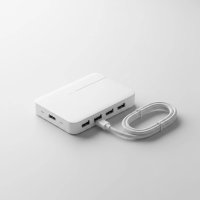
In our increasingly connected world, modern laptops and devices often prioritize sleek design, sometimes at the expense of versatile port options. This is where an Anker USB-C hub becomes an absolute game-changer, transforming a single USB-C port into a dynamic workstation. If you’ve ever found yourself juggling adapters or wishing for more ways to connect your favorite gadgets, you’re in the right place. Anker, a leader in charging and connectivity solutions, offers a diverse range of USB-C hubs designed to meet every need, from the casual user to the demanding professional, ensuring your digital life flows effortlessly.
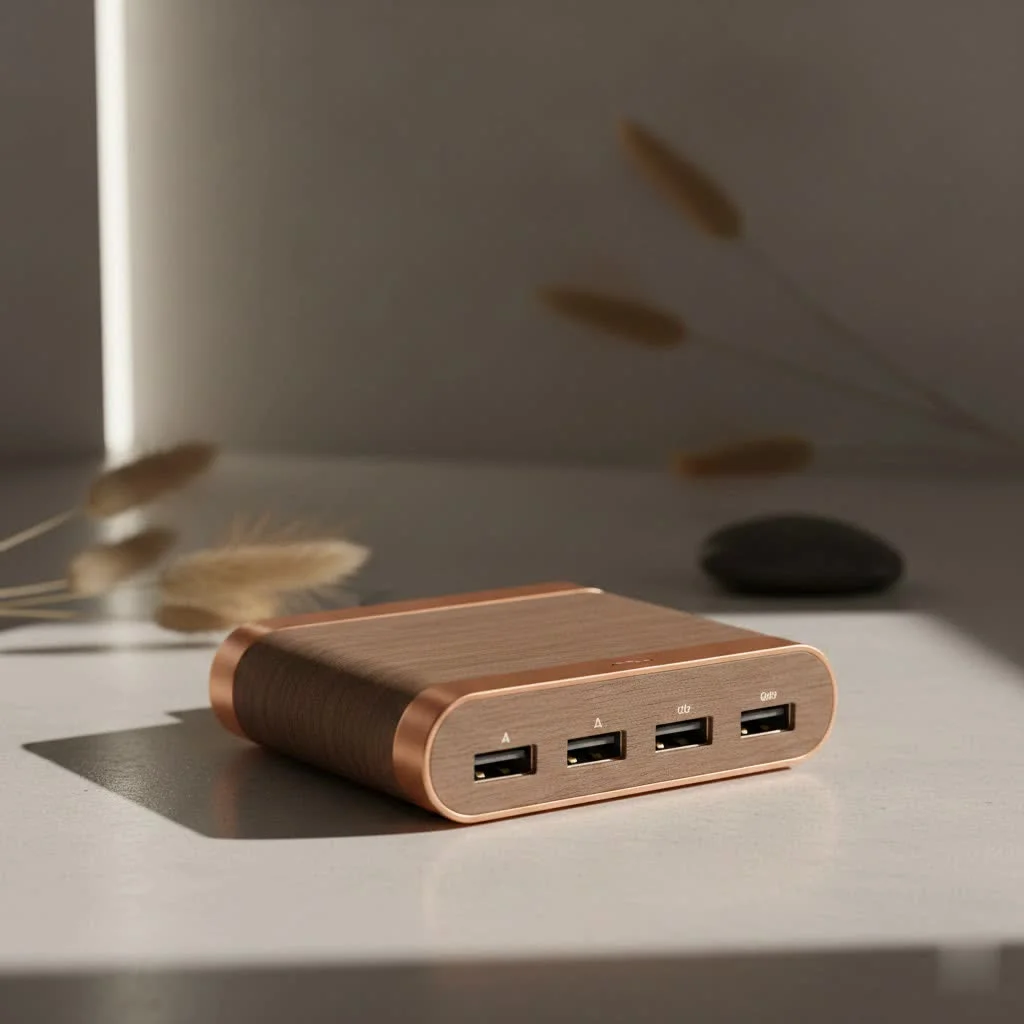
What Exactly is an Anker USB-C Hub?
At its core, an Anker USB-C hub is a compact, ingenious device that expands the connectivity of your USB-C enabled laptop, tablet, or even smartphone. Think of it as a multi-tool for your tech, converting one USB-C port into a collection of useful connections like USB-A, HDMI, Ethernet, and card readers. While many brands offer USB-C hubs, Anker stands out for its reputation for reliability, durable build quality, and a wide array of options that cater to virtually any setup. They’re designed to bridge the gap between your cutting-edge USB-C device and the peripherals you still rely on daily, ensuring you never miss a beat.
The Powerhouse of Connectivity: Key Features of Anker USB-C Hubs
Anker USB-C hubs are packed with features to supercharge your productivity and expand your device’s capabilities. Understanding these core functions will help you appreciate just how much these small devices can do.
Port Variety: Connecting All Your Devices
One of the most significant advantages of an Anker USB-C hub is the sheer variety of ports it can offer. You’ll typically find:
- USB-A Ports: These are crucial for connecting your legacy devices like keyboards, mice, external hard drives, and flash drives. Anker hubs often include a mix of USB 3.0 (5Gbps) and sometimes even USB 3.2 Gen 2 (10Gbps) ports for faster data transfers.
- USB-C Data Ports: Beyond the host connection, many hubs include additional USB-C ports dedicated solely to data transfer, allowing you to connect modern USB-C peripherals or external SSDs at high speeds.
- HDMI and DisplayPort: For those who need to extend or mirror their screen, Anker hubs commonly feature HDMI ports, with many supporting stunning 4K resolution at 30Hz or even a smoother 60Hz. Some advanced models even offer DisplayPort connections for versatile monitor setups, including dual or triple display support for a comprehensive workstation.
- Ethernet Port: For a stable and fast internet connection, especially crucial for online gaming, video conferencing, or large file downloads, a Gigabit Ethernet port is a common and highly valued inclusion.
- SD and microSD Card Readers: Photographers, videographers, and anyone who regularly transfers files from cameras or drones will appreciate the convenience of built-in SD and microSD card slots, often supporting high-speed UHS-I or UHS-II standards.
- Audio Jack: While less common on smaller hubs, some larger Anker docking stations include a 3.5mm audio jack for headphones or speakers.
Power Delivery: Keeping You Charged
|
Our Picks for the Best USB Hub in 2026
As an Amazon Associate I earn from qualifying purchases.
|
||
| Num | Product | Action |
|---|---|---|
| 1 | P9R PRO USB C Hub Ethernet, 10 in 1 USB Docking Station 10Gbps with 4K@60Hz HDMI, USB C and 2 USB A 3.2, LAN, 2 USB A 2.0, PD 100W, SD/TF Ports, USB to Ethernet Adapter for PC, iPhone 16/15, Mac |

|
| 2 | Anker USB Hub 4 Ports with 5Gbps Data Transfer, Multiple USB 3.0 Hub, USB Splitter for Laptop, Extender for A Port Laptop, PC, Desktop and More [Charging Not Supported](0.7 ft USB-A) |
|
| 3 | Powered USB Hub, Wenter 11-Port USB Splitter Hub (10 Faster Data Transfer Ports+ 1 Smart Charging Port) with Individual LED On/Off Switches, USB Hub 3.0 Powered with Power Adapter for Mac, PC |
|
| 4 | Anker Laptop Docking Station Dual Monitor, 8-in-1 USB C Hub, 4K Dual Monitor with 2 HDMI, 1 Gbps Ethernet Hub, 85W Power Delivery, SD Card Reader for MacBook Pro, XPS and More (Charger not Included) |
|
| 5 | Powered USB Hub 10Gbps, intpw 9-Port USB 3.2 Hub, USB C Hub with USB A/USB C 3.2, 4 USB 3.0, 2 PD 45W Charging Ports, 65W Power Adapter and 3.3FT Cable, Aluminum USB Hub for Laptop, iPhone 17/16/15,PC |
|
| 6 | UGREEN USB 3.0 Hub, 4 Ports USB A Splitter Ultra-Slim USB Expander for Mouse, Keyboard, Flash Drive, U Disk, Printer Compatible with Laptop, Desktop PC, Xbox, PS5, and More |
|
| 7 | USB C Docking Station with M.2 NVMe SSD Enclosure 10Gbps, 9 in 1 USB-C Hub, Type C SSD Slot with 4K@60Hz HDMI, USB 3.2 Gen2, PD100W, SD/TF Card Reader, Laptop Docking Station for Dell/HP/Lenovo/Mac |
|
| 8 | USB Hub 3.0, 7-Port USB Hub Splitter with Individual On/Off Switches and Lights, 3.2ft/1m Long Cable Compatible with MacBook, Laptop, Surface Pro, PS4, PC, Flash Drive, Mobile HDD |
|
| 9 | 3-in-1 USB C Splitter, 3 in 1 Type-C Charging Data Cable Data Transmission Decive Charging Adapter Power Charger Equipment for ome Office Use, Fast & Efficient |
|
| 10 | 13 in 1 USB C Docking Station - Dual Monitor, Triple Display, 8 USB C/A Ports, Ethernet, Audio - LIONWEI USB C Hub for MacBook,Dell,HP,Lenovo,Surface |
|
Modern laptops often charge via their USB-C port. Anker USB-C hubs with Power Delivery (PD) functionality allow you to connect your laptop’s charger to the hub, which then passes power through to your laptop while simultaneously powering all the connected peripherals. For instance, a hub might accept up to 100W input and deliver 85W to your laptop after allocating power for its own operation and connected accessories. This pass-through charging is essential for maintaining battery life, especially when your device only has one or two USB-C ports.
Data Transfer Speeds: Beyond Basic Connectivity
Not all data ports are created equal. Anker hubs offer a range of speeds to ensure your workflow remains efficient:
- USB 3.0 / USB 3.2 Gen 1 (5Gbps): Ideal for most everyday peripherals like external hard drives, webcams, and flash drives.
- USB 3.2 Gen 2 (10Gbps): If you’re frequently transferring large files to and from external SSDs, these faster ports will significantly cut down on waiting times.
- Thunderbolt 3 / Thunderbolt 4 (40Gbps): Found in Anker’s more premium docking stations, Thunderbolt compatibility offers blazing-fast data transfer, support for multiple high-resolution displays, and robust power delivery, perfect for power users with compatible laptops.
Anker USB-C Hubs in Action: Real-World Applications
The beauty of an Anker USB-C hub lies in its versatility across various scenarios.
- Elevating Your Home Office Setup: Imagine plugging a single USB-C cable into your laptop and instantly connecting to an external 4K monitor, a full-sized keyboard and mouse, and a reliable wired Ethernet connection. An Anker USB-C hub makes this seamless, creating a desktop experience even with a minimalist laptop. For example, a hub like the Anker 543 USB-C Hub (6-in-1, Slim) is perfect for a compact setup, offering HDMI, Ethernet, and essential USB-A ports.
- Powering On-the-Go Professionals: When traveling, space and weight are critical. Compact Anker USB-C hubs, such as the Anker 332 USB-C Hub, provide essential ports like USB-A for presentations or quickly offloading photos via SD card readers without adding bulk to your bag. “A well-designed Anker USB-C hub is like carrying a mobile office in your pocket,” says Dr. Evelyn Reed, a renowned expert in connectivity solutions. “It ensures you’re always ready, no matter where your work takes you.”
- Boosting Creative Workflows: For photographers, videographers, or graphic designers, high-speed data transfer and multi-display support are non-negotiable. Anker’s higher-end hubs, like the Anker 555 USB-C Hub (8-in-1), offer 10Gbps USB-A and USB-C data ports for quick transfers from external SSDs, alongside 4K@60Hz HDMI output to ensure crisp, fluid visuals on a secondary display for editing.
Navigating the Anker Ecosystem: Types of Anker USB-C Hubs
Anker’s extensive lineup includes various types of USB-C hubs, each tailored for different needs.
- Compact Travel Hubs: These are designed for ultimate portability, offering a core set of essential ports. Examples include the Anker 332 and Anker 341. They are lightweight, easy to carry, and perfect for expanding connectivity when you’re away from your main desk. While they might offer fewer ports, they usually include key necessities like USB-A, HDMI, and Power Delivery.
- Multi-Port Hubs for Everyday Use: These strike a balance between portability and comprehensive features. Models like the Anker 555 or Anker 543 often provide a wider array of ports, including multiple USB-A, USB-C data, HDMI (often 4K), Ethernet, and SD card readers. They are ideal for users who need consistent connectivity for a moderate number of peripherals at their primary workspace or home office.
- Advanced Docking Stations: For a full desktop workstation experience, Anker offers robust USB-C docking stations. The Anker 675 USB-C Docking Station, for instance, not only provides an extensive port selection but also doubles as a monitor stand with integrated wireless charging and cable management. More powerful options, such as the Anker Prime Thunderbolt 5 Docking Station, deliver extreme power, support dual 8K displays, and feature Thunderbolt 5 for unparalleled speed and expandability. These are generally larger and more expensive but replace multiple adapters and simplify complex setups.
Choosing Your Perfect Anker USB-C Hub: A Buying Guide
Selecting the right Anker USB-C hub doesn’t have to be complicated. By considering a few key factors, you can find the ideal companion for your devices.
Assess Your Needs: What Devices Do You Need to Connect?
Start by making a list of all the peripherals you regularly use or plan to use. Do you need to plug in a wired keyboard, an external mouse, a webcam, a flash drive, an external SSD, or perhaps an older printer? This will dictate the number and type of USB-A and USB-C data ports you’ll require.
Consider Port Selection: Prioritize Essential Ports
While more ports might seem better, a hub with unnecessary ports adds cost and bulk. Focus on what you truly need. If you regularly transfer photos, SD card slots are a must. If you rely on stable internet, an Ethernet port is critical. For external displays, an HDMI or DisplayPort is essential.
Power Requirements: Do You Need Pass-Through Charging? How Much?
If your laptop charges via USB-C and has limited ports, a hub with Power Delivery (PD) pass-through charging is non-negotiable. Check the hub’s PD rating (e.g., 85W) to ensure it can adequately power your laptop while supporting connected devices. Larger laptops often require higher wattage.
Display Demands: Single, Dual, 4K@30Hz or 60Hz?
Connecting external monitors? Determine if you need one, two, or even three displays. Also, consider the desired resolution and refresh rate. For basic productivity, 4K@30Hz is fine, but for smoother visuals, video editing, or gaming, look for 4K@60Hz or higher. Confirm your laptop also supports the desired display output.
Data Speed: For SSDs or Casual Use?
For transferring large files to external SSDs, prioritize hubs with USB 3.2 Gen 2 (10Gbps) or Thunderbolt ports. For everyday use with flash drives or standard external hard drives, USB 3.0 (5Gbps) will suffice.
Portability vs. Desktop Setup: Form Factor
Are you looking for a small, lightweight hub to toss in your bag for travel, or a more substantial docking station that stays on your desk? Travel hubs prioritize compactness, while docking stations offer more robust features and connectivity, often with added benefits like a monitor stand.
Compatibility: Device and OS
While most Anker USB-C hubs are widely compatible with Windows, macOS, and Chrome OS devices that support USB-C (specifically DisplayPort Alt Mode and Power Delivery), it’s always wise to check product specifications. Some hubs might have specific limitations, such as not supporting certain Linux distributions or older operating systems.
Troubleshooting Common Anker USB-C Hub Issues
Even with top-tier devices like Anker USB-C hubs, occasional hiccups can occur. Here are some common issues and quick solutions:
- Hub Not Recognized by Your Device: If your computer isn’t detecting the hub, first ensure the USB-C cable is fully inserted into both the hub and your device. Sometimes, simply unplugging and re-plugging the hub can resolve the issue. Try a different USB-C port on your computer, as some ports might have different functionalities or power delivery capabilities. Restarting your computer can also often clear up temporary connection glitches.
- Display Issues (Flickering, No Signal): If your external monitor isn’t working or is flickering, double-check that your HDMI or DisplayPort cable is securely connected at both ends. Verify that both your laptop’s USB-C port and the hub’s display output support the desired resolution and refresh rate (e.g., 4K@60Hz). Try a different display cable to rule out a faulty cable.
- Intermittent Disconnections or Slow Speeds: This can often be caused by insufficient power. If you have a powered hub, ensure its external power adapter is securely connected and functioning correctly. Overloading the hub with too many power-hungry devices (e.g., multiple external hard drives) can also lead to instability. Ensure your device’s operating system and the hub’s drivers (if any are required) are up to date.
- General Tips: Always ensure all connections are firm. If a problem persists with a specific peripheral, try connecting it directly to your computer (if possible) to determine if the issue lies with the device itself or the hub. Anker also provides excellent customer support and comprehensive troubleshooting guides on their website.
Frequently Asked Questions
What makes Anker USB-C hubs stand out from the competition?
Anker USB-C hubs are known for their reliable performance, durable build quality, and a wide range of models that cater to diverse needs. Anker prioritizes safety and efficiency in power delivery and data transfer, making them a trusted brand for connectivity solutions.
Can an Anker USB-C hub charge my laptop?
Yes, many Anker USB-C hubs feature Power Delivery (PD) pass-through charging. This allows you to connect your laptop’s USB-C charger to the hub, which then delivers power to your laptop while providing connectivity for other peripherals. Check the hub’s specifications for its maximum PD wattage.
Do Anker USB-C hubs work with all USB-C devices?
Anker USB-C hubs are broadly compatible with most USB-C enabled laptops, tablets, and smartphones that support DisplayPort Alt Mode and Power Delivery. However, specific compatibility can vary by device model and operating system, so always check the product details for any known limitations.
What’s the difference between an Anker USB-C hub and a docking station?
Generally, a USB-C hub is a more compact, portable device offering essential port expansion. A docking station, particularly Anker’s more advanced models, is typically larger, stays on your desk, and offers more extensive connectivity, higher power delivery, and often supports multiple external monitors, aiming to replicate a full desktop workstation.
How do I ensure optimal performance from my Anker USB-C hub?
To ensure optimal performance, always use high-quality cables, ensure your hub receives sufficient power (especially for powered hubs), keep your device’s drivers and operating system updated, and avoid overloading the hub with too many power-intensive devices simultaneously.
Are Anker USB-C hubs compatible with Thunderbolt?
Many Anker USB-C hubs are compatible with Thunderbolt 3 and Thunderbolt 4 ports, offering high data transfer speeds and display capabilities. Anker also produces dedicated Thunderbolt docking stations for users who require the full bandwidth and power that Thunderbolt technology provides.
Your Gateway to Enhanced Productivity
Choosing an Anker USB-C hub means investing in a smoother, more efficient digital experience. Whether you’re a minimalist traveler needing just a few extra ports or a power user seeking a comprehensive desktop setup, there’s an Anker USB-C hub designed to unlock your device’s full potential. By understanding the diverse features, applications, and selection criteria, you can confidently choose the right Anker USB-C hub to keep all your devices connected, powered, and performing at their best. Embrace the simplicity and power of seamless connectivity, and make the most out of your tech today!
Get our weekly buyer guide
Practical specs, not advice. Unsubscribe anytime.