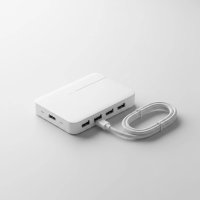
In our increasingly connected world, managing a myriad of USB devices can feel like juggling too many balls. From external hard drives and webcams to gaming peripherals and smart home gadgets, your computer’s limited USB ports quickly become a bottleneck. This is where a USB hub switch steps in, offering an elegant solution to declutter your desk, streamline your workflow, and give you unparalleled control over your digital arsenal. But what exactly is a USB hub switch, and how can it transform your connectivity experience? Let’s dive deep.
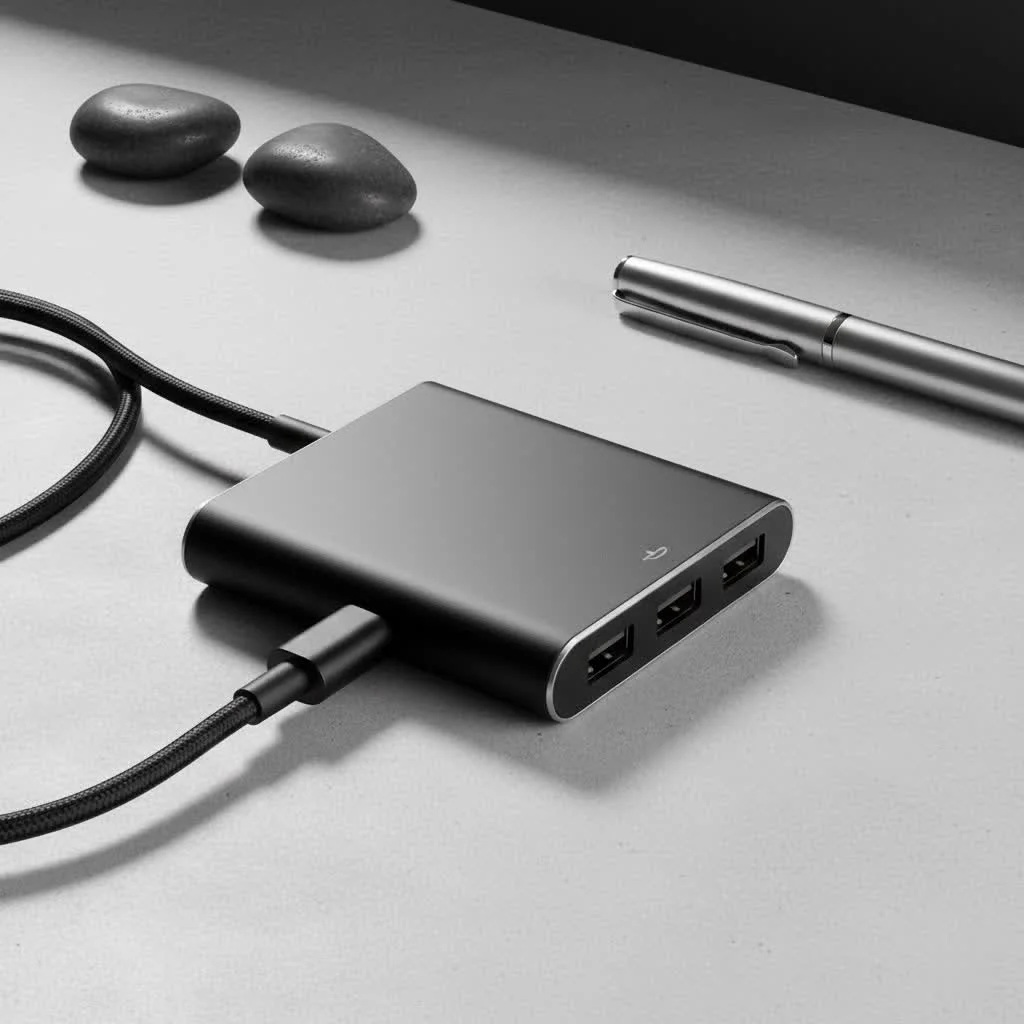
At Meeob, we understand the intricacies of digital connectivity. With over a decade in the field, I’ve seen USB technology evolve, and one of the most impactful innovations for daily users is the rise of the USB hub with individual port control. Forget constantly plugging and unplugging; imagine effortlessly toggling devices on and off with a simple click. This guide will unravel everything you need to know, empowering you to choose and use a USB hub switch safely and effectively.
What is a USB Hub with Individual Switches?
A USB hub with individual switches is essentially a standard USB hub that comes equipped with a dedicated on/off button for each of its USB ports. Think of it as a power strip for your USB devices, but with intelligence. Instead of simply expanding the number of available ports, it grants you granular control over each connection.
When you flip a switch on one of these hubs, you’re not just cutting power; you’re often disconnecting the device from your computer’s data bus as well. This allows you to bring devices online only when needed and take them offline instantly without having to physically remove the cable. It’s a game-changer for anyone with multiple peripherals.
Why You Need a USB Hub with Individual Switches
Many users discover the utility of these hubs out of necessity, but once experienced, they become an indispensable tool. Here are the compelling reasons why a USB hub with individual switches should be on your tech radar:
Enhanced Power Management
Ever had an external hard drive constantly spinning, even when you’re not accessing it? Or a gaming mouse lighting up your room at night? A switched USB hub lets you easily cut power to these devices. This not only saves energy but also extends the lifespan of your peripherals by reducing unnecessary wear and tear.
Improved Data Security and Privacy
In an era where digital privacy is paramount, having direct control over connected devices is crucial. Imagine having a webcam or an external drive containing sensitive data. With an individual switch, you can instantly disable these devices when not in use, ensuring they aren’t inadvertently accessed or compromised. It’s peace of mind at the flick of a button.
Streamlined Device Management
|
Our Picks for the Best USB Hub in 2026
As an Amazon Associate I earn from qualifying purchases.
|
||
| Num | Product | Action |
|---|---|---|
| 1 | 3-in-1 USB C Splitter, 3 in 1 Type-C Charging Data Cable Data Transmission Decive Charging Adapter Power Charger Equipment for ome Office Use, Fast & Efficient |

|
| 2 | UGREEN USB 3.0 Hub, 4 Ports USB A Splitter Ultra-Slim USB Expander for Mouse, Keyboard, Flash Drive, U Disk, Printer Compatible with Laptop, Desktop PC, Xbox, PS5, and More |
|
| 3 | USB Hub 3.0, 7-Port USB Hub Splitter with Individual On/Off Switches and Lights, 3.2ft/1m Long Cable Compatible with MacBook, Laptop, Surface Pro, PS4, PC, Flash Drive, Mobile HDD |
|
| 4 | Powered USB Hub 10Gbps, intpw 9-Port USB 3.2 Hub, USB C Hub with USB A/USB C 3.2, 4 USB 3.0, 2 PD 45W Charging Ports, 65W Power Adapter and 3.3FT Cable, Aluminum USB Hub for Laptop, iPhone 17/16/15,PC |
|
| 5 | USB C Docking Station with M.2 NVMe SSD Enclosure 10Gbps, 9 in 1 USB-C Hub, Type C SSD Slot with 4K@60Hz HDMI, USB 3.2 Gen2, PD100W, SD/TF Card Reader, Laptop Docking Station for Dell/HP/Lenovo/Mac |
|
| 6 | 13 in 1 USB C Docking Station - Dual Monitor, Triple Display, 8 USB C/A Ports, Ethernet, Audio - LIONWEI USB C Hub for MacBook,Dell,HP,Lenovo,Surface |
|
| 7 | Anker Laptop Docking Station Dual Monitor, 8-in-1 USB C Hub, 4K Dual Monitor with 2 HDMI, 1 Gbps Ethernet Hub, 85W Power Delivery, SD Card Reader for MacBook Pro, XPS and More (Charger not Included) |
|
| 8 | Anker USB Hub 4 Ports with 5Gbps Data Transfer, Multiple USB 3.0 Hub, USB Splitter for Laptop, Extender for A Port Laptop, PC, Desktop and More [Charging Not Supported](0.7 ft USB-A) |
|
| 9 | Powered USB Hub, Wenter 11-Port USB Splitter Hub (10 Faster Data Transfer Ports+ 1 Smart Charging Port) with Individual LED On/Off Switches, USB Hub 3.0 Powered with Power Adapter for Mac, PC |
|
| 10 | P9R PRO USB C Hub Ethernet, 10 in 1 USB Docking Station 10Gbps with 4K@60Hz HDMI, USB C and 2 USB A 3.2, LAN, 2 USB A 2.0, PD 100W, SD/TF Ports, USB to Ethernet Adapter for PC, iPhone 16/15, Mac |
|
The constant dance of plugging and unplugging cables is frustrating and inefficient. Whether you’re a gamer with multiple flight sticks and racing wheels or a professional switching between various peripherals, a switched hub means your devices stay connected. Just toggle the switch to activate or deactivate them. No more fumbling behind your PC!
Reduced Clutter and Cable Wear
By keeping your devices perpetually plugged into the hub but only activating them when required, you minimize cable stress and port wear on both your hub and your devices. This contributes to a tidier workspace and prolongs the life of your hardware.
Troubleshooting Made Easy
When a device acts up, it’s often difficult to pinpoint the source of the problem. A switched hub allows you to isolate devices one by one. You can power cycle individual peripherals or test connections without disrupting your entire setup, making troubleshooting a breeze.
Types of USB Hub Switches
Just like regular USB hubs, their switched counterparts come in various forms, tailored for different needs and performance requirements. Understanding these distinctions is key to making an informed choice.
By USB Standard
The USB standard dictates the maximum data transfer speed and, often, the power capabilities.
- USB 2.0 (480 Mbps): While older, USB 2.0 hubs with switches are perfectly adequate for low-bandwidth devices like keyboards, mice, printers, and basic webcams. They are generally more affordable.
- USB 3.0 / 3.1 Gen 1 / 3.2 Gen 1 (5 Gbps): Offering significantly faster speeds (up to 10 times that of USB 2.0), these hubs are ideal for external hard drives, high-resolution webcams, and USB flash drives where quick data transfer is essential. Many modern switched hubs utilize this standard.
- USB-C (Various Speeds): With the proliferation of USB-C ports on newer laptops and devices, USB-C switched hubs are becoming more common. These often support higher bandwidth and power delivery (PD), making them versatile for a range of modern peripherals and even charging devices.
Powered vs. Unpowered
This is perhaps the most critical distinction for any USB hub, and especially for those with switches.
- Unpowered (Bus-Powered) Hubs: These hubs draw all their power from the host computer’s USB port. They are compact and convenient for light-duty use with low-power devices. However, if you connect multiple power-hungry devices, you risk instability, device dropouts, or even damage to your computer’s USB port.
- Powered (Self-Powered) Hubs: These hubs come with an external power adapter that plugs into a wall outlet. This dedicated power supply is crucial for reliably supporting multiple devices, especially those that draw significant power like external hard drives, certain webcams, or charging devices. For a USB hub switch, a powered model is almost always recommended to ensure stable performance and the full benefit of individual port control.
Port Count
USB hub switches are available with varying numbers of ports, commonly ranging from 4-port to 7-port, and sometimes even 10-port configurations. Consider how many devices you currently have and how many you might add in the future to choose an appropriate port count.
USB Hubs with Individual Switches in Action: Practical Applications
The versatility of these hubs extends across numerous scenarios, making life easier for diverse users:
- Gaming Setups: Gamers often have a plethora of peripherals – joysticks, steering wheels, specialty controllers, and VR headsets. An individually switched hub allows them to enable only the devices needed for a particular game, preventing conflicts and saving power. This is particularly useful for HOTAS (Hands On Throttle And Stick) setups where specific controllers might interfere with others when simultaneously active.
- Home Office Organization: For remote workers or those with a hybrid setup, sharing peripherals like a single printer or scanner between a work laptop and a personal desktop becomes seamless. While primarily for individual port control, it helps manage the devices connected to a single host.
- Charging Stations: Combine a powered USB hub switch with charging cables, and you have an organized station where you can charge multiple devices (phones, smartwatches, headphones) and turn them off when fully charged.
- Smart Home Devices: Some smart home hubs or development boards like Raspberry Pis can benefit from switched USB ports to manage connected sensors or accessories, power cycling them without physical disconnection.
- Development and Testing Environments: Engineers and hobbyists often need to connect and disconnect various USB test equipment or prototype devices. Individual switches provide quick, controlled access, preventing software conflicts or power surges during testing.
Making the Right Choice: What to Look for in a USB Hub Switch
Choosing the perfect USB hub switch requires a bit of foresight. Here’s a checklist to guide your decision:
- Match the USB Standard to Your Needs: If you’re primarily connecting older, low-bandwidth devices, a USB 2.0 hub might suffice. However, for future-proofing and connecting modern peripherals like external SSDs, opt for USB 3.0 (or higher) to ensure optimal speeds.
- Always Prioritize a Powered Hub: This cannot be stressed enough. For reliability, stability, and the ability to connect multiple high-draw devices, a hub with an external power adapter is indispensable. It prevents devices from drawing too much power from your computer and ensures consistent performance across all ports.
- Consider the Port Count: Think about your current and future needs. It’s often wise to get a hub with a few more ports than you initially think you’ll need.
- Assess Build Quality and Design: Look for a sturdy construction, clear LED indicators for each switch (showing which ports are active), and a reasonable cable length to connect to your computer. Brands like StarTech.com and Sabrent offer robust options.
- Ensure Broad Compatibility: Most reputable USB hubs are OS independent, meaning they work seamlessly with Windows, macOS, Linux, and Chrome OS without requiring special drivers.
Understanding the Difference: USB Hub with Switches vs. USB Sharing Switch
It’s important to clarify a common point of confusion. While both involve “switches” and “USB,” they serve distinct purposes:
- USB Hub with Individual Switches: This is what we’ve primarily discussed. It’s a single USB hub connected to one computer, allowing you to individually control the power and data flow to multiple devices plugged into the hub. It enhances management for a single host.
- USB Sharing Switch (or USB KVM Switch): This device allows multiple computers to share one or more USB peripherals. For example, two computers could share a single printer, keyboard, and mouse. You press a button on the sharing switch to toggle which computer has access to the shared peripherals. It’s designed for sharing resources between multiple hosts. [cite: 1, 2, 4 from “usb switch for multiple computers” search]
To put it simply: A “USB hub with individual switches” is for one computer managing many devices. A “USB sharing switch” is for many computers sharing a few devices. The keyword “usb hub switch” typically leans towards the former, emphasizing a hub that has integrated switching functionality per port.
Expert Insights for Meeob Readers
“In my experience, the biggest mistake people make with USB hubs is underestimating power requirements,” says Alex Chen, Meeob’s Lead Connectivity Architect. “A self-powered USB hub with individual switches is truly the optimal setup. It gives you the flexibility to manage each device’s power draw, protecting both your computer and your peripherals. Plus, that instant on/off control makes daily computing so much more efficient and secure.”
Conclusion
The USB hub switch is more than just a peripheral; it’s an organizational powerhouse that brings order, efficiency, and enhanced control to your digital life. By allowing you to manage individual devices with ease, it frees you from cable clutter, conserves energy, bolsters your data security, and simplifies troubleshooting. Whether you’re a hardcore gamer, a diligent professional, or just someone looking to streamline their desk, investing in a quality USB hub with individual switches is a decision you won’t regret.
Take control of your connectivity today. Explore the options, consider your needs, and make the switch to a smarter, more organized USB experience. Your devices – and your sanity – will thank you for it.
Get our weekly buyer guide
Practical specs, not advice. Unsubscribe anytime.