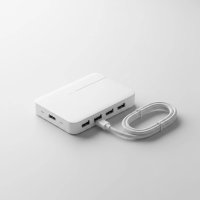
Ever feel like your computer just doesn’t have enough ports? In our increasingly connected world, running out of USB ports is a common predicament. That’s where a high-quality USB hub becomes a true hero, transforming a single port into a multitude of connections. When it comes to dependable, high-performance expansion, StarTech USB hubs consistently stand out as a top choice for both everyday users and seasoned IT professionals.
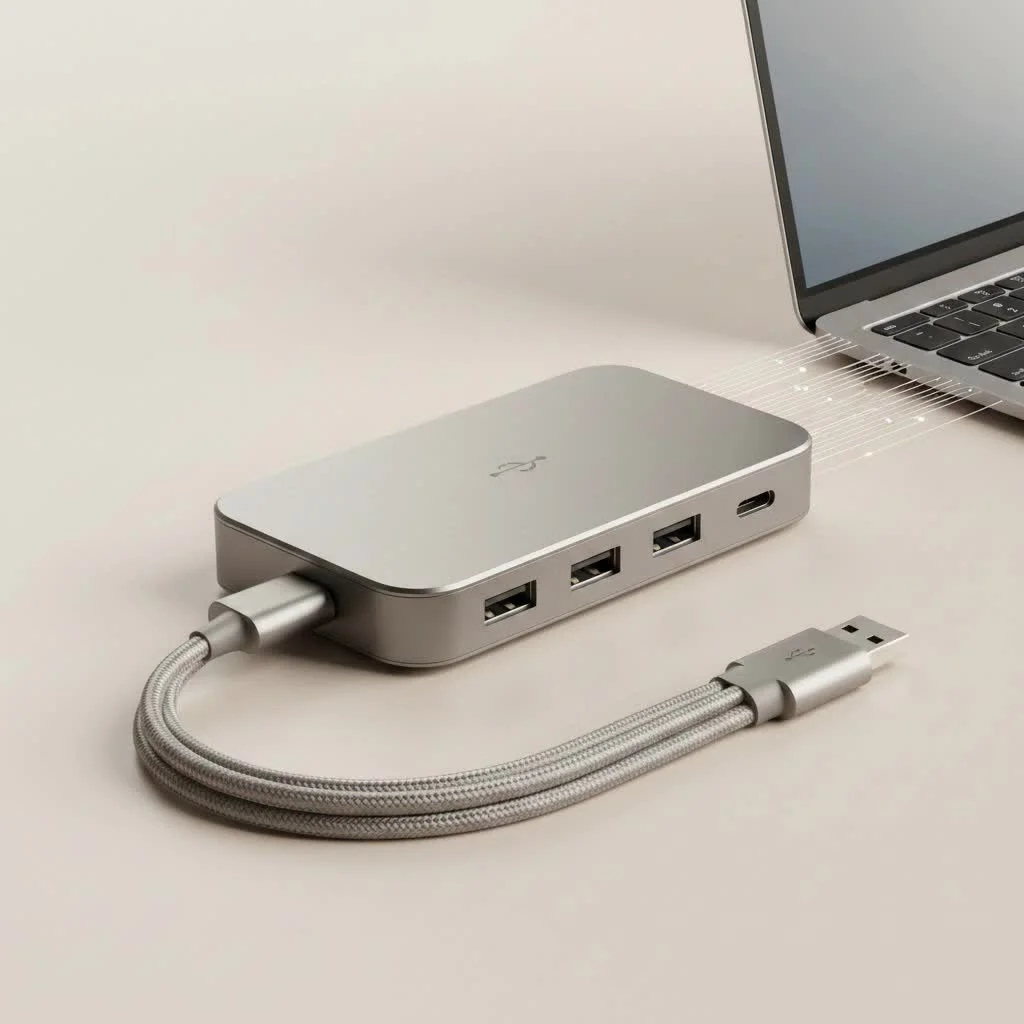
StarTech.com has built a reputation for crafting connectivity solutions that just work, offering a diverse range of USB hubs designed to meet virtually any need. From expanding your desktop’s peripheral reach to enabling robust industrial setups, StarTech delivers on its promise of reliability and performance. They’re not just about adding ports; they’re about enhancing your entire digital ecosystem with seamless integration and robust engineering. For more usb hubs guides on this site.
Understanding StarTech USB Hubs: More Than Just Extra Ports
At its core, a USB hub is a device that expands a single Universal Serial Bus (USB) port into several, allowing you to connect multiple peripherals simultaneously. StarTech takes this fundamental concept and elevates it with thoughtful design and advanced features. Their commitment to quality means that every StarTech USB hub is designed for “plug-and-play” convenience, ensuring easy, automatic driver installation that’s independent of your operating system. You simply plug it in, and you’re ready to go.
What truly sets StarTech apart is their deep understanding of various user needs. They don’t offer a one-size-fits-all solution, but rather a specialized lineup that addresses specific challenges, from the casual user needing a few extra ports at their desk to complex industrial environments requiring rugged, protected connectivity.
Types of StarTech USB Hubs: Finding Your Perfect Match
StarTech offers a comprehensive portfolio of USB hubs, each tailored for different applications and user demands. Understanding the distinctions between these types is key to selecting the ideal StarTech USB hub for your setup.
Traditional USB-A Hubs (USB 3.0/3.1 Gen 1)
These are the workhorses of USB expansion, designed to add multiple standard USB-A ports to your computer.
- What are their features? Typically equipped with several USB-A ports, these hubs often support USB 3.0 (also known as USB 3.1 Gen 1) data transfer speeds of up to 5Gbps. Many are self-powered, meaning they come with an external power adapter to ensure stable power delivery to all connected devices, including power-hungry external hard drives or charging devices. Some even include dedicated fast-charge ports.
- Where are they used? They are perfect for desktop expansion, allowing you to connect keyboards, mice, printers, external hard drives, and flash drives without constantly swapping cables. They’re also excellent for extending the life of your legacy USB-A peripherals.
- What are the pros? These hubs are simple to use, widely compatible with almost all USB-A devices, and very reliable. The external power supply ensures consistent performance even with multiple devices drawing power.
- What are the cons? They are limited to USB-A connections, meaning they won’t directly support newer USB-C devices without an adapter. The need for an external power adapter can also mean one more cable to manage.
Modern USB-C Multiport Adapters
|
Our Picks for the Best USB Hub in 2026
As an Amazon Associate I earn from qualifying purchases.
|
||
| Num | Product | Action |
|---|---|---|
| 1 | Powered USB Hub 10Gbps, intpw 9-Port USB 3.2 Hub, USB C Hub with USB A/USB C 3.2, 4 USB 3.0, 2 PD 45W Charging Ports, 65W Power Adapter and 3.3FT Cable, Aluminum USB Hub for Laptop, iPhone 17/16/15,PC |

|
| 2 | Powered USB Hub, Wenter 11-Port USB Splitter Hub (10 Faster Data Transfer Ports+ 1 Smart Charging Port) with Individual LED On/Off Switches, USB Hub 3.0 Powered with Power Adapter for Mac, PC |
|
| 3 | USB Hub 3.0, 7-Port USB Hub Splitter with Individual On/Off Switches and Lights, 3.2ft/1m Long Cable Compatible with MacBook, Laptop, Surface Pro, PS4, PC, Flash Drive, Mobile HDD |
|
| 4 | 13 in 1 USB C Docking Station - Dual Monitor, Triple Display, 8 USB C/A Ports, Ethernet, Audio - LIONWEI USB C Hub for MacBook,Dell,HP,Lenovo,Surface |
|
| 5 | Anker USB Hub 4 Ports with 5Gbps Data Transfer, Multiple USB 3.0 Hub, USB Splitter for Laptop, Extender for A Port Laptop, PC, Desktop and More [Charging Not Supported](0.7 ft USB-A) |
|
| 6 | USB C Docking Station with M.2 NVMe SSD Enclosure 10Gbps, 9 in 1 USB-C Hub, Type C SSD Slot with 4K@60Hz HDMI, USB 3.2 Gen2, PD100W, SD/TF Card Reader, Laptop Docking Station for Dell/HP/Lenovo/Mac |
|
| 7 | P9R PRO USB C Hub Ethernet, 10 in 1 USB Docking Station 10Gbps with 4K@60Hz HDMI, USB C and 2 USB A 3.2, LAN, 2 USB A 2.0, PD 100W, SD/TF Ports, USB to Ethernet Adapter for PC, iPhone 16/15, Mac |
|
| 8 | UGREEN USB 3.0 Hub, 4 Ports USB A Splitter Ultra-Slim USB Expander for Mouse, Keyboard, Flash Drive, U Disk, Printer Compatible with Laptop, Desktop PC, Xbox, PS5, and More |
|
| 9 | 3-in-1 USB C Splitter, 3 in 1 Type-C Charging Data Cable Data Transmission Decive Charging Adapter Power Charger Equipment for ome Office Use, Fast & Efficient |
|
| 10 | Anker Laptop Docking Station Dual Monitor, 8-in-1 USB C Hub, 4K Dual Monitor with 2 HDMI, 1 Gbps Ethernet Hub, 85W Power Delivery, SD Card Reader for MacBook Pro, XPS and More (Charger not Included) |
|
As USB-C becomes the standard, especially on newer laptops, StarTech offers sophisticated multiport adapters that transform a single USB-C or Thunderbolt 3 port into a versatile array of connections.
- What do they offer? These compact powerhouses typically feature a mix of USB-A and USB-C ports, along with essential additions like HDMI or DisplayPort for video output (supporting resolutions up to 4K at 60Hz), Gigabit Ethernet for a stable wired network connection, and SD/MicroSD card readers. Critically, many support USB Power Delivery (PD) pass-through, allowing you to charge your laptop while using the hub.
- Who are they for? Ideal for laptop users, especially those with limited ports, for creating a single-cable workstation, or for professionals who travel and need versatile connectivity for presentations and external displays. They also work well with devices like the iPhone 15 Pro Max for connecting to Ethernet.
- What are the pros? They offer incredible versatility in a compact form factor, consolidating multiple adapters into one. They are generally future-proof, supporting the latest USB-C devices and standards, and can significantly enhance mobile productivity.
- What are the cons? Their power delivery capabilities can vary, so it’s crucial to check if the wattage is sufficient for your laptop. Video output functionality often depends on your host device’s USB-C port supporting DisplayPort Alt Mode and sometimes Multi-Stream Transport (MST) for dual displays. Bus-powered models might have limited power for simultaneous charging and data transfer.
Rugged Industrial USB Hubs
For environments where standard consumer-grade electronics simply won’t cut it, StarTech provides industrial-grade USB hubs built for resilience.
- What makes them special? These hubs feature rugged metal housings, often with wide operating temperature ranges (e.g., 0°C to 70°C), and boast enhanced protection against electrostatic discharge (ESD) and power surges for each USB port. They offer flexible power input options (e.g., 7-24V DC terminal block) and come with versatile mounting capabilities like DIN rail or wall mounts.
- What are their applications? They are indispensable in harsh environments such as factories, warehouses, product and repair labs, and for robust point-of-sale (POS) peripheral connectivity.
- What are the pros? Unmatched durability, enhanced protection for connected devices, reliable performance in challenging conditions, and specialized features for professional deployments.
- What are the cons? They typically come at a higher price point due to their specialized construction and features, which might be overkill for standard home or office use.
Key Features to Look for in a StarTech USB Hub
When choosing a StarTech USB hub, understanding the key specifications and features will help you make an informed decision:
Data Transfer Speed (USB 3.0/3.1 Gen 1 vs. Gen 2)
Most StarTech hubs support USB 3.0 (also known as USB 3.1 Gen 1), offering speeds up to 5Gbps. This is ample for most peripherals like keyboards, mice, and even many external hard drives. For the fastest performance with compatible SSDs or high-bandwidth capture devices, look for hubs that specify USB 3.1 Gen 2, which boasts speeds up to 10Gbps.
Power Delivery and Charging Capabilities
- Bus-Powered vs. Self-Powered: Bus-powered hubs draw all their power directly from the host computer’s USB port, making them highly portable but limiting the total power available for connected devices. Self-powered (or externally powered) hubs use an AC adapter, providing a dedicated power supply that ensures stable power for all ports, even for multiple power-hungry devices.
- Fast-Charge Ports: Many StarTech hubs, especially desktop models, include dedicated fast-charge ports (often conforming to USB Battery Charging Specification 1.2, providing up to 1.5A per port) to quickly charge smartphones and tablets.
- Power Delivery (PD) Pass-Through: For USB-C multiport adapters, PD pass-through allows you to connect your laptop’s USB-C power adapter to the hub, which then powers the hub itself and passes power through to charge your laptop. StarTech hubs can support up to 100W PD, though typically 15W is reserved for the hub’s operation, leaving up to 85W for your laptop.
Video Output (for USB-C Hubs)
If you need to connect external displays via your USB-C hub, check for HDMI or DisplayPort outputs. StarTech USB-C hubs often support 4K resolution at 60Hz and utilize DisplayPort Alternate Mode (DP Alt Mode) and Multi-Stream Transport (MST) for single or dual display setups. Ensure your computer’s USB-C port also supports these video capabilities.
Network Connectivity
A Gigabit Ethernet port is a common and highly valued feature on many StarTech USB-C hubs. It provides a stable, high-speed wired network connection, which is often more reliable and faster than Wi-Fi, especially crucial for gaming, large file transfers, or in areas with poor wireless reception. Some models, like the StarTech 3-Port USB-C hub, specialize in this, making them an excellent choice if a wired internet connection is a priority.
Port Configuration
Consider the number and type of ports you need. Do you need a mix of USB-A and USB-C? How many of each? Do you require SD/MicroSD card readers for photographers or content creators? StarTech offers configurations from basic 4-port USB-A hubs to complex 10-port industrial models and versatile USB-C multiport adapters.
Build Quality and Protection
While all StarTech products are known for good build quality, their industrial hubs take it a step further. Features like robust metal casings, surge protection, and ESD protection are vital for sensitive equipment and harsh operating conditions, ensuring longevity and protecting your connected devices.
Choosing the Right StarTech USB Hub for Your Needs
Picking the perfect StarTech hub isn’t just about adding ports; it’s about smart expansion that complements your workflow. Here’s a quick guide to help you decide:
- Identify Your Host Device’s Ports: Do you have traditional USB-A ports, or are you primarily working with USB-C and Thunderbolt 3? This will dictate the primary input of your hub.
- Determine Your Peripherals and Their Power Needs: List all the devices you plan to connect. Do any require significant power (e.g., external hard drives, multiple mobile devices)? If so, a self-powered hub or a USB-C hub with robust PD pass-through is crucial.
- Consider Your Environment: For a static desktop setup, a larger, powered USB-A hub might be ideal. For mobile professionals, a compact, bus-powered or PD-enabled USB-C multiport adapter is more practical. For demanding industrial settings, the specialized features of an industrial hub are non-negotiable.
- Prioritize Features: Is high-speed data transfer your top priority, or do you need video output, a wired network connection, or extensive charging capabilities?
“Choosing a USB hub is like building a custom toolkit for your computer,” says Mei Lin, a Senior Connectivity Architect at Meeob.com. “StarTech’s range allows you to precisely match the tool to the task, ensuring not just more ports, but the right ports with the right power and performance.”
Applications of StarTech USB Hubs in Real-World Scenarios
StarTech USB hubs are incredibly versatile, finding their place in a myriad of applications:
- Home/Office Productivity: Easily connect your keyboard, mouse, external SSD, printer, and webcam to a single hub, decluttering your workspace and making hard-to-reach ports more accessible.
- Mobile Workstations: For laptop users, a StarTech USB-C multiport adapter can turn your portable device into a full-fledged workstation with external monitors, wired internet, and all your peripherals, all connected via one cable.
- Industrial & Commercial Settings: Industrial USB hubs are essential for connecting barcode scanners, receipt printers, touchscreens, and other peripherals in point-of-sale (POS) systems, automated manufacturing lines, and data acquisition setups, where reliability and protection are paramount.
- Charging Stations: Dedicated charge-and-sync hubs can provide convenient fast-charging for multiple smartphones, tablets, and other mobile devices, making them perfect for hot-desk environments or family use.
FAQs about StarTech USB Hubs
Q1: What does “powered USB hub” mean for StarTech?
A powered USB hub, also known as a self-powered hub, means the hub comes with its own AC power adapter. This allows it to supply consistent, stable power to all connected devices, making it suitable for peripherals like external hard drives or for charging multiple devices that require more power than a bus-powered hub (which draws power only from your computer) can provide.
Q2: Can I charge my laptop with a StarTech USB-C hub?
Many StarTech USB-C multiport adapters support Power Delivery (PD) pass-through, allowing you to charge your laptop through the hub. You connect your laptop’s USB-C power adapter to the hub, and the hub then passes power to your laptop while operating its own functions. Always check the hub’s wattage rating to ensure it meets your laptop’s charging requirements.
Q3: Are StarTech industrial USB hubs worth the extra cost?
For standard home or office use, a basic StarTech USB-A or USB-C hub is usually sufficient. However, for industrial environments, medical facilities, server rooms, or other demanding applications where extreme durability, wide temperature ranges, surge protection, and ESD protection are critical, the extra cost of a StarTech industrial USB hub is absolutely justified to ensure reliability and protect valuable equipment.
Q4: Do StarTech USB hubs require drivers?
Most StarTech USB hubs are designed to be plug-and-play and are operating system independent, meaning they do not require manual driver installation. Your computer will automatically detect and install any necessary drivers when you connect the hub. However, some specific features on advanced USB-C multiport adapters, such as Gigabit Ethernet, might occasionally require a driver on certain operating systems.
Q5: What’s the difference between USB 3.0 and USB 3.1 Gen 1 on a StarTech hub?
There is no functional difference between USB 3.0 and USB 3.1 Gen 1. They are simply different names for the same specification, which provides a maximum data transfer rate of 5 gigabits per second (Gbps). Newer specifications like USB 3.1 Gen 2 offer faster speeds (10 Gbps), so it’s essential to check the specific generation if maximum speed is your priority.
Conclusion: Empower Your Setup with StarTech Reliability
In a world where digital devices constantly vie for connectivity, a StarTech USB hub is more than just an accessory—it’s an essential tool for maximizing your productivity and streamlining your setup. Whether you’re a home user looking to expand your peripheral options, a mobile professional needing a versatile travel companion, or an IT expert deploying solutions in a challenging industrial environment, StarTech offers a robust, reliable, and expertly engineered hub to meet your demands.
Don’t let limited ports hinder your potential. Explore the range of StarTech USB hubs and empower your devices with the connectivity they deserve. Invest in a StarTech hub today, and experience the difference that quality, performance, and unwavering reliability make in your daily digital life. You’ll wonder how you ever managed without it!
Get our weekly buyer guide
Practical specs, not advice. Unsubscribe anytime.