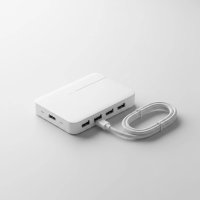
Running out of ports on your laptop is a modern-day frustration we all know too well. You have a mouse, an external hard drive, a webcam, and a phone to charge, but only two USB-C ports to work with. It’s like trying to fit a week’s worth of groceries into a mini-fridge. This is where a j5create USB hub becomes an essential accessory, transforming a single port into a powerful workstation. As a brand known for quality and innovation, j5create offers a wide array of hubs designed to solve your connectivity problems.
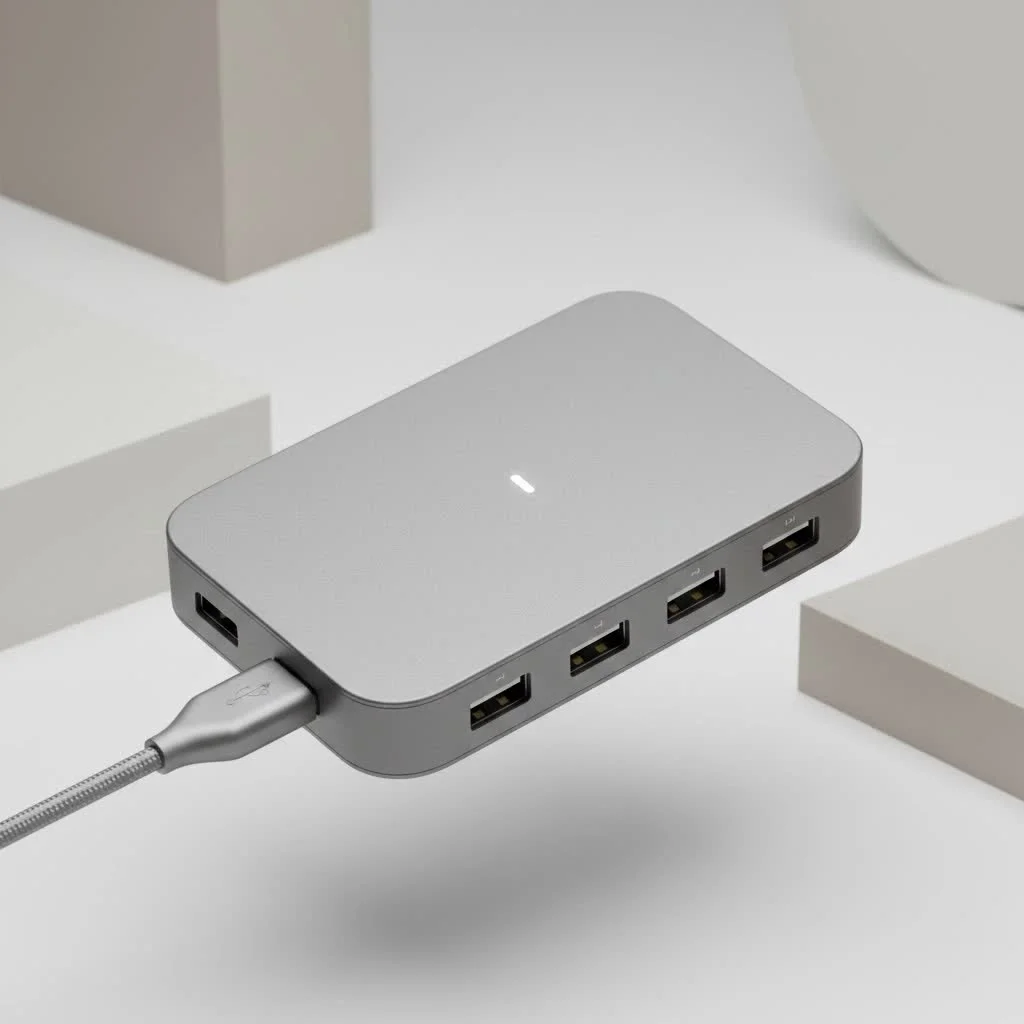
Whether you’re a student, a creative professional, or a remote worker, this guide will help you navigate the world of j5create hubs to find the perfect one for your needs. We’ll explore their key features, compare different models, and show you how to turn your port-limited device into a productivity powerhouse.
What Makes a j5create USB Hub Stand Out?
In a crowded market of computer accessories, j5create has carved out a reputation for building durable, reliable, and feature-rich products. Their hubs are often praised for their solid aluminum housings, which not only look elegant but also provide excellent durability for daily use and travel.
But it’s not just about looks. j5create hubs are designed with the user in mind, incorporating features that make a real difference:
- Wide Variety of Ports: j5create doesn’t just offer more USB-A ports. Their lineup includes hubs with 4K HDMI, Gigabit Ethernet, SD/microSD card readers, and even legacy ports like VGA for maximum compatibility.
- Power Delivery (PD): Many of their USB-C hubs support Power Delivery, allowing you to charge your laptop through the hub itself. This means you don’t have to sacrifice your only charging port to expand your connectivity.
- High-Speed Data Transfer: Utilizing standards like USB 3.0 and USB 3.1 Gen 1, these hubs deliver data transfer speeds up to 5Gbps, which is ten times faster than the older USB 2.0. This is perfect for transferring large files from external drives or cameras.
- Innovative Design: The brand isn’t afraid to think outside the box. A perfect example is the JCD389, a modular hub for MacBooks with detachable magnetic modules, allowing you to customize your port selection on the go.
As tech expert David Chen puts it, “j5create excels at creating intuitive, multi-functional hubs that solve real-world problems. They understand that a user might need 4K video output for a presentation one day and a reliable Ethernet connection the next, and they build products that can do it all.”
How to Choose the Right j5create Hub for You
With a diverse product range, selecting the perfect j5create USB hub comes down to your specific needs. Let’s break down the options based on common user scenarios.
For the Everyday User and Student
|
Our Picks for the Best USB Hub in 2026
As an Amazon Associate I earn from qualifying purchases.
|
||
| Num | Product | Action |
|---|---|---|
| 1 | Anker USB Hub 4 Ports with 5Gbps Data Transfer, Multiple USB 3.0 Hub, USB Splitter for Laptop, Extender for A Port Laptop, PC, Desktop and More [Charging Not Supported](0.7 ft USB-A) |
 on Amazon](https://meeob.com/wp-content/plugins/amazon-tables/assets/images/buy.png)
|
| 2 | 13 in 1 USB C Docking Station - Dual Monitor, Triple Display, 8 USB C/A Ports, Ethernet, Audio - LIONWEI USB C Hub for MacBook,Dell,HP,Lenovo,Surface |
|
| 3 | Powered USB Hub 10Gbps, intpw 9-Port USB 3.2 Hub, USB C Hub with USB A/USB C 3.2, 4 USB 3.0, 2 PD 45W Charging Ports, 65W Power Adapter and 3.3FT Cable, Aluminum USB Hub for Laptop, iPhone 17/16/15,PC |
|
| 4 | USB Hub 3.0, 7-Port USB Hub Splitter with Individual On/Off Switches and Lights, 3.2ft/1m Long Cable Compatible with MacBook, Laptop, Surface Pro, PS4, PC, Flash Drive, Mobile HDD |
|
| 5 | USB C Docking Station with M.2 NVMe SSD Enclosure 10Gbps, 9 in 1 USB-C Hub, Type C SSD Slot with 4K@60Hz HDMI, USB 3.2 Gen2, PD100W, SD/TF Card Reader, Laptop Docking Station for Dell/HP/Lenovo/Mac |
|
| 6 | P9R PRO USB C Hub Ethernet, 10 in 1 USB Docking Station 10Gbps with 4K@60Hz HDMI, USB C and 2 USB A 3.2, LAN, 2 USB A 2.0, PD 100W, SD/TF Ports, USB to Ethernet Adapter for PC, iPhone 16/15, Mac |
|
| 7 | Anker Laptop Docking Station Dual Monitor, 8-in-1 USB C Hub, 4K Dual Monitor with 2 HDMI, 1 Gbps Ethernet Hub, 85W Power Delivery, SD Card Reader for MacBook Pro, XPS and More (Charger not Included) |
|
| 8 | UGREEN USB 3.0 Hub, 4 Ports USB A Splitter Ultra-Slim USB Expander for Mouse, Keyboard, Flash Drive, U Disk, Printer Compatible with Laptop, Desktop PC, Xbox, PS5, and More |
|
| 9 | 3-in-1 USB C Splitter, 3 in 1 Type-C Charging Data Cable Data Transmission Decive Charging Adapter Power Charger Equipment for ome Office Use, Fast & Efficient |
|
| 10 | Powered USB Hub, Wenter 11-Port USB Splitter Hub (10 Faster Data Transfer Ports+ 1 Smart Charging Port) with Individual LED On/Off Switches, USB Hub 3.0 Powered with Power Adapter for Mac, PC |
|
If your primary goal is to connect a few extra peripherals like a wireless mouse, a flash drive, and occasionally charge your phone, a simple and compact hub is your best bet.
The j5create JCH342EW Eco-Friendly 4-Port Hub is an excellent choice. It’s praised for being compact, lightweight, and reliable. It offers a mix of USB-C and USB-A ports, making it versatile enough to handle both modern and older devices without a fuss. It’s a plug-and-play solution that instantly expands your laptop’s capabilities without cluttering your workspace.
For the Professional Working from Home
For those who have a dedicated home office setup, a more powerful hub that can handle multiple monitors, a stable internet connection, and power-hungry devices is essential.
Consider the j5create JUH377 7-Port USB 3.0 Hub. This model is a workhorse, featuring seven USB 3.0 ports and an included AC adapter. The external power supply ensures that all your connected devices, including external hard drives, receive stable power and perform reliably. One of its ports is also a dedicated fast-charging port (up to 2.4A), perfect for keeping your smartphone topped up throughout the day.
For the Creative Pro and Power User
Creative professionals who work with high-resolution media need speed and a variety of high-performance ports. Video editors, photographers, and designers require hubs that can handle 4K displays and rapid file transfers from memory cards.
The j5create JCD384 USB-C Multi-Adapter is a fantastic option. This powerful hub includes a 4K HDMI port, three USB 3.0 ports, USB-C with Power Delivery up to 60W, a Gigabit Ethernet port, and both SD and microSD card readers. This all-in-one solution allows you to connect a high-resolution monitor, offload photos from your camera, and connect to a wired network, all while charging your laptop. Its brushed aluminum shell also ensures it can withstand the rigors of a busy workflow.
Understanding Key Features
When shopping for a j5create USB hub, you’ll encounter several technical terms. Here’s a quick rundown of what they mean for you:
- USB 3.0 vs. USB-C: USB 3.0 refers to the data transfer standard (up to 5Gbps) and typically uses the rectangular USB-A connector. USB-C is a newer, reversible connector type that can support various standards, including high-speed data transfer, video output, and Power Delivery.
- Power Delivery (PD): This feature, found in USB-C hubs, allows the hub to pass power from your laptop’s charger to the laptop itself. A hub with 60W PD can deliver up to 60 watts of power, which is sufficient for many modern laptops.
- 4K HDMI: This port allows you to connect an external monitor with a resolution of up to 4K. Pay attention to the refresh rate—4K@30Hz is standard, while 4K@60Hz (found on more advanced models) provides a smoother picture.
- Gigabit Ethernet: For a faster and more stable internet connection than Wi-Fi, an Ethernet port is crucial. A Gigabit port supports speeds up to 1,000 Mbps.
Frequently Asked Questions (FAQ)
Do I need to install drivers for my j5create USB hub?
Most j5create hubs are plug-and-play, meaning they work right out of the box without requiring any special driver installations for operating systems like Windows and macOS.
Can a j5create hub charge my laptop?
Yes, if you choose a USB-C hub that explicitly supports Power Delivery (PD). You will need to connect your laptop’s original USB-C charger to the hub’s PD port.
What is the difference between a j5create hub and a docking station?
While the terms are often used interchangeably, docking stations are typically larger, externally powered, and designed for stationary desktop use with more ports and features (like multiple video outputs). Hubs are generally more compact, often bus-powered (drawing power from the laptop), and designed for portability.
Are j5create hubs compatible with both MacBooks and Windows laptops?
Yes, the vast majority of j5create hubs are designed to be cross-compatible with both macOS and Windows operating systems, as well as ChromeOS.
Is j5create a good and reliable brand?
Yes, j5create is widely regarded as a reputable brand that produces high-quality, durable, and reliable computer accessories. Customer reviews frequently highlight the solid build quality and dependable performance of their products.
Final Thoughts: Expand Your Possibilities
In a world where devices are getting thinner and ports are disappearing, a j5create USB hub is no longer a luxury—it’s a necessity. By centralizing your connections, reducing cable clutter, and expanding your device’s functionality, these hubs empower you to work more efficiently.
From the ultra-portable modular hubs to the robust, power-packed desktop solutions, j5create offers a smart, reliable way to connect all your essential peripherals. By identifying your primary needs—be it portability, power, or port variety—you can confidently choose a hub that will serve as the perfect digital multitool for your tech arsenal.
Get our weekly buyer guide
Practical specs, not advice. Unsubscribe anytime.