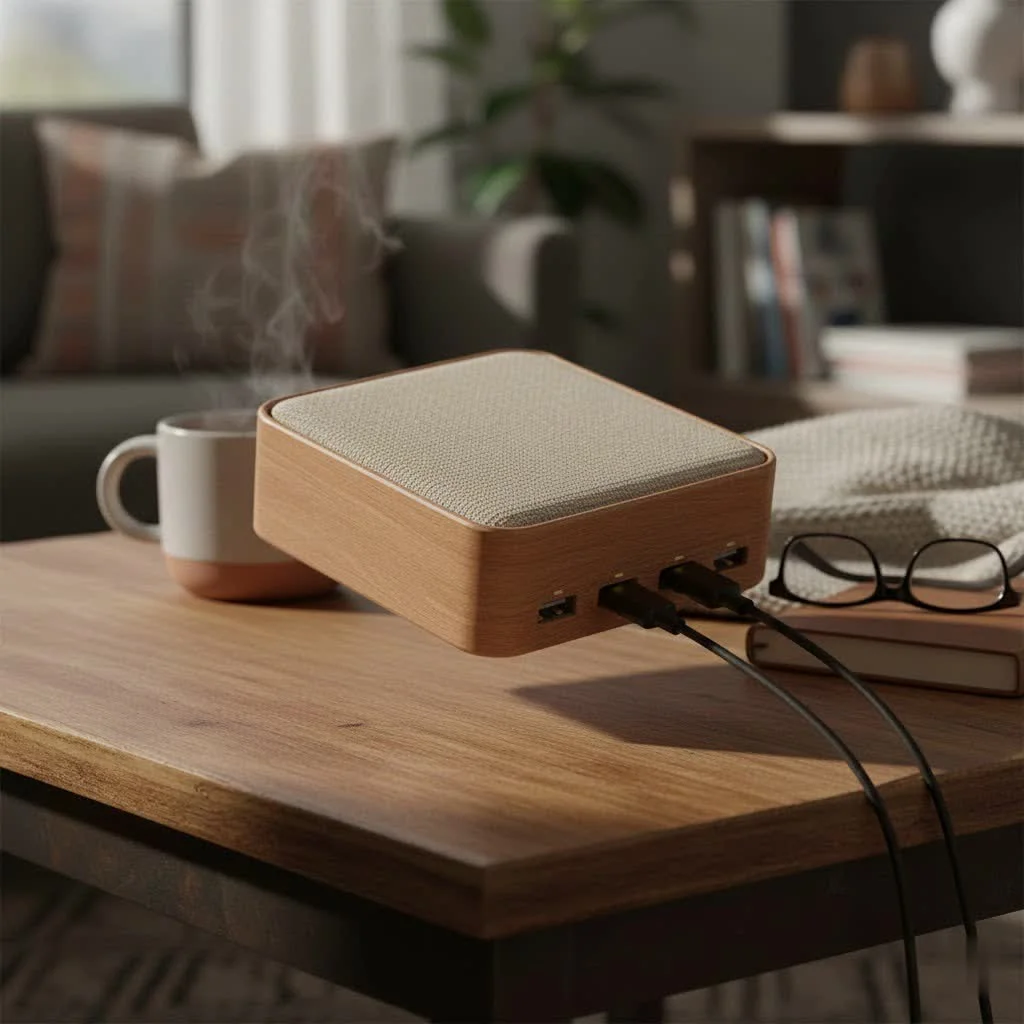
A USB hub with switches expands a single USB port into multiple ports, each with its own on/off button, providing precise control over connected peripherals. This allows users to power individual devices on or off without physically unplugging them, enhancing convenience, reducing wear and tear, and saving energy. It’s an intelligent solution for managing multiple USB gadgets efficiently.
What Exactly Is a USB Hub with Switches?
A USB hub with switches is a device that expands a single USB port on your computer into multiple ports, with one key difference: each individual port has its own dedicated on/off button. This small addition allows you to completely cut power to a specific device without physically unplugging the cable. Think of it as a power strip for your USB gadgets, giving you granular control over your entire setup right at your fingertips.
The Core Benefits: Why Individual Switches Matter
Individual switches on a USB hub offer significant advantages over a standard hub, solving common frustrations and optimizing tech setups.
- Ultimate Convenience: No more fumbling behind your PC or reaching to unplug a device when it’s not in use. A simple press of a button is all it takes to power down your webcam, microphone, or external hard drive.
- Reduced Wear and Tear: Constantly plugging and unplugging cables puts physical stress on both the USB ports of your computer and the connectors on your devices. By using switches, you drastically reduce this wear, potentially extending the lifespan of your valuable equipment.
- Energy Savings: Many peripherals draw a small amount of “phantom power” even when they are idle. While a single device might not seem like much, the cumulative draw from multiple gadgets can add up. A switched hub ensures that devices are truly off, saving energy and being a bit kinder to the environment.
- Effortless Troubleshooting: Is one of your USB devices acting up and causing conflicts? With a switched hub, you can easily isolate the problem by turning devices off one by one until you find the culprit, all without unplugging a single thing.
How to Choose the Right USB Hub with Switches
Selecting the right switched hub requires considering key features to ensure it meets your power and speed requirements, avoiding common mistakes like insufficient power delivery or slow data transfer.
Powered vs. Unpowered Hubs: What’s the Difference?
This is arguably the most critical decision.
- Unpowered (or Passive) Hubs: These hubs draw all their power directly from the computer’s USB port. They are fine for low-power devices like a mouse, keyboard, or a simple flash drive. However, they struggle when you connect multiple devices or anything that needs more juice.
- Powered Hubs: These come with their own external AC adapter that plugs into a wall outlet. This provides dedicated, stable power to every port. A powered hub is essential if you plan to connect power-hungry devices like external hard drives, high-resolution webcams, scanners, printers, or want to charge a smartphone.
Pro-Tip from an expert, Alex Chen: “Always opt for a powered hub if you’re in doubt. The extra cost is minimal compared to the frustration of devices disconnecting or failing to be recognized because they aren’t receiving enough power.”
Understanding USB Standards (USB 3.0 vs. USB 2.0)
|
Our Picks for the Best USB Hub in 2026
As an Amazon Associate I earn from qualifying purchases.
|
||
| Num | Product | Action |
|---|---|---|
| 1 | P9R PRO USB C Hub Ethernet, 10 in 1 USB Docking Station 10Gbps with 4K@60Hz HDMI, USB C and 2 USB A 3.2, LAN, 2 USB A 2.0, PD 100W, SD/TF Ports, USB to Ethernet Adapter for PC, iPhone 16/15, Mac |

|
| 2 | Powered USB Hub 10Gbps, intpw 9-Port USB 3.2 Hub, USB C Hub with USB A/USB C 3.2, 4 USB 3.0, 2 PD 45W Charging Ports, 65W Power Adapter and 3.3FT Cable, Aluminum USB Hub for Laptop, iPhone 17/16/15,PC |
|
| 3 | 13 in 1 USB C Docking Station - Dual Monitor, Triple Display, 8 USB C/A Ports, Ethernet, Audio - LIONWEI USB C Hub for MacBook,Dell,HP,Lenovo,Surface |
|
| 4 | UGREEN USB 3.0 Hub, 4 Ports USB A Splitter Ultra-Slim USB Expander for Mouse, Keyboard, Flash Drive, U Disk, Printer Compatible with Laptop, Desktop PC, Xbox, PS5, and More |
|
| 5 | USB Hub 3.0, 7-Port USB Hub Splitter with Individual On/Off Switches and Lights, 3.2ft/1m Long Cable Compatible with MacBook, Laptop, Surface Pro, PS4, PC, Flash Drive, Mobile HDD |
|
| 6 | Powered USB Hub, Wenter 11-Port USB Splitter Hub (10 Faster Data Transfer Ports+ 1 Smart Charging Port) with Individual LED On/Off Switches, USB Hub 3.0 Powered with Power Adapter for Mac, PC |
|
| 7 | Anker USB Hub 4 Ports with 5Gbps Data Transfer, Multiple USB 3.0 Hub, USB Splitter for Laptop, Extender for A Port Laptop, PC, Desktop and More [Charging Not Supported](0.7 ft USB-A) |
|
| 8 | USB C Docking Station with M.2 NVMe SSD Enclosure 10Gbps, 9 in 1 USB-C Hub, Type C SSD Slot with 4K@60Hz HDMI, USB 3.2 Gen2, PD100W, SD/TF Card Reader, Laptop Docking Station for Dell/HP/Lenovo/Mac |
|
| 9 | 3-in-1 USB C Splitter, 3 in 1 Type-C Charging Data Cable Data Transmission Decive Charging Adapter Power Charger Equipment for ome Office Use, Fast & Efficient |
|
| 10 | Anker Laptop Docking Station Dual Monitor, 8-in-1 USB C Hub, 4K Dual Monitor with 2 HDMI, 1 Gbps Ethernet Hub, 85W Power Delivery, SD Card Reader for MacBook Pro, XPS and More (Charger not Included) |
|
The USB standard determines the data transfer speed.
- USB 2.0: An older standard with a maximum speed of 480 Mbps. It’s adequate for basic peripherals like keyboards and mice but will be a significant bottleneck for transferring large files.
- USB 3.0 (and newer): Also known as USB 3.2 Gen 1, this standard offers speeds up to 5 Gbps—more than 10 times faster than USB 2.0. For external hard drives, SSDs, or high-quality video devices, USB 3.0 is a must-have. Most hubs today are USB 3.0, but it’s always wise to double-check.
Other Important Considerations
- Number of Ports: Think about your current needs and future expansion. A 7-port hub might seem like overkill now, but it provides room to grow.
- Port Spacing: Some USB plugs are bulky. Look for a hub with ample space between ports to ensure you can use all of them simultaneously.
- Build Quality: Hubs with aluminum casings tend to be more durable and better at dissipating heat than their plastic counterparts.
- Cable Length: Ensure the hub’s main cable is long enough to reach from your computer to a convenient spot on your desk.
Common Use Cases for Switched USB Hubs
The practicality of a USB hub with switches extends across various user types.
- For the Home Office: Easily manage and power down your printer, scanner, webcam, and microphone at the end of the workday with a single press for each.
- For Gamers: Keep multiple controllers, a flight stick, or a racing wheel connected but only power on the one you’re using for a specific game.
- For Content Creators: Control power to your podcasting microphone, stream deck, and lighting without disrupting your software or unplugging cables during a live session.
- For Tech Hobbyists: If you work with devices like Raspberry Pi or Arduino, a switched hub is invaluable for safely power cycling projects without risking data corruption.
Frequently Asked Questions (FAQ)
Does a USB hub with switches affect data transfer speed?
No, a quality USB hub with switches should not inherently slow down data transfer speeds. The speed is primarily determined by the USB standard (e.g., USB 3.0, offering up to 5 Gbps) and the host computer’s capabilities.
Can I charge my phone with a switched USB hub?
Yes, you can charge your phone with a switched USB hub, especially if it’s a powered hub. Many powered hubs offer dedicated charging ports that can deliver higher amperage for faster charging, while standard ports will charge devices at a slower rate.
Are powered USB hubs with switches safe for my devices?
Absolutely, well-designed powered USB hubs with switches are safe for your devices. They provide stable and regulated power, which can be more reliable for sensitive electronics than drawing power directly from an overloaded motherboard USB port.
What’s the difference between a USB hub and a docking station?
A USB hub primarily expands the number of available USB ports, whereas a docking station is a more comprehensive device. Docking stations typically include a wider array of ports such as HDMI, DisplayPort, Ethernet, and audio jacks, in addition to USB ports, to create a full desktop setup from a laptop with a single connection.
How do I know if I need a powered hub?
You need a powered hub if you plan to connect any power-intensive devices like external hard drives, high-resolution webcams, or printers, or if you intend to charge smartphones. For 2-3 low-power devices such as a mouse and keyboard, an unpowered hub might suffice.
The Final Verdict
A USB hub with switches is more than just a convenience; it’s a smart upgrade for anyone looking to bring order, protection, and efficiency to their workspace. It empowers you to take command of your digital environment, saving energy and reducing wear on your expensive gear. By considering factors like power delivery, USB standards, and build quality, you can select a hub that will serve as the reliable nerve center for all your peripherals for years to come. Take a look at your desk—if you see a web of cables and are tired of the daily plugging and unplugging ritual, a switched hub might just be the simple, elegant solution you’ve been looking for.
Frequently Asked Questions
Does a USB hub with switches affect data transfer speed?
No, a quality USB hub with switches should not inherently slow down data transfer speeds. The speed is primarily determined by the USB standard (e.g., USB 3.0, offering up to 5 Gbps) and the host computer's capabilities.
Can I charge my phone with a switched USB hub?
Yes, you can charge your phone with a switched USB hub, especially if it's a powered hub. Many powered hubs offer dedicated charging ports that can deliver higher amperage for faster charging, while standard ports will charge devices at a slower rate.
Are powered USB hubs with switches safe for my devices?
Absolutely, well-designed powered USB hubs with switches are safe for your devices. They provide stable and regulated power, which can be more reliable for sensitive electronics than drawing power directly from an overloaded motherboard USB port.
What's the difference between a USB hub and a docking station?
A USB hub primarily expands the number of available USB ports, whereas a docking station is a more comprehensive device. Docking stations typically include a wider array of ports such as HDMI, DisplayPort, Ethernet, and audio jacks, in addition to USB ports, to create a full desktop setup from a laptop with a single connection.
How do I know if I need a powered hub?
You need a powered hub if you plan to connect any power-intensive devices like external hard drives, high-resolution webcams, or printers, or if you intend to charge smartphones. For 2-3 low-power devices suchs as a mouse and keyboard, an unpowered hub might suffice.
Choose the Right USB Hub with Switches
Selecting the right switched hub requires considering key features to ensure it meets your power and speed requirements, avoiding common mistakes like insufficient power delivery or slow data transfer.
Decide between a powered or unpowered hub based on your devices. Unpowered hubs are suitable for low-power devices like a mouse or keyboard, while powered hubs are essential for power-hungry devices such as external hard drives or high-resolution webcams, providing stable power via an external AC adapter.
Choose a USB standard that matches your speed requirements. USB 3.0 (or newer, like USB 3.2 Gen 1) offers speeds up to 5 Gbps, which is over 10 times faster than USB 2.0's 480 Mbps, making it ideal for fast data transfer with external drives and video devices.
Assess your current and future needs for the number of ports, opting for a 7-port hub for growth. Also, check for ample port spacing to accommodate bulky USB plugs, ensuring all ports can be used simultaneously.
Look for hubs with durable build quality, such as aluminum casings, which offer better heat dissipation. Ensure the hub's main cable is long enough to comfortably reach from your computer to your desired desk location.
Get our weekly buyer guide
Practical specs, not advice. Unsubscribe anytime.
The concept of a USB hub with switches is brilliant for my home office setup. I have a few external drives and a webcam that I don’t need running all the time, and being able to switch them off individually is super handy. My only minor complaint is that the LED indicators for each port are a bit bright in a dark room, but that’s easily fixed with a small piece of tape.
I’ve been looking for a way to manage all my gaming peripherals without constantly plugging and unplugging them. This USB hub with individual switches is a game-changer! I can finally turn off my racing wheel and flight stick when I’m not using them, which really helps keep my desk tidy and saves power. It’s so convenient to have that granular control.
I got one of these hubs to help with my multiple USB gadgets, and while the individual on/off buttons are great for my keyboard and mouse, I found that some of my older devices didn’t always reconnect smoothly after being switched off and on. It’s mostly fine for newer stuff, but something to keep in mind if you have a mix of peripherals. Still, it’s better than nothing.
This hub has seriously reduced the wear and tear on my laptop’s USB ports. Before, I was always yanking out cables for my printer, scanner, and external mic. Now, I just hit a switch! It’s such a simple solution but makes a huge difference in convenience and protecting my equipment. Definitely recommend for anyone with lots of USB devices.