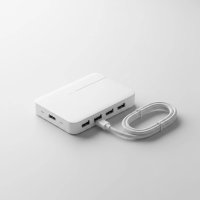
Ever felt like you’re playing a game of musical chairs with your USB devices, constantly plugging and unplugging just to make everything fit? In our increasingly connected world, the number of gadgets we use has skyrocketed, often outpacing the limited ports on our computers. That’s where the best powered USB hub comes in, transforming your single USB port into a bustling superhighway for all your peripherals. It’s not just about adding more ports; it’s about ensuring stable power, reliable data transfer, and seamless connectivity for every device, from your external hard drive to your smartphone.
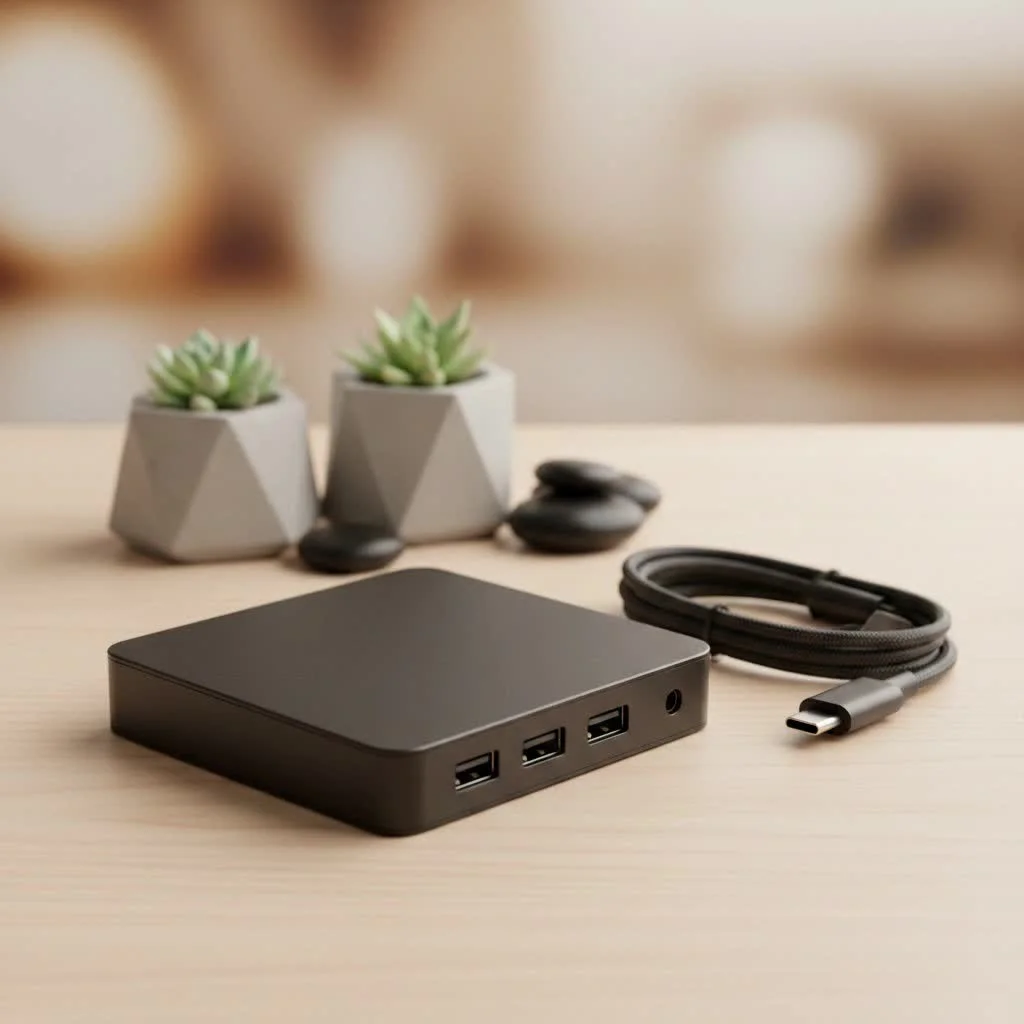
As an expert at Meeob.com, I’ve seen countless setups hobbled by insufficient power and sluggish connections. A quality powered USB hub isn’t just an accessory; it’s an essential upgrade that can dramatically improve your workflow, declutter your desk, and protect your devices from power fluctuations. Let’s dive deep into what makes these hubs indispensable and how to pick the perfect one for your digital life.
Why a “Powered” USB Hub Makes All the Difference
You might be wondering, “Why powered? Aren’t all USB hubs just extension cords?” Not quite! The distinction between a bus-powered (unpowered) and a powered USB hub is critical. A bus-powered hub draws all its energy directly from your computer’s USB port. While fine for low-power devices like a keyboard or mouse, it quickly runs into trouble when you connect power-hungry gadgets. Think external hard drives, high-speed SSDs, or multiple charging devices – they all demand more juice than a single USB port can reliably deliver.
This is where a powered USB hub steps in, bringing its own external power supply to the party. This dedicated power source means the hub isn’t solely reliant on your computer’s limited power. What does this translate to for you?
- Stable and Ample Power: Each connected device receives a consistent and adequate power supply, preventing frustrating disconnections or underperformance. No more “USB device not recognized” errors due to insufficient power.
- Reliable Data Transfer: With stable power, data flow remains uninterrupted and fast, crucial for large file transfers or high-bandwidth peripherals.
- Efficient Charging: Many powered hubs offer dedicated charging ports, often with higher amperage, allowing you to charge your smartphones, tablets, and other gadgets quickly and safely without taxing your computer.
- Device Protection: By providing its own power, the hub shields your computer’s internal power supply from overloads caused by multiple demanding devices.
In essence, a powered USB hub acts like an independent power station for your USB devices, ensuring everything runs smoothly, efficiently, and without compromise.
Essential Features to Consider for the Best Powered USB Hubs
Choosing the best powered USB hub means looking beyond just the number of ports. Several key features dictate a hub’s performance, versatility, and suitability for your specific needs.
Port Quantity and Variety (USB-A, USB-C, USB 3.0/3.1/3.2)
|
Our Picks for the Best USB Hub in 2026
As an Amazon Associate I earn from qualifying purchases.
|
||
| Num | Product | Action |
|---|---|---|
| 1 | Anker Laptop Docking Station Dual Monitor, 8-in-1 USB C Hub, 4K Dual Monitor with 2 HDMI, 1 Gbps Ethernet Hub, 85W Power Delivery, SD Card Reader for MacBook Pro, XPS and More (Charger not Included) |

|
| 2 | 3-in-1 USB C Splitter, 3 in 1 Type-C Charging Data Cable Data Transmission Decive Charging Adapter Power Charger Equipment for ome Office Use, Fast & Efficient |
|
| 3 | USB C Docking Station with M.2 NVMe SSD Enclosure 10Gbps, 9 in 1 USB-C Hub, Type C SSD Slot with 4K@60Hz HDMI, USB 3.2 Gen2, PD100W, SD/TF Card Reader, Laptop Docking Station for Dell/HP/Lenovo/Mac |
|
| 4 | 13 in 1 USB C Docking Station - Dual Monitor, Triple Display, 8 USB C/A Ports, Ethernet, Audio - LIONWEI USB C Hub for MacBook,Dell,HP,Lenovo,Surface |
|
| 5 | Powered USB Hub 10Gbps, intpw 9-Port USB 3.2 Hub, USB C Hub with USB A/USB C 3.2, 4 USB 3.0, 2 PD 45W Charging Ports, 65W Power Adapter and 3.3FT Cable, Aluminum USB Hub for Laptop, iPhone 17/16/15,PC |
|
| 6 | USB Hub 3.0, 7-Port USB Hub Splitter with Individual On/Off Switches and Lights, 3.2ft/1m Long Cable Compatible with MacBook, Laptop, Surface Pro, PS4, PC, Flash Drive, Mobile HDD |
|
| 7 | UGREEN USB 3.0 Hub, 4 Ports USB A Splitter Ultra-Slim USB Expander for Mouse, Keyboard, Flash Drive, U Disk, Printer Compatible with Laptop, Desktop PC, Xbox, PS5, and More |
|
| 8 | Powered USB Hub, Wenter 11-Port USB Splitter Hub (10 Faster Data Transfer Ports+ 1 Smart Charging Port) with Individual LED On/Off Switches, USB Hub 3.0 Powered with Power Adapter for Mac, PC |
|
| 9 | Anker USB Hub 4 Ports with 5Gbps Data Transfer, Multiple USB 3.0 Hub, USB Splitter for Laptop, Extender for A Port Laptop, PC, Desktop and More [Charging Not Supported](0.7 ft USB-A) |
|
| 10 | P9R PRO USB C Hub Ethernet, 10 in 1 USB Docking Station 10Gbps with 4K@60Hz HDMI, USB C and 2 USB A 3.2, LAN, 2 USB A 2.0, PD 100W, SD/TF Ports, USB to Ethernet Adapter for PC, iPhone 16/15, Mac |
|
When it comes to ports, think about your current setup and what you might need in the future.
How many devices do you plan to connect simultaneously?
A hub with 4 to 7 ports is common, but some desktop models offer 10 or more. Beyond quantity, consider the types of ports:
- USB-A: The classic rectangular port, still widely used for most peripherals like keyboards, mice, flash drives, and older external hard drives.
- USB-C: The newer, reversible port, common on modern laptops, smartphones, and some high-speed external SSDs. Many high-end hubs include both USB-A and USB-C ports for maximum compatibility.
- USB 3.0/3.1/3.2 Standards: These numbers refer to the USB specification, dictating data transfer speeds. Ideally, look for hubs that are at least USB 3.0 (SuperSpeed) compatible to ensure decent speeds.
Power Output and Charging Capabilities (Wattage, PD)
This is arguably the most critical feature for a powered hub. Don’t just assume “powered” means “powerful.” Check the hub’s total wattage output and the output per port.
- Total Wattage: Ensure the hub’s power adapter can supply enough power for all your connected devices combined. A good hub for a demanding setup might offer 60W or more.
- Charging Ports: Look for dedicated charging ports (often marked with a lightning bolt or “BC 1.2” standard) that can deliver 2.4A or more for fast charging.
- Power Delivery (PD): For USB-C hubs, Power Delivery is a game-changer. It allows the hub not only to connect devices but also to charge your laptop through the same USB-C port it’s connected to, often delivering 60W, 85W, or even 100W passthrough charging.
Data Transfer Speeds: Don’t Get Bogged Down
While power is paramount, speed is king for efficiency.
What speeds are necessary for common tasks like transferring large files or connecting external drives?
Always aim for USB 3.0 (SuperSpeed) at a minimum, which offers up to 5 Gigabits per second (Gbps).
- USB 3.0 (USB 3.1 Gen 1 / USB 3.2 Gen 1): 5 Gbps. Great for most external hard drives and fast flash drives.
- USB 3.1 Gen 2 (USB 3.2 Gen 2): 10 Gbps. Ideal for high-performance external SSDs or professional-grade equipment.
- USB 3.2 Gen 2×2: 20 Gbps. The fastest current standard for consumer USB, though hubs with this speed are still less common.
Using a hub that matches or exceeds your device’s speed capabilities ensures you’re not creating a bottleneck.
Individual On/Off Switches: A Game-Changer
While not on every hub, individual power switches for each port are a fantastic feature.
Why would you want to control individual ports?
They offer convenience and control, allowing you to:
- Save Power: Turn off devices you’re not actively using without unplugging them.
- Protect Devices: Isolate a device from power fluctuations or prevent unwanted charging cycles.
- Troubleshoot: Easily reset a specific device without affecting others.
This seemingly small addition can significantly enhance your user experience.
Build Quality and Design: Durability Meets Aesthetics
Your hub will likely sit on your desk, so its build quality and design matter.
What makes a USB hub durable and visually appealing?
Look for:
- Materials: Sturdy aluminum alloys dissipate heat better and offer greater durability than plastic.
- Cable Length: Ensure the attached or included cable is long enough to reach your computer comfortably.
- Form Factor: Consider whether a flat, horizontal hub fits your desk better, or a vertical tower design saves space.
- LED Indicators: Small LEDs for each port can quickly show which devices are active.
A well-designed hub will be robust enough for daily use and blend seamlessly with your workstation.
Types of Powered USB Hubs for Every Scenario
Just like there’s no one-size-fits-all computer, there isn’t a single type of powered USB hub that suits everyone. Different designs and feature sets cater to various needs and environments.
Desktop Powerhouses: For Your Command Center
These are the workhorses of the powered USB hub world.
When would a desktop powered USB hub be most useful?
Typically larger, with a robust external AC power adapter, desktop hubs often boast:
- More Ports: It’s common to find desktop hubs with 7, 10, or even 13+ ports, making them ideal for complex setups.
- Higher Power Output: Designed to handle multiple high-demand devices simultaneously without breaking a sweat.
- Sturdy Construction: Often made from metal, built to stay put on your desk.
- Versatile Mounting: Some can be mounted under a desk or come with non-slip feet.
These are perfect for dedicated workstations, gaming rigs, or media production setups where many peripherals are consistently connected.
Portable Powerhouses: On-the-Go Connectivity
If you’re constantly on the move with a laptop, a portable powered USB hub is your best friend.
What characteristics define a portable powered USB hub?
They are:
- Compact and Lightweight: Designed to fit easily into a laptop bag.
- Flexible Power Options: While primarily bus-powered for convenience, many include a port for an optional external power adapter, allowing you to use them with power-hungry devices when needed.
- Fewer Ports: Typically 3-4 ports, balancing connectivity with portability.
These hubs are excellent for travelers, students, or anyone who needs to connect a few extra devices to their laptop while away from their main desk.
USB-C Hubs with Power Delivery: The Modern Marvel
With the prevalence of USB-C on modern laptops and ultrabooks, specialized USB-C powered hubs have become essential.
Why are USB-C hubs particularly beneficial for new laptops?
These hubs often go beyond just USB ports, acting as true docking stations:
- USB-C Host Connection: Connects to your laptop via a single USB-C cable.
- Power Delivery (PD) Passthrough: Critically, they can receive power from your laptop’s charger and pass it through to charge your laptop, while simultaneously powering the hub and all connected devices. This means one cable does it all – data, video, and charging.
- Multifunctional Ports: Often include not just USB-A and USB-C data ports, but also HDMI or DisplayPort for video output, Ethernet for wired internet, and SD card readers.
These hubs are indispensable for maximizing the connectivity of modern, port-limited laptops, making them a single-cable solution for your entire setup.
Real-World Applications: Maximizing Your Setup with a Powered USB Hub
The practical uses for a best powered USB hub are vast, touching almost every aspect of our digital lives. Here’s where these versatile devices truly shine:
- Expanding a Home Office or Gaming Rig: Imagine connecting your keyboard, mouse, webcam, microphone, external hard drive, printer, and a drawing tablet – all at once. A powered hub provides the necessary ports and stable power, turning a chaotic mess of cables into an organized, high-performance workstation or gaming battle station. No more lag or dropped connections during critical moments.
- Connecting High-Power Devices: Devices like external 3.5-inch hard drives, VR headsets, professional audio interfaces, or multiple solid-state drives require significant power. An unpowered hub simply can’t handle them. A powered hub ensures these devices receive consistent voltage and amperage, allowing them to operate at peak performance without risking data corruption or functionality issues.
- Efficiently Charging Multiple Gadgets: With dedicated charging ports, a powered USB hub can double as a charging station for your smartphone, smartwatch, wireless headphones, and other USB-powered accessories. This frees up your wall outlets and streamlines your charging routine, often delivering faster charging speeds than your computer’s native ports.
- Content Creation and Video Editing: When you’re dealing with high-resolution cameras, external SSDs for scratch disks, card readers, and other demanding peripherals, stable data transfer and ample power are non-negotiable. A powered hub prevents bottlenecks and ensures smooth, uninterrupted workflows for critical tasks.
How to Choose the “Best Powered USB Hub” for Your Needs
Navigating the options can seem daunting, but with a clear understanding of your requirements, finding the best powered USB hub becomes straightforward.
-
Assess Your Current and Future Device Needs:
- List every USB device you currently use or plan to use.
- Note whether they are USB-A or USB-C.
- Identify which devices are high-power (external HDDs, some webcams, VR headsets) versus low-power (mouse, keyboard).
- How many ports do you really need? Always add a buffer of 1-2 extra ports for future expansion.
-
Match Port Types and Speeds to Your Requirements:
- If you’re only connecting older peripherals, USB 3.0 Type-A ports might suffice.
- For modern laptops and fast storage, prioritize USB-C ports with USB 3.1 Gen 2 (10Gbps) or higher speeds.
- Consider if you need a hub with a mix of USB-A and USB-C ports.
-
Verify the Power Adapter’s Output:
- This is crucial for a powered hub. Check the wattage of the included AC adapter.
- Ensure it can deliver enough power for all your power-hungry devices simultaneously. Don’t underestimate this; a common pitfall is buying a powered hub with an underpowered adapter.
-
Consider Brand Reputation and Warranty:
- Stick to reputable brands known for quality and reliability. Anker, UGREEN, CalDigit, and Belkin are often good starting points, but many other brands offer excellent products too.
- Check for customer reviews and product warranties. A good warranty offers peace of mind.
-
Set a Budget:
- Powered USB hubs range widely in price depending on features, port count, speed, and brand. Determine what you’re willing to spend, but remember that investing a bit more upfront can save you headaches and replacements later.
As Dr. Elara Vance, Senior Hardware Architect at Meeob Labs, wisely puts it, “The true value of a powered USB hub isn’t just in expanding your ports; it’s in expanding your capabilities without compromising performance or reliability. Always match the hub’s power output to your most demanding devices, and you’ll unlock a seamless experience.”
Frequently Asked Questions About Powered USB Hubs
Q: Do I really need a powered USB hub?
A: If you connect multiple power-hungry devices like external hard drives, gaming accessories, or charge several gadgets via USB, yes, a powered hub is highly recommended. It ensures stable power and data transfer, preventing device malfunction or disconnections due to insufficient power from your computer.
Q: Can a powered USB hub charge my devices faster?
A: Yes, many powered USB hubs include dedicated charging ports (often with BC 1.2 or higher standards) that can deliver more amperage (e.g., 2.4A) than standard data ports on your computer or unpowered hubs, leading to faster charging times for compatible devices.
Q: What’s the difference between USB 3.0 and USB 3.1/3.2 hubs?
A: These numbers denote different generations of USB standards, primarily affecting data transfer speeds. USB 3.0 offers 5 Gbps, USB 3.1 Gen 2 (also known as USB 3.2 Gen 2) offers 10 Gbps, and USB 3.2 Gen 2×2 offers 20 Gbps. Higher numbers mean faster data transfer, which is beneficial for external SSDs or large file transfers.
Q: Are all powered USB hubs compatible with all operating systems?
A: Most powered USB hubs are plug-and-play and universally compatible with Windows, macOS, Linux, and Chrome OS without requiring special drivers. However, specific features like Power Delivery passthrough might have OS-specific nuances. Always check the product specifications for any noted limitations.
Q: Can I connect another hub to a powered USB hub?
A: Yes, you can daisy-chain USB hubs, but it’s generally not recommended to go more than two or three hubs deep, as it can introduce latency and potential power issues, even with powered hubs. It’s best practice to connect high-bandwidth devices directly to the primary powered hub.
Q: How do I know if my devices need a powered hub?
A: If you experience intermittent disconnections, slow performance from external drives, or your computer displays “USB device not recognized” errors when connecting multiple devices, it’s a strong indicator that your setup needs the stable power provided by a powered USB hub.
Conclusion
In a world increasingly reliant on USB connectivity, investing in the best powered USB hub isn’t just about convenience; it’s about optimizing your entire digital ecosystem. From safeguarding your devices with stable power to unlocking peak performance for data transfer and charging, a quality powered hub is an unsung hero of the modern workspace. By understanding the different types, key features, and how to choose one that fits your unique needs, you’re not just buying an accessory – you’re investing in reliability, efficiency, and peace of mind. So, go ahead, declutter your desk, supercharge your setup, and experience the difference a truly powerful hub can make. Your devices, and your productivity, will thank you for it!
Get our weekly buyer guide
Practical specs, not advice. Unsubscribe anytime.