Ever bought a brand-new, sleek laptop only to realize it has just one or two USB-C ports? You’re not alone. In the quest for thinner and lighter devices, manufacturers are ditching traditional ports, leaving many of us in a difficult spot. How are you supposed to connect your mouse, external monitor, keyboard, and charge your laptop all at once? The answer is a simple, yet powerful device: the hub USB C USB. This small accessory is the key to unlocking your device’s full potential, turning a single port into a powerhouse of connectivity.
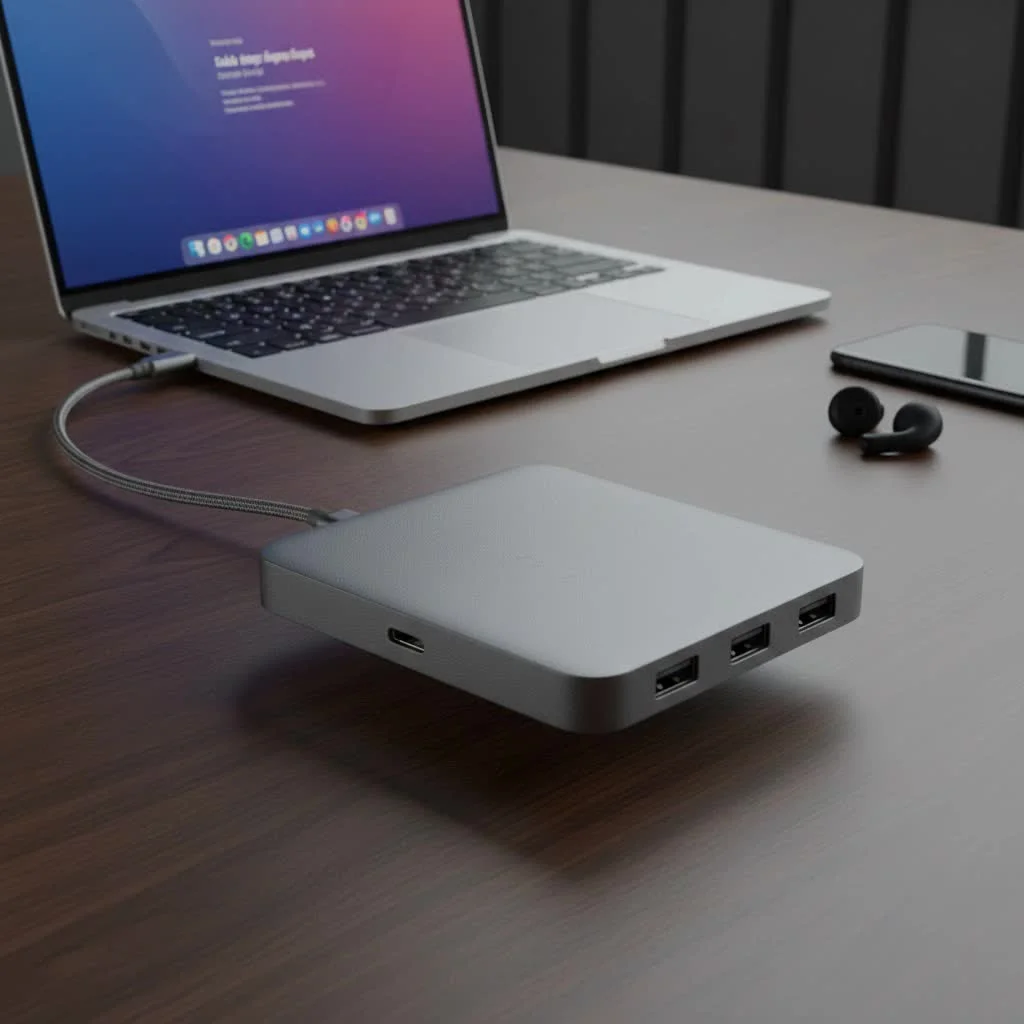
As devices from laptops to tablets embrace the versatile USB-C standard, a reliable hub has become less of a convenience and more of a necessity. It’s the central station for all your peripherals, ensuring you can work, play, and create without limitations. Whether you’re a creative professional, a frequent traveler, or just someone who wants a more functional desk setup, understanding the world of USB-C hubs is essential.
What Exactly Is a USB C Hub?
A USB-C hub is a device that expands a single USB-C port on your computer, tablet, or smartphone into multiple ports of various types. Think of it as a power strip for your data and peripherals. It plugs into your device’s USB-C port and provides a combination of other connections, such as traditional USB-A ports, HDMI for video output, Ethernet for wired internet, and SD card readers for your photos and videos.
The primary difference between a USB-C hub and an older USB-A hub lies in the capabilities of the USB-C connector itself. Unlike the traditional rectangular USB-A, the small, reversible USB-C connector can handle significantly more than just data. It supports power, video, and data transfer simultaneously, which is why a single hub can charge your laptop while also connecting it to a 4K monitor and a handful of other accessories.
Why a USB-C Hub is No Longer Optional
In an ideal world, our devices would have every port we could possibly need. But reality is different, and the trend towards minimalism in design has made the USB-C hub an indispensable tool for many.
- Expanded Connectivity: The most obvious benefit is turning one port into many. This is crucial for users of modern laptops like the MacBook Air, Dell XPS, or Microsoft Surface, which often feature a limited number of ports.
- Enhanced Productivity: Imagine connecting your laptop to a large external monitor, a full-sized mechanical keyboard, a precise mouse, and a stable wired internet connection—all through one plug. A hub transforms your portable laptop into a full-fledged desktop workstation in seconds.
- All-in-One Solution: Instead of carrying a bag full of separate adapters (a dongle for HDMI, another for USB-A, another for Ethernet), a single USB-C hub consolidates all these functions into one compact device. This simplifies your setup and reduces clutter.
- Portability: Modern hubs are designed to be lightweight and portable, making them perfect for professionals who work from different locations. You can have a complete, productive workspace whether you’re at home, in the office, or at a coffee shop.
Choosing the Right Hub: Key Features to Consider
Not all USB-C hubs are created equal. The best one for you depends entirely on your specific needs. Here’s a breakdown of the most important features to look for when shopping for a hub USB C USB.
Port Selection: The Heart of the Hub
|
Our Picks for the Best USB Hub in 2026
As an Amazon Associate I earn from qualifying purchases.
|
||
| Num | Product | Action |
|---|---|---|
| 1 | 3-in-1 USB C Splitter, 3 in 1 Type-C Charging Data Cable Data Transmission Decive Charging Adapter Power Charger Equipment for ome Office Use, Fast & Efficient |

|
| 2 | USB C Docking Station with M.2 NVMe SSD Enclosure 10Gbps, 9 in 1 USB-C Hub, Type C SSD Slot with 4K@60Hz HDMI, USB 3.2 Gen2, PD100W, SD/TF Card Reader, Laptop Docking Station for Dell/HP/Lenovo/Mac |
|
| 3 | USB Hub 3.0, 7-Port USB Hub Splitter with Individual On/Off Switches and Lights, 3.2ft/1m Long Cable Compatible with MacBook, Laptop, Surface Pro, PS4, PC, Flash Drive, Mobile HDD |
|
| 4 | P9R PRO USB C Hub Ethernet, 10 in 1 USB Docking Station 10Gbps with 4K@60Hz HDMI, USB C and 2 USB A 3.2, LAN, 2 USB A 2.0, PD 100W, SD/TF Ports, USB to Ethernet Adapter for PC, iPhone 16/15, Mac |
|
| 5 | Anker Laptop Docking Station Dual Monitor, 8-in-1 USB C Hub, 4K Dual Monitor with 2 HDMI, 1 Gbps Ethernet Hub, 85W Power Delivery, SD Card Reader for MacBook Pro, XPS and More (Charger not Included) |
|
| 6 | Powered USB Hub 10Gbps, intpw 9-Port USB 3.2 Hub, USB C Hub with USB A/USB C 3.2, 4 USB 3.0, 2 PD 45W Charging Ports, 65W Power Adapter and 3.3FT Cable, Aluminum USB Hub for Laptop, iPhone 17/16/15,PC |
|
| 7 | 13 in 1 USB C Docking Station - Dual Monitor, Triple Display, 8 USB C/A Ports, Ethernet, Audio - LIONWEI USB C Hub for MacBook,Dell,HP,Lenovo,Surface |
|
| 8 | Anker USB Hub 4 Ports with 5Gbps Data Transfer, Multiple USB 3.0 Hub, USB Splitter for Laptop, Extender for A Port Laptop, PC, Desktop and More [Charging Not Supported](0.7 ft USB-A) |
|
| 9 | Powered USB Hub, Wenter 11-Port USB Splitter Hub (10 Faster Data Transfer Ports+ 1 Smart Charging Port) with Individual LED On/Off Switches, USB Hub 3.0 Powered with Power Adapter for Mac, PC |
|
| 10 | UGREEN USB 3.0 Hub, 4 Ports USB A Splitter Ultra-Slim USB Expander for Mouse, Keyboard, Flash Drive, U Disk, Printer Compatible with Laptop, Desktop PC, Xbox, PS5, and More |
|
The combination of ports is the most critical factor. Before you buy, take stock of the devices you use daily.
- USB-A Ports: Essential for connecting legacy devices like keyboards, mice, flash drives, and external hard drives. Look for hubs with at least two USB-A 3.0 ports, which offer much faster data transfer speeds (up to 5Gbps) than the older USB 2.0.
- HDMI or DisplayPort: If you plan to connect an external monitor, a video port is a must. Most hubs offer an HDMI port, which is widely compatible. Check that it supports the resolution and refresh rate you need, such as 4K at 60Hz for a smoother visual experience.
- Ethernet Port: While Wi-Fi is convenient, a wired Ethernet connection provides faster, more stable, and more secure internet. This is a game-changer for online gaming, large file transfers, and important video calls.
- SD/MicroSD Card Readers: For photographers, videographers, and content creators, built-in card readers are incredibly convenient for quickly transferring files from a camera or drone.
- USB-C Power Delivery (PD): This is one of the most vital features. A USB-C port with Power Delivery allows you to charge your laptop through the hub. This means you can plug your laptop’s charger into the hub, and it will pass power through to your device while all the other ports are in use. Check the wattage—a hub with 85W or 100W PD is ideal for most modern laptops.
Data Transfer Speed
Pay attention to the data transfer specifications. A hub with USB 3.1 Gen 2 ports can offer speeds up to 10Gbps, which is twice as fast as the more common USB 3.1 Gen 1 (5Gbps). For professionals transferring large video files or backing up entire systems, this speed difference is significant.
Build Quality and Design
Since a hub is often a travel companion, look for one with a durable aluminum casing, which helps with heat dissipation and can withstand the bumps of daily use. A compact, lightweight design is also a major plus. Some hubs are designed to sit flat on a desk, while others connect via a short, flexible cable, offering more versatility in how you position it.
As an expert in digital connectivity, David Chen from Meeob.com advises, “Don’t just count the number of ports; look at their specifications. A hub with 100W Power Delivery and a 4K 60Hz HDMI port offers a vastly superior experience to a basic model. Investing a little more in a quality hub ensures it will meet your needs not just today, but for years to come.”
How to Find the Perfect USB C Hub for You
The ideal hub is a personal choice. To help you decide, consider which of these user profiles best describes you:
For the Creative Professional (Photographers, Designers)
Your workflow demands speed and versatility. Prioritize a hub with:
- High-speed SD and microSD card readers (UHS-II) for fast photo and video imports.
- Multiple USB 3.1 Gen 2 ports (10Gbps) for connecting fast external SSDs.
- A high-resolution video output (HDMI or DisplayPort) that supports 4K at 60Hz for accurate color work on an external display.
For the Business Traveler and Presenter
You need reliability and the ability to connect anywhere. Your ideal hub should have:
- An HDMI port for connecting to projectors and conference room displays.
- An Ethernet port for reliable internet when hotel Wi-Fi is slow.
- A compact and lightweight design that fits easily into a laptop bag.
- USB-C Power Delivery to keep your laptop charged during long meetings.
For the Everyday User and Student
You need a versatile solution for general use without breaking the bank. Look for a balanced hub that includes:
- 2-3 USB-A ports for your essential peripherals.
- An HDMI port for streaming movies or extending your screen.
- USB-C Power Delivery so you don’t have to sacrifice your only charging port.
Frequently Asked Questions (FAQ)
Q: Do all USB-C ports work with any hub?
A: Not necessarily. For a hub to provide video output (like HDMI), the USB-C port on your device must support “DisplayPort Alternate Mode.” Most modern laptops from major brands do, but it’s always best to check your device’s specifications. Similarly, for the fastest speeds, a Thunderbolt 3 or 4 port is superior to a standard USB-C port.
Q: Can a USB-C hub damage my laptop?
A: A well-made hub from a reputable brand is perfectly safe. However, extremely cheap, uncertified hubs can potentially have poor power management that could harm your device. It’s wise to stick with trusted brands that offer warranties.
Q: Do USB-C hubs get hot?
A: It is normal for a hub to become warm during use, especially when multiple high-power devices are connected and Power Delivery is active. This is because the hub is actively managing data and power. Hubs with aluminum casings are better at dissipating this heat.
Q: Will using a hub slow down my devices?
A: A hub shares the total bandwidth of the single USB-C port it’s connected to. If you connect many high-bandwidth devices at once (e.g., a 4K monitor, a fast SSD, and an Ethernet connection), you might see a slight reduction in performance for each. However, for everyday use, this is rarely noticeable.
Conclusion: Your Gateway to Greater Connectivity
The hub USB C USB is more than just an accessory; it’s a fundamental component of the modern computing experience. It bridges the gap between the minimalist design of new devices and the practical needs of users who rely on a variety of peripherals. By solving the problem of limited ports, a good hub unleashes your productivity, simplifies your workspace, and ensures you’re prepared for any connectivity challenge.
When you choose your next hub, think about your daily tasks, the devices you can’t live without, and your future needs. Investing in a quality hub that offers the right mix of ports, power, and performance will empower you to work more efficiently and get the most out of your technology.
Get our weekly buyer guide
Practical specs, not advice. Unsubscribe anytime.
As a creative professional, I really needed a reliable solution for all my external drives and monitors. This guide’s emphasis on the versatility of the USB-C standard was spot on. I invested in a higher-end hub with Ethernet and multiple display outputs, and it’s made my workflow so much smoother. It truly is the central station for all my peripherals, just like it said.
I got a basic USB-C hub after reading about how they turn a single port into a powerhouse. It works okay for connecting my old USB mouse and a flash drive, but I’ve noticed it gets a little warm when I have a few things plugged in for a while. It’s not a huge deal, but something to keep in mind if you’re planning on heavy use. Still, it’s better than nothing for my limited laptop ports.
This was super helpful in explaining why manufacturers are ditching traditional ports. I always wondered about that! I picked up a hub that supports power delivery, and it’s fantastic for keeping my laptop charged while I’m using all my peripherals. No more juggling dongles. The only thing is, I wish it had an SD card slot, but that’s on me for not checking closer.
I was so frustrated with my new ultrabook only having two USB-C ports. This guide really helped me understand what to look for in a hub. I ended up getting one with HDMI and multiple USB-A ports, and it’s been a game-changer for my home office setup. Now I can connect my monitor, keyboard, and mouse all through one port, and still have a port free for charging. Highly recommend investing in a good quality hub!