Let’s be honest, modern laptops are sleek, powerful, and incredibly thin. But that slim design comes at a cost: ports. If you’re tired of juggling adapters and dealing with unreliable Wi-Fi, a USB and Ethernet hub might be the single most important accessory you can buy. It’s the Swiss Army knife for your digital life, expanding your connectivity options and providing a rock-solid internet connection all through a single port on your computer.
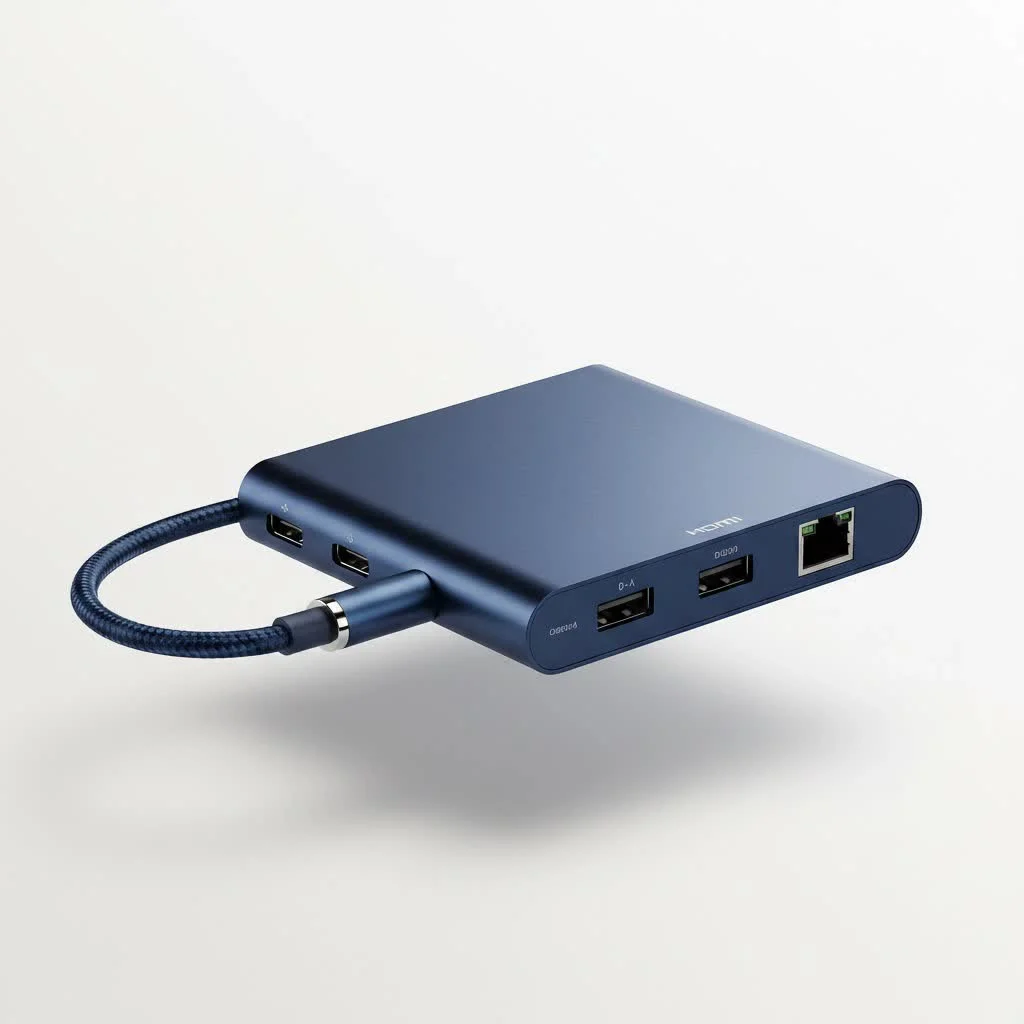
As the tech expert at Meeob, I’ve spent over a decade helping people untangle their digital lives, and the rise of the multiport hub has been a game-changer. This guide will walk you through everything you need to know, from the essential features to choosing the perfect model for your setup.
What Exactly Is a USB and Ethernet Hub?
A USB and Ethernet hub is a device that plugs into a USB port (typically USB-C or USB-A) on your laptop or computer and provides multiple outputs. At its core, it offers at least one Ethernet port for a wired internet connection and several additional USB ports for connecting peripherals like mice, keyboards, and external hard drives.
However, most modern hubs go far beyond that, often including:
- HDMI or DisplayPort for external monitors
- SD and microSD card readers for photographers and content creators
- USB-C Power Delivery (PD) to charge your laptop through the hub itself
- Audio jacks for headphones and microphones
Think of it as an instant upgrade for your laptop, transforming a single port into a powerful, multi-functional workstation.
Why a Wired Connection Still Reigns Supreme
In a world dominated by Wi-Fi, why bother with an Ethernet port? The answer is simple: reliability and speed. While Wi-Fi is convenient, it’s susceptible to interference from other networks, walls, and even home appliances. This can lead to frustrating lag spikes during video calls, dropped frames while gaming, and slow download speeds.
A direct, wired connection via an Ethernet hub eliminates these variables. You get a stable, consistent, and often faster connection that is essential for:
- Online Gaming: Lower latency (ping) for a competitive edge.
- Streaming: Buffer-free 4K video streaming.
- Large File Transfers: Downloading or uploading massive files without interruption.
- Critical Work Calls: Ensuring your Zoom or Teams meetings are crystal clear and stable.
Key Features to Look for in a USB and Ethernet Hub
Choosing the right hub can feel overwhelming with all the technical jargon. Let’s break down the most important features to consider.
Ethernet Port Speed: Don’t Create a Bottleneck
|
Our Picks for the Best USB Hub in 2026
As an Amazon Associate I earn from qualifying purchases.
|
||
| Num | Product | Action |
|---|---|---|
| 1 | USB C Docking Station with M.2 NVMe SSD Enclosure 10Gbps, 9 in 1 USB-C Hub, Type C SSD Slot with 4K@60Hz HDMI, USB 3.2 Gen2, PD100W, SD/TF Card Reader, Laptop Docking Station for Dell/HP/Lenovo/Mac |

|
| 2 | USB Hub 3.0, 7-Port USB Hub Splitter with Individual On/Off Switches and Lights, 3.2ft/1m Long Cable Compatible with MacBook, Laptop, Surface Pro, PS4, PC, Flash Drive, Mobile HDD |
|
| 3 | UGREEN USB 3.0 Hub, 4 Ports USB A Splitter Ultra-Slim USB Expander for Mouse, Keyboard, Flash Drive, U Disk, Printer Compatible with Laptop, Desktop PC, Xbox, PS5, and More |
|
| 4 | Anker USB Hub 4 Ports with 5Gbps Data Transfer, Multiple USB 3.0 Hub, USB Splitter for Laptop, Extender for A Port Laptop, PC, Desktop and More [Charging Not Supported](0.7 ft USB-A) |
|
| 5 | P9R PRO USB C Hub Ethernet, 10 in 1 USB Docking Station 10Gbps with 4K@60Hz HDMI, USB C and 2 USB A 3.2, LAN, 2 USB A 2.0, PD 100W, SD/TF Ports, USB to Ethernet Adapter for PC, iPhone 16/15, Mac |
|
| 6 | 3-in-1 USB C Splitter, 3 in 1 Type-C Charging Data Cable Data Transmission Decive Charging Adapter Power Charger Equipment for ome Office Use, Fast & Efficient |
|
| 7 | Anker Laptop Docking Station Dual Monitor, 8-in-1 USB C Hub, 4K Dual Monitor with 2 HDMI, 1 Gbps Ethernet Hub, 85W Power Delivery, SD Card Reader for MacBook Pro, XPS and More (Charger not Included) |
|
| 8 | Powered USB Hub 10Gbps, intpw 9-Port USB 3.2 Hub, USB C Hub with USB A/USB C 3.2, 4 USB 3.0, 2 PD 45W Charging Ports, 65W Power Adapter and 3.3FT Cable, Aluminum USB Hub for Laptop, iPhone 17/16/15,PC |
|
| 9 | 13 in 1 USB C Docking Station - Dual Monitor, Triple Display, 8 USB C/A Ports, Ethernet, Audio - LIONWEI USB C Hub for MacBook,Dell,HP,Lenovo,Surface |
|
| 10 | Powered USB Hub, Wenter 11-Port USB Splitter Hub (10 Faster Data Transfer Ports+ 1 Smart Charging Port) with Individual LED On/Off Switches, USB Hub 3.0 Powered with Power Adapter for Mac, PC |
|
The most common standard for Ethernet ports on these hubs is Gigabit Ethernet, which supports speeds up to 1,000 Megabits per second (Mbps). For most users, this is more than enough. If you have an internet plan faster than 1 Gbps or do heavy data transfers on a local network, you might look for a hub with a 2.5 Gbps port, though they are less common and more expensive.
USB Ports: Speed and Type Matter
Not all USB ports are created equal. Pay close attention to the type and speed:
- USB 2.0: An older standard, maxing out at 480 Mbps. It’s fine for mice and keyboards but will be a major bottleneck for file transfers.
- USB 3.0/3.1 Gen 1/3.2 Gen 1: These are all names for the same standard, offering speeds up to 5 Gigabits per second (Gbps). This is the sweet spot for most users, ideal for external drives and fast data transfer.
- USB 3.1 Gen 2/3.2 Gen 2: This doubles the speed to 10 Gbps, perfect for high-speed SSDs and demanding peripherals.
- USB-A vs. USB-C: Most hubs offer a mix. USB-A is the traditional rectangular port, while USB-C is the smaller, reversible one. Ensure the hub has the ports you need for your existing devices.
Power Delivery (PD): The Unsung Hero
Power Delivery is a crucial feature, especially for laptop users. A hub with a USB-C PD port allows you to plug your laptop’s charger into the hub, which then passes power through to charge your laptop while still running all the other connected devices.
As our lead hardware specialist, David Chen, often says, “Look for a hub with at least 60W Power Delivery for standard laptops, but aim for 85W or more for power-hungry machines like a MacBook Pro. It ensures your battery is charging, not just slowly draining, during heavy use.”
Additional Connectivity: The More, The Merrier?
Consider what else you need to connect. Do you need to hook up a 4K monitor? Look for a hub with an HDMI 2.0 or DisplayPort 1.4 port that supports 4K at a 60Hz refresh rate for smooth video. Are you a photographer? A built-in SD card reader will save you from carrying another dongle.
How to Choose the Perfect Hub for Your Needs
The best USB and Ethernet hub is the one that fits your specific workflow.
For the Remote Worker or Student
You need reliability for video calls and enough ports for your essentials.
- Must-haves: Gigabit Ethernet, at least two USB 3.0 ports (for a keyboard and mouse), and USB-C Power Delivery.
- Nice-to-have: An HDMI port for a second screen to boost productivity.
For the Gamer
Your priority is a low-latency connection and ports for your gaming gear.
- Must-haves: A stable Gigabit Ethernet port is non-negotiable. Look for at least one high-speed USB 3.0 port for an external gaming drive.
- Nice-to-have: Extra USB-A ports for your headset, mouse, and keyboard without creating a mess.
For the Content Creator
You need speed and versatility to handle large files and multiple devices.
- Must-haves: Gigabit Ethernet, multiple high-speed USB ports (10 Gbps if possible), a fast SD/microSD card reader, and an HDMI port that supports 4K at 60Hz.
- Nice-to-have: Multiple video outputs if you use more than one external monitor.
Frequently Asked Questions (FAQ)
What is the difference between a USB hub and a docking station?
The line has blurred, but generally, a docking station is a larger, less portable device with its own power supply, often designed for a specific laptop model. A USB and Ethernet hub is typically smaller, bus-powered (drawing power from the laptop) or pass-through powered, and universally compatible.
Does a USB to Ethernet hub slow down the internet?
No, a quality hub will not slow down your internet. The Gigabit Ethernet port is capable of handling speeds up to 1,000 Mbps, which is faster than most residential internet plans. The bottleneck would more likely be your internet plan itself, not the hub.
Do I need to install drivers for a USB and Ethernet hub?
For most modern operating systems like Windows 10/11 and macOS, these hubs are plug-and-play. The necessary drivers are usually built-in, so you can simply plug it in and it will work immediately.
Is a powered USB hub better for Ethernet?
The Ethernet connection itself doesn’t require extra power. However, if you plan to connect multiple power-hungry devices (like external hard drives or webcams) alongside the Ethernet, a hub with Power Delivery is highly recommended to ensure everything runs stably.
Your Gateway to a Better Connection
A USB and Ethernet hub is more than just an accessory; it’s a productivity powerhouse. It restores the ports that modern laptops have taken away while providing the stable, high-speed internet connection that wireless technology can’t always guarantee. By evaluating your needs based on speed, power, and connectivity, you can choose a hub that simplifies your setup and lets you work, play, and create without limits. Upgrade your connection, declutter your desk, and unlock the full potential of your machine.
Get our weekly buyer guide
Practical specs, not advice. Unsubscribe anytime.
The info on choosing between USB-A and USB-C hubs was super helpful. I went with a USB-A option for my older desktop and it works great for adding extra ports for my keyboard, mouse, and external drive. My only minor complaint is that the cable on the hub itself is a little short, but it’s not a dealbreaker.
I got a hub that was mentioned for its solid internet connection, but I’m still getting some occasional drops when I’m on video calls. It’s better than my old Wi-Fi, but not quite the ‘rock-solid’ connection I was hoping for. Maybe it’s my router, but I expected a bit more consistency from the hub itself.
This ‘Swiss Army knife for your digital life’ description is spot on! My ultra-thin laptop was a nightmare for connectivity. I followed the advice here and got a hub with multiple USB ports and an HDMI output, and it’s made such a difference. No more juggling adapters, everything just works seamlessly now.
I was so tired of my new laptop having like, two ports. This guide really helped me understand the benefits of a combined USB and Ethernet hub. I picked up one of the recommended USB-C models and it’s been a game-changer for my home office setup. Now I have all my peripherals connected and a super stable internet connection without any fuss.