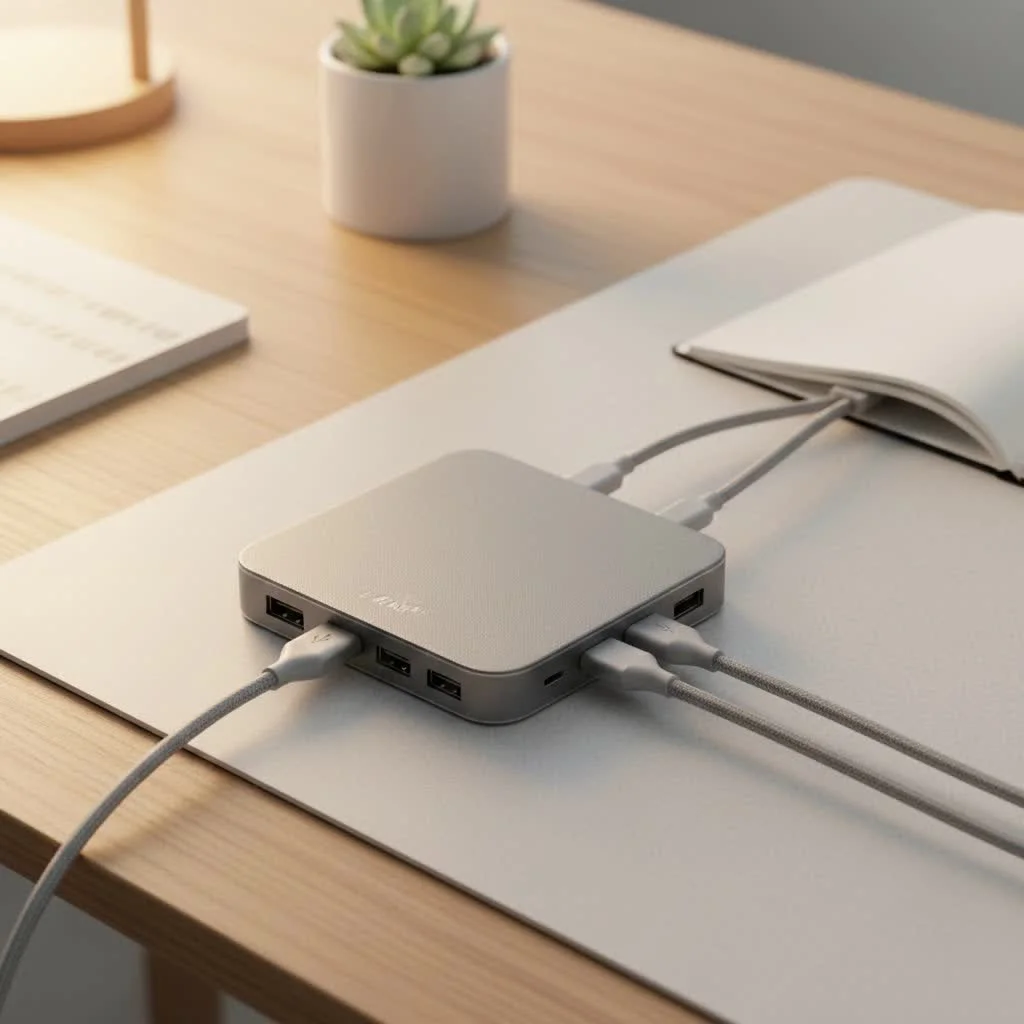
An HDMI hub USB C is a versatile multiport adapter that expands a single USB-C port on a laptop, tablet, or smartphone into multiple connections, including an HDMI port for high-definition video and audio output to external displays. These hubs typically offer additional ports like USB-A, SD card readers, and Ethernet, transforming a minimalist device into a comprehensive workstation. Meeob aims to provide users with the essential tools for enhanced productivity and connectivity.
What Exactly is an HDMI Hub USB C?
Think of a USB-C hub with an HDMI port as a versatile multiport adapter—a central station for all your peripherals. It plugs into a single USB-C port on your laptop, tablet, or even smartphone and instantly expands it into a variety of connections. The star of the show is the HDMI port, which allows you to output high-definition video and audio to external displays like monitors, TVs, and projectors. But it rarely stops there; most hubs also include a mix of other essential ports, such as USB-A for older devices, SD card readers, and Ethernet for a stable internet connection.
Why You Absolutely Need a USB C Hub with HDMI
The convenience of a single cable for everything is a core promise of the USB-C standard, but that vision only works if you have the right accessories. An HDMI hub USB C is the bridge between your modern device and the wider world of peripherals you still rely on.
- Seamless External Display Connectivity: Effortlessly extend or mirror your screen to a larger monitor for improved multitasking, a more immersive gaming experience, or delivering a flawless presentation.
- Boost Your Productivity: Stop juggling dongles. A single hub allows you to connect a mouse, keyboard, external hard drive, and a 4K monitor simultaneously, creating a full-fledged desktop experience wherever you are.
- Ultimate Portability: Compact and lightweight, these hubs fit easily into any laptop bag. They turn any hotel room, coffee shop, or co-working space into a functional workstation.
- Charge While You Work: Many hubs feature USB-C Power Delivery (PD) passthrough, enabling you to charge your laptop through the hub itself. This means you don’t have to sacrifice your only USB-C port just to stay powered up.
As our lead product developer at Meeob, David Chen, often says, “A good USB-C hub doesn’t just add ports; it removes barriers. It’s about creating a frictionless workflow so your technology adapts to you, not the other way around.”
Choosing the Right HDMI Hub USB C: Key Features to Consider
Not all hubs are created equal. Navigating the technical specifications can be daunting, but focusing on a few key features will ensure you get a device that perfectly suits your needs.
HDMI Port Specifications: The 4K Difference
|
Our Picks for the Best USB Hub in 2026
As an Amazon Associate I earn from qualifying purchases.
|
||
| Num | Product | Action |
|---|---|---|
| 1 | Powered USB Hub, Wenter 11-Port USB Splitter Hub (10 Faster Data Transfer Ports+ 1 Smart Charging Port) with Individual LED On/Off Switches, USB Hub 3.0 Powered with Power Adapter for Mac, PC |

|
| 2 | USB Hub 3.0, 7-Port USB Hub Splitter with Individual On/Off Switches and Lights, 3.2ft/1m Long Cable Compatible with MacBook, Laptop, Surface Pro, PS4, PC, Flash Drive, Mobile HDD |
|
| 3 | P9R PRO USB C Hub Ethernet, 10 in 1 USB Docking Station 10Gbps with 4K@60Hz HDMI, USB C and 2 USB A 3.2, LAN, 2 USB A 2.0, PD 100W, SD/TF Ports, USB to Ethernet Adapter for PC, iPhone 16/15, Mac |
|
| 4 | 3-in-1 USB C Splitter, 3 in 1 Type-C Charging Data Cable Data Transmission Decive Charging Adapter Power Charger Equipment for ome Office Use, Fast & Efficient |
|
| 5 | Powered USB Hub 10Gbps, intpw 9-Port USB 3.2 Hub, USB C Hub with USB A/USB C 3.2, 4 USB 3.0, 2 PD 45W Charging Ports, 65W Power Adapter and 3.3FT Cable, Aluminum USB Hub for Laptop, iPhone 17/16/15,PC |
|
| 6 | Anker USB Hub 4 Ports with 5Gbps Data Transfer, Multiple USB 3.0 Hub, USB Splitter for Laptop, Extender for A Port Laptop, PC, Desktop and More [Charging Not Supported](0.7 ft USB-A) |
|
| 7 | Anker Laptop Docking Station Dual Monitor, 8-in-1 USB C Hub, 4K Dual Monitor with 2 HDMI, 1 Gbps Ethernet Hub, 85W Power Delivery, SD Card Reader for MacBook Pro, XPS and More (Charger not Included) |
|
| 8 | USB C Docking Station with M.2 NVMe SSD Enclosure 10Gbps, 9 in 1 USB-C Hub, Type C SSD Slot with 4K@60Hz HDMI, USB 3.2 Gen2, PD100W, SD/TF Card Reader, Laptop Docking Station for Dell/HP/Lenovo/Mac |
|
| 9 | UGREEN USB 3.0 Hub, 4 Ports USB A Splitter Ultra-Slim USB Expander for Mouse, Keyboard, Flash Drive, U Disk, Printer Compatible with Laptop, Desktop PC, Xbox, PS5, and More |
|
| 10 | 13 in 1 USB C Docking Station - Dual Monitor, Triple Display, 8 USB C/A Ports, Ethernet, Audio - LIONWEI USB C Hub for MacBook,Dell,HP,Lenovo,Surface |
|
The single most important feature for video output is the HDMI port’s capability. The resolution and refresh rate determine how smooth and sharp your video will be.
- 4K@30Hz: This is the baseline for most standard hubs. It’s perfectly adequate for presentations, watching movies, and general productivity tasks. The image will be sharp, but motion may not be perfectly fluid.
- 4K@60Hz: This is the gold standard. A 60Hz refresh rate provides a much smoother, more responsive experience, which is crucial for video editing, graphic design, and gaming. If your workflow involves fast-moving visuals, investing in a 4K@60Hz hub is a noticeable upgrade.
Power Delivery (PD) Passthrough
Power Delivery is a non-negotiable feature for most laptop users. A hub with PD passthrough has a dedicated USB-C input port that allows you to connect your laptop’s charger. The hub then “passes through” the power to your laptop while using a small amount to operate its own functions. Look for hubs that support at least 60W of power delivery, with 100W being ideal for more powerful machines like a MacBook Pro.
What Other Ports Do You Need?
Beyond HDMI, consider what other devices you use regularly. A well-chosen HDMI hub USB C can eliminate the need for several other adapters.
- USB-A Ports: Essential for connecting legacy devices like mice, keyboards, flash drives, and external hard drives. Look for USB 3.0 (or higher) for data transfer speeds up to 5Gbps.
- SD/MicroSD Card Readers: A lifesaver for photographers, videographers, and drone pilots who need to transfer files quickly without searching for a separate card reader.
- Ethernet Port: For situations where Wi-Fi is unstable or slow, a dedicated Gigabit Ethernet port provides a reliable, high-speed wired internet connection—perfect for online gaming or large file transfers.
Build Quality and Design
Since this device will likely travel with you, build quality matters. Aluminum-cased hubs are generally more durable and better at dissipating heat than their plastic counterparts. Also, consider the cable length. A shorter cable is more portable, while a slightly longer one can offer more flexibility in how you position the hub on your desk.
Frequently Asked Questions (FAQ)
Will a USB-C hub with HDMI drain my laptop’s battery?
A hub does draw a small amount of power to operate, but the drain is minimal. If you are using a hub with Power Delivery (PD) passthrough and have your charger connected, your device will charge normally and the hub will be powered without affecting your battery.
Do I need to install drivers for my HDMI hub?
Most modern USB-C hubs are “plug and play” and do not require any manual driver installation on Windows, macOS, or ChromeOS. Your operating system should automatically recognize the device and all its functions.
Can I connect two monitors with one HDMI hub USB C?
It depends entirely on the hub’s capabilities. A standard hub with a single HDMI port can only connect to one external display. For dual-monitor setups, you will need a more advanced hub or docking station that features two HDMI ports or a combination of HDMI and DisplayPort, and you must confirm that your laptop’s USB-C port supports multiple video outputs (DisplayPort Alternate Mode).
Is there a difference between a Thunderbolt and a USB-C hub?
Yes, while they use the same physical connector, Thunderbolt 3/4 offers significantly higher bandwidth (40Gbps) compared to standard USB-C (5-10Gbps). A Thunderbolt hub can support more demanding setups, such as dual 4K@60Hz monitors, from a single port. A standard USB-C hub is more than sufficient for most users who just need to connect a single monitor and a few peripherals.
Why is my HDMI hub not working?
First, ensure your device’s USB-C port supports video output (DisplayPort Alternate Mode). Not all USB-C ports do. Second, check your cable connections and try a different HDMI cable. Finally, ensure the hub is securely plugged in. If it has a PD port, connecting it to power can sometimes resolve connectivity issues.
Conclusion: Your Gateway to Connectivity
An HDMI hub USB C is more than just an accessory; it’s an investment in efficiency and flexibility. It restores the ports that modern laptops have sacrificed, empowering you to connect, create, and present without limitations. By understanding the key features like HDMI resolution, Power Delivery, and the mix of additional ports, you can confidently choose the perfect hub to complement your workflow. Stop letting a lack of ports dictate what you can achieve. Unlock your device’s true potential and embrace a world of seamless connectivity.
Get our weekly buyer guide
Practical specs, not advice. Unsubscribe anytime.
I’ve been using an HDMI hub USB C for my MacBook Pro for a few weeks now, and it’s been a game-changer. I can finally connect my external monitor, charge my phone, and use a USB-A drive all at once without needing a bunch of different dongles. The video output to my 4K display is crystal clear, and I haven’t experienced any lag. Definitely makes my home office setup much more efficient.
This type of multiport adapter is exactly what I needed for my new ultrabook. I love how it transforms a single USB-C port into a full workstation, especially with the Ethernet port. My only minor gripe is that it gets a little warm when I have everything plugged in and running for extended periods, but it hasn’t affected performance. Still, a solid investment for anyone needing more connectivity.
As someone who travels a lot for work, having a compact HDMI hub USB C has been invaluable. It’s so convenient to just plug one device into my laptop and instantly have access to an external display and all my peripherals. The build quality feels really good, and it’s small enough to just toss in my bag without adding bulk. Highly recommend for anyone with a minimalist device looking to expand its capabilities.
I got an HDMI hub USB C mainly for connecting my tablet to a projector for presentations. The HDMI output works fine for video, but I was hoping the SD card reader would be a bit faster for transferring large files. It’s not terrible, just a bit slower than I expected. For basic use, it’s okay, but if you need really fast data transfer from an SD card, you might want to look at other options.