A Sabrent USB hub expands your computer’s connectivity, allowing you to connect multiple USB devices like keyboards, mice, external drives, and webcams to a single port. Sabrent hubs are known for their durable construction, often featuring aluminum chassis, and reliable performance, with many models offering individual power switches and robust power delivery for stable operation of connected peripherals.
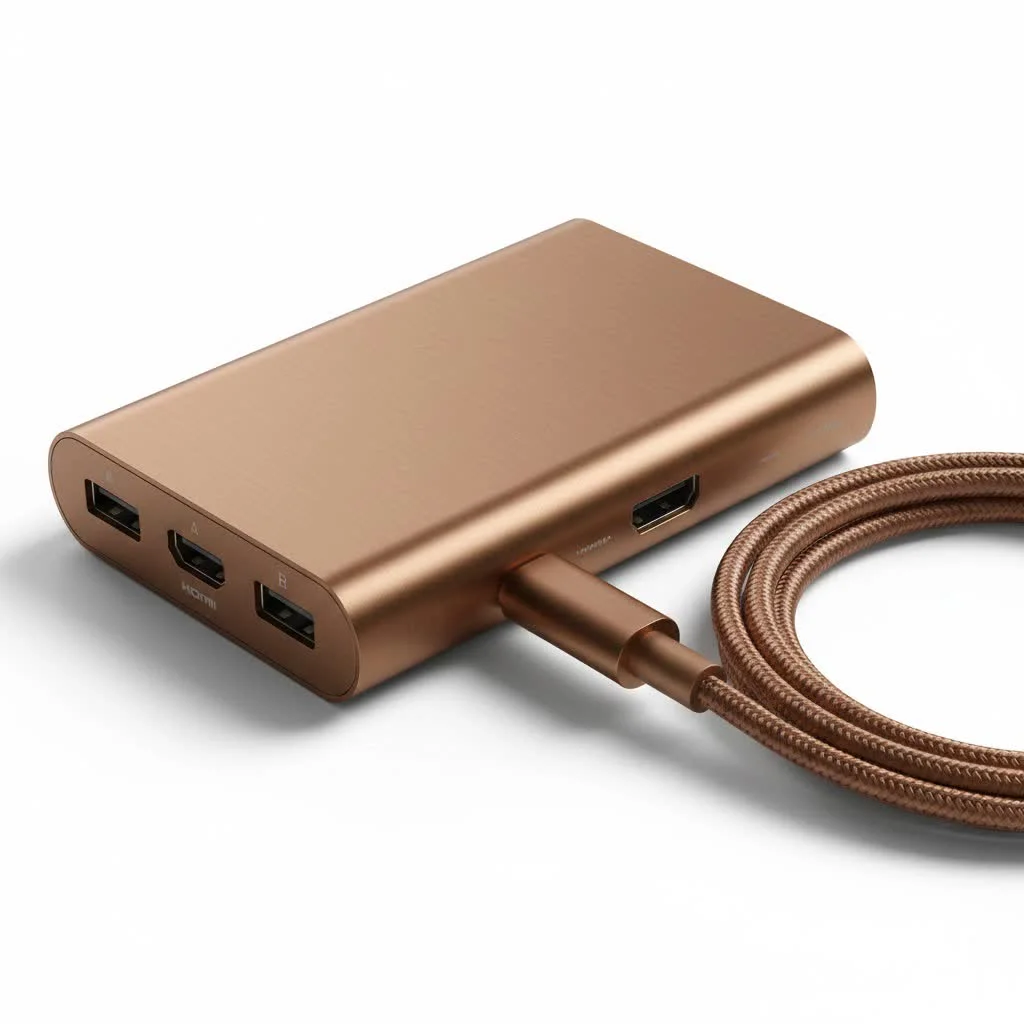
This guide will walk you through everything you need to know about choosing the right Sabrent hub, exploring different models and explaining technical terms like “powered” versus “unpowered” to help you find the perfect match for your setup, whether you’re a gamer, a creative professional, or building the ultimate home office. For complete usb hubs library on this site.
Why Choose a Sabrent USB Hub?
Sabrent has built a strong reputation in the PC accessory market, particularly for storage and connectivity devices. Their USB hubs are often praised for their robust construction, thoughtful design, and reliable performance. When you invest in a Sabrent product, you’re typically getting more than just extra ports.
Key Differentiating Features
- Durable Build Quality: Many Sabrent hubs feature a sturdy aluminum chassis. This not only looks sleek on your desk but also helps dissipate heat, which is crucial when you have multiple devices running simultaneously.
- Individual Power Switches: A signature feature on many popular Sabrent models is the inclusion of individual power switches and LED indicators for each port. This gives you granular control, allowing you to turn off peripherals without physically unplugging them, saving power and reducing wear and tear on the ports.
- Reliable Power Delivery: Sabrent offers a wide range of powered hubs. These come with their own AC adapter, ensuring that every connected device gets a stable and sufficient power supply. This is essential for power-hungry gadgets like external hard drives, webcams, and charging multiple devices.
- Wide Variety of Options: From compact, portable 4-port hubs to massive 16-port desktop behemoths, Sabrent has a solution for nearly every use case. They offer hubs with different USB standards (USB 3.0, USB-C) and form factors.
As tech expert Amelia Reed often notes, “A powered hub is non-negotiable for a serious workstation. Sabrent’s powered hubs are a desk staple for me because they eliminate the connectivity issues that plague lesser, unpowered hubs when you start connecting serious hardware.”
Powered vs. Unpowered Hubs: What’s the Difference?
Understanding this distinction is the single most important step in choosing the right Sabrent USB hub. It all comes down to how the hub gets its electricity.
Unpowered (Passive) Hubs
An unpowered hub is a simple splitter. It draws all its power directly from the single USB port it’s connected to on your computer. This limited power is then shared among all the devices you plug into the hub.
- Best for: Low-power devices like mice, keyboards, flash drives, and Bluetooth dongles.
- Pros: Highly portable, no extra cables, and generally less expensive.
- Cons: Can’t support power-hungry devices. Connecting too many devices can lead to instability, slow performance, or devices not being recognized.
Powered (Active) Hubs
|
Our Picks for the Best USB Hub in 2026
As an Amazon Associate I earn from qualifying purchases.
|
||
| Num | Product | Action |
|---|---|---|
| 1 | Powered USB Hub 10Gbps, intpw 9-Port USB 3.2 Hub, USB C Hub with USB A/USB C 3.2, 4 USB 3.0, 2 PD 45W Charging Ports, 65W Power Adapter and 3.3FT Cable, Aluminum USB Hub for Laptop, iPhone 17/16/15,PC |

|
| 2 | 13 in 1 USB C Docking Station - Dual Monitor, Triple Display, 8 USB C/A Ports, Ethernet, Audio - LIONWEI USB C Hub for MacBook,Dell,HP,Lenovo,Surface |
|
| 3 | USB C Docking Station with M.2 NVMe SSD Enclosure 10Gbps, 9 in 1 USB-C Hub, Type C SSD Slot with 4K@60Hz HDMI, USB 3.2 Gen2, PD100W, SD/TF Card Reader, Laptop Docking Station for Dell/HP/Lenovo/Mac |
|
| 4 | UGREEN USB 3.0 Hub, 4 Ports USB A Splitter Ultra-Slim USB Expander for Mouse, Keyboard, Flash Drive, U Disk, Printer Compatible with Laptop, Desktop PC, Xbox, PS5, and More |
|
| 5 | USB Hub 3.0, 7-Port USB Hub Splitter with Individual On/Off Switches and Lights, 3.2ft/1m Long Cable Compatible with MacBook, Laptop, Surface Pro, PS4, PC, Flash Drive, Mobile HDD |
|
| 6 | Anker Laptop Docking Station Dual Monitor, 8-in-1 USB C Hub, 4K Dual Monitor with 2 HDMI, 1 Gbps Ethernet Hub, 85W Power Delivery, SD Card Reader for MacBook Pro, XPS and More (Charger not Included) |
|
| 7 | Anker USB Hub 4 Ports with 5Gbps Data Transfer, Multiple USB 3.0 Hub, USB Splitter for Laptop, Extender for A Port Laptop, PC, Desktop and More [Charging Not Supported](0.7 ft USB-A) |
|
| 8 | 3-in-1 USB C Splitter, 3 in 1 Type-C Charging Data Cable Data Transmission Decive Charging Adapter Power Charger Equipment for ome Office Use, Fast & Efficient |
|
| 9 | P9R PRO USB C Hub Ethernet, 10 in 1 USB Docking Station 10Gbps with 4K@60Hz HDMI, USB C and 2 USB A 3.2, LAN, 2 USB A 2.0, PD 100W, SD/TF Ports, USB to Ethernet Adapter for PC, iPhone 16/15, Mac |
|
| 10 | Powered USB Hub, Wenter 11-Port USB Splitter Hub (10 Faster Data Transfer Ports+ 1 Smart Charging Port) with Individual LED On/Off Switches, USB Hub 3.0 Powered with Power Adapter for Mac, PC |
|
A powered hub connects to a wall outlet via its own AC adapter. It draws power from the outlet to supply to your connected devices, rather than relying on the host computer.
- Best for: External hard drives (HDDs/SSDs), webcams, audio interfaces, printers, and charging phones or tablets.
- Pros: Provides consistent, stable power for all connected devices. Ensures maximum data transfer speeds and reliable performance.
- Cons: Less portable due to the need for a power adapter and wall outlet.
For most desktop setups, a powered Sabrent USB hub is the superior choice. It guarantees that every peripheral, from your high-resolution webcam to your essential backup drive, operates without a hitch.
Finding the Right Sabrent Hub for You
Sabrent’s lineup can be extensive, but we can break it down by common needs and features.
For the Everyday User: The Sabrent 4-Port USB 3.0 Hub
This is the workhorse of the family. The compact 4-port model is perfect for laptop users or anyone who just needs a few extra ports without taking up much desk space.
- Key Features: USB 3.0 for speeds up to 5Gbps, individual power switches, and a slim, lightweight design.
- Best for: Expanding a laptop’s connectivity on the go or for a minimalist desktop setup.
- Consider: If you plan to connect an external hard drive, opt for the version that comes with an optional power adapter.
For the Power User: The Sabrent 7, 10, or 13-Port USB 3.0 Hub
If your desk is a command center of peripherals, you need a hub that can keep up. Sabrent’s high-capacity powered hubs are designed for exactly this scenario.
- Key Features: All the ports you could ever need, a robust power adapter to energize everything, individual switches, and a solid aluminum build. Many models also include dedicated charging ports that deliver higher amperage for faster device charging.
- Best for: Gamers with multiple controllers and accessories, content creators with drives and interfaces, and office professionals managing printers, scanners, and more.
For the Modern Setup: Sabrent USB-C Hubs
With the rise of USB-C and Thunderbolt ports on modern laptops like the MacBook, a dedicated USB-C hub is often essential. These hubs not only provide legacy USB-A ports but often include other useful connections.
- Key Features: A mix of ports including USB-A 3.0, HDMI for an external display, SD/microSD card readers, and sometimes an Ethernet port.
- Best for: MacBook, Dell XPS, and other modern ultrabook users who need to connect to a variety of peripherals and displays with a single cable.
How to Set Up Your Sabrent USB Hub
Setting up your hub is typically a straightforward plug-and-play process.
- For Powered Hubs: First, connect the included AC adapter to the hub and plug it into a wall outlet. This ensures it has power before it’s connected to your computer.
- Connect to Computer: Use the provided USB cable to connect the hub to an available USB port on your laptop or desktop. For best performance, use a USB 3.0 port (usually identifiable by its blue color).
- Plug in Devices: Begin connecting your peripherals to the ports on the Sabrent USB hub. If your model has individual power switches, be sure to press the button for the corresponding port you are using. The LED light should turn on, indicating the port is active.
- Install Drivers (If Necessary): In over 99% of cases, your operating system (Windows, macOS, or Linux) will automatically recognize the hub and any connected devices. No drivers are needed.
Frequently Asked Questions (FAQ)
Q: Is Sabrent a good brand for USB hubs?A: Yes, Sabrent is widely regarded as a reputable and reliable brand for USB hubs and other computer peripherals. They are known for their durable build quality, especially on their aluminum models, and thoughtful features like individual port power switches.
Q: Why are the individual power switches on a Sabrent hub useful?A: Individual switches provide excellent control over your connected peripherals. You can power down devices like webcams or external drives without unplugging them, which prevents unnecessary wear on the ports and can enhance privacy and data security. It also helps manage power consumption.
Q: Do I need a powered Sabrent USB hub?A: You need a powered hub if you plan to connect any high-power devices. This includes external hard drives, SSDs, webcams, audio interfaces, printers, or if you want to charge your phone. For simple, low-power devices like a keyboard and mouse, an unpowered hub may suffice.
Q: Will a Sabrent USB 3.0 hub work in a USB 2.0 port?A: Yes, USB 3.0 is backward compatible with USB 2.0. However, if you plug a USB 3.0 hub into a USB 2.0 port, the maximum speed for all devices connected to the hub will be limited to the slower USB 2.0 speed (480Mbps).
Q: My computer isn’t detecting my Sabrent USB hub. What should I do?A: First, ensure the power adapter is securely plugged in (for powered models). Try connecting the hub to a different USB port on your computer. If possible, test the hub on another computer to rule out a system-specific issue. Finally, try connecting a single, simple device (like a mouse) to see if it’s an issue with a specific peripheral.
The Final Word on Sabrent Hubs
A reliable USB hub is a cornerstone of a productive and clutter-free workspace. It simplifies cable management, expands your computer’s capabilities, and ensures all your essential tools are ready to go at a moment’s notice. A Sabrent USB hub is an excellent investment in that efficiency. By offering a range of well-built, thoughtfully designed products, they provide a dependable solution for nearly every user.
Whether you choose a compact 4-port model for your travels or a 10-port powered station for your desktop, you are investing in stability and convenience. Take a moment to assess your needs, consider which devices you’ll be connecting, and choose the Sabrent hub that will best serve as the heart of your setup.
Frequently Asked Questions
Is Sabrent a good brand for USB hubs?
Yes, Sabrent is widely regarded as a reputable and reliable brand for USB hubs and other computer peripherals. They are known for their durable build quality, especially on their aluminum models, and thoughtful features like individual port power switches.
Why are individual power switches on a Sabrent hub useful?
Individual switches provide excellent control over your connected peripherals. You can power down devices like webcams or external drives without unplugging them, which prevents unnecessary wear on the ports and can enhance privacy and data security. It also helps manage power consumption.
Do I need a powered Sabrent USB hub for my devices?
You need a powered hub if you plan to connect any high-power devices, such as external hard drives, SSDs, webcams, audio interfaces, printers, or if you want to charge your phone. For simple, low-power devices like a keyboard and mouse, an unpowered hub may suffice.
Will a Sabrent USB 3.0 hub work in a USB 2.0 port?
Yes, USB 3.0 is backward compatible with USB 2.0. However, if you plug a USB 3.0 hub into a USB 2.0 port, the maximum speed for all devices connected to the hub will be limited to the slower USB 2.0 speed of 480Mbps.
What should I do if my computer isn't detecting my Sabrent USB hub?
First, ensure the power adapter is securely plugged in for powered models. Try connecting the hub to a different USB port on your computer. If possible, test the hub on another computer to rule out a system-specific issue, then try connecting a single, simple device like a mouse.
How to Set Up Your Sabrent USB Hub
Setting up a Sabrent USB hub is typically a straightforward plug-and-play process, whether it's a powered or unpowered model.
First, connect the included AC adapter to the hub and plug it into a wall outlet. This ensures the hub has sufficient power before it's connected to your computer.
Use the provided USB cable to connect the hub to an available USB port on your laptop or desktop. For optimal performance, use a USB 3.0 port, which is usually identifiable by its blue color.
Begin connecting your peripherals to the ports on the Sabrent USB hub. If your model has individual power switches, press the button for the corresponding port you are using; the LED light should turn on.
In over 99% of cases, your operating system (Windows, macOS, or Linux) will automatically recognize the hub and any connected devices. No additional drivers are typically needed for basic functionality.
Get our weekly buyer guide
Practical specs, not advice. Unsubscribe anytime.
The Sabrent hub works fine for my mouse and keyboard, but I was hoping to also charge my phone through it. The power delivery isn’t quite strong enough for fast charging, which is a bit of a bummer. It’s reliable for data transfer and basic peripherals, though. Just wish it had a bit more juice for charging.
As a creative professional, I need reliable connectivity for my drawing tablet and multiple external SSDs. The Sabrent hub has handled everything flawlessly. I appreciate that it keeps all my devices stable, even when I’m transferring large files. It really helps streamline my workflow and keeps my desk much tidier.
I’ve been using the Sabrent powered hub for my home office setup, and it’s been a game-changer. I can finally connect my external hard drive, webcam, and keyboard without any power drops, which was a huge issue with my old unpowered hub. The individual power switches are super handy for turning off devices I’m not actively using. Definitely recommend for anyone with a lot of peripherals.
Got a Sabrent hub after reading about their durable aluminum chassis. It feels really solid, not like some of the flimsy plastic ones out there. I’m using it with my gaming PC to connect my headset and a couple of controllers. Everything works perfectly, and I haven’t noticed any lag. Good value for the build quality.