A USB 2 hub is a practical and cost-effective device that expands a single USB 2.0 port on your computer into multiple ports, typically four or more, allowing you to connect several low-bandwidth peripherals simultaneously. This classic piece of technology, also known as “High-Speed USB,” operates at a maximum theoretical data transfer speed of 480 Megabits per second (Mbps), which is sufficient for many common devices.
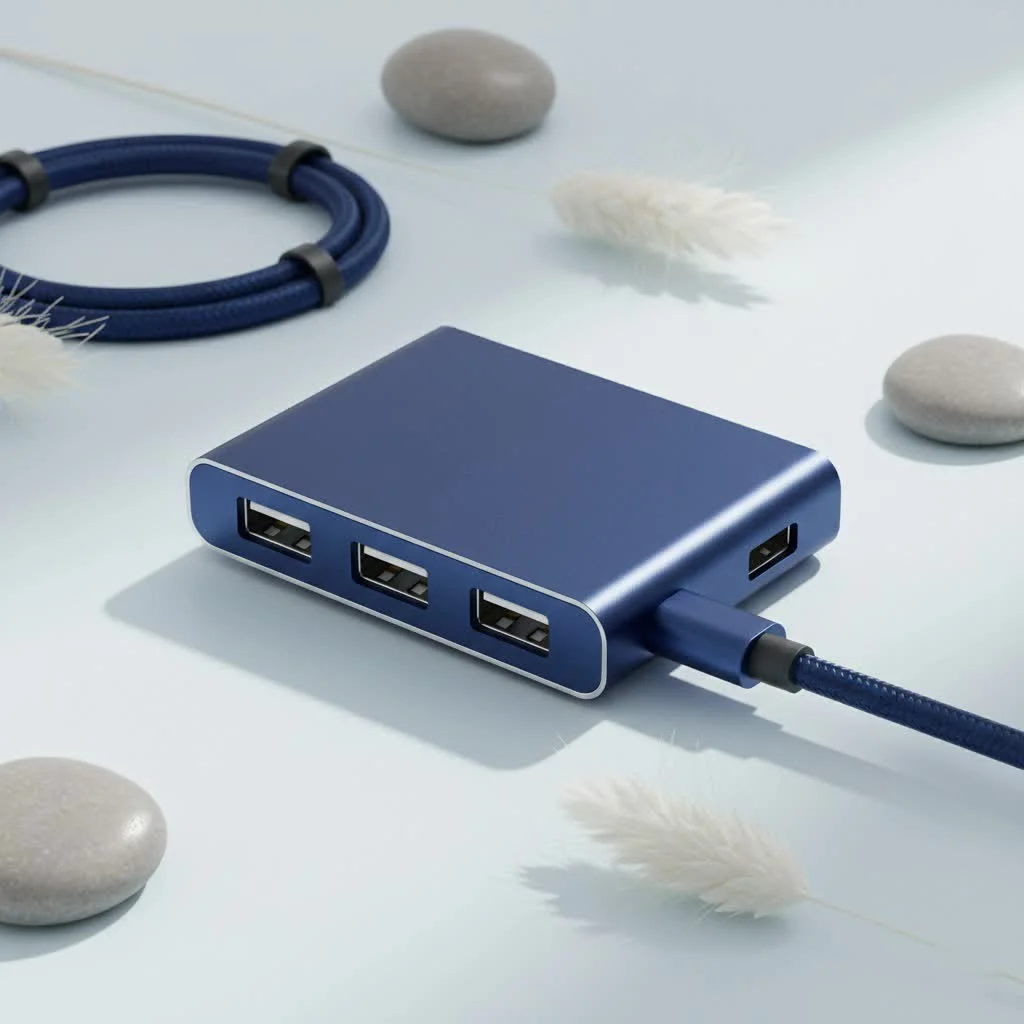
At Meeob, we empower users with knowledge. Today, we’re diving deep into the world of the USB 2.0 hub, exploring its function, ideal applications, and how it compares to faster alternatives.
What Exactly Is a USB 2.0 Hub?
Think of a USB 2.0 hub as a power strip for your data. It’s a small, external device that plugs into a single USB 2.0 port on your computer and expands it into multiple ports—typically four, seven, or even more. This allows you to connect a variety of peripherals simultaneously without having to constantly plug and unplug cables.
The “2.0” refers to the USB standard it’s built on, also known as “High-Speed USB.” This standard specifies a maximum theoretical data transfer speed of 480 Megabits per second (Mbps). While that might not sound impressive compared to modern standards, it’s more than enough for a wide range of everyday devices.
When Should You Use a USB 2 Hub?
The key to appreciating a USB 2 hub is understanding its ideal use case. It shines when used with devices that don’t require massive amounts of data to be transferred quickly. These are often referred to as low-bandwidth peripherals.
A USB 2.0 hub is the perfect, cost-effective solution for connecting:
- Keyboards and Mice: These essential input devices use a tiny amount of data, making a USB 2.0 port more than sufficient.
- Printers and Scanners: While the initial document transfer might be slightly slower, most home printers and scanners don’t need the blazing speeds of newer USB standards.
- Basic Webcams: For standard video calls on platforms like Zoom or Teams, a webcam connected via a USB 2.0 hub performs perfectly well.
- USB Microphones and Headsets: Audio data is not particularly demanding, so your podcasting microphone or gaming headset will work flawlessly.
- Game Controllers: Connecting your favorite gamepad for a gaming session doesn’t require high-speed data transfer.
If the device isn’t designed for transferring large files like videos, high-resolution photo libraries, or system backups, a USB 2.0 hub is a smart and economical choice.
USB 2.0 Hub vs. USB 3.0 Hub: The Key Differences
To truly understand where the USB 2 hub fits, it’s helpful to compare it to its more modern successor, the USB 3.0 hub. The differences primarily come down to speed, power, and price.
| Feature | USB 2.0 Hub | USB 3.0 Hub |
|---|---|---|
| Speed | 480 Mbps (High-Speed) | 5 Gbps (SuperSpeed) – Over 10x faster |
| Power Output | Up to 500mA per port | Up to 900mA per port |
| Port Color | Typically Black or White | Typically Blue |
| Best For | Mice, keyboards, printers | External hard drives, SSDs, high-res cameras |
| Cost | More Affordable | More Expensive |
As our lead hardware analyst, David Chen, often says, “Don’t pay for a highway when you only need a side street. A USB 2.0 hub is that reliable side street for all your basic peripherals. It gets the job done efficiently and without the premium cost of a high-speed connection you won’t even use.”
The primary drawback of a USB 2.0 hub is its speed. Transferring a large file, like a 10 GB movie, could take several minutes, whereas it might only take seconds with a USB 3.0 connection.
How to Choose the Right USB 2 Hub
Not all hubs are created equal. When you’re ready to buy a USB 2 hub, there are a couple of crucial factors to consider to ensure you get a reliable device that meets your needs.
Powered vs. Unpowered Hubs
|
Our Picks for the Best USB Hub in 2026
As an Amazon Associate I earn from qualifying purchases.
|
||
| Num | Product | Action |
|---|---|---|
| 1 | 3-in-1 USB C Splitter, 3 in 1 Type-C Charging Data Cable Data Transmission Decive Charging Adapter Power Charger Equipment for ome Office Use, Fast & Efficient |

|
| 2 | USB Hub 3.0, 7-Port USB Hub Splitter with Individual On/Off Switches and Lights, 3.2ft/1m Long Cable Compatible with MacBook, Laptop, Surface Pro, PS4, PC, Flash Drive, Mobile HDD |
|
| 3 | UGREEN USB 3.0 Hub, 4 Ports USB A Splitter Ultra-Slim USB Expander for Mouse, Keyboard, Flash Drive, U Disk, Printer Compatible with Laptop, Desktop PC, Xbox, PS5, and More |
|
| 4 | Powered USB Hub, Wenter 11-Port USB Splitter Hub (10 Faster Data Transfer Ports+ 1 Smart Charging Port) with Individual LED On/Off Switches, USB Hub 3.0 Powered with Power Adapter for Mac, PC |
|
| 5 | P9R PRO USB C Hub Ethernet, 10 in 1 USB Docking Station 10Gbps with 4K@60Hz HDMI, USB C and 2 USB A 3.2, LAN, 2 USB A 2.0, PD 100W, SD/TF Ports, USB to Ethernet Adapter for PC, iPhone 16/15, Mac |
|
| 6 | 13 in 1 USB C Docking Station - Dual Monitor, Triple Display, 8 USB C/A Ports, Ethernet, Audio - LIONWEI USB C Hub for MacBook,Dell,HP,Lenovo,Surface |
|
| 7 | Powered USB Hub 10Gbps, intpw 9-Port USB 3.2 Hub, USB C Hub with USB A/USB C 3.2, 4 USB 3.0, 2 PD 45W Charging Ports, 65W Power Adapter and 3.3FT Cable, Aluminum USB Hub for Laptop, iPhone 17/16/15,PC |
|
| 8 | USB C Docking Station with M.2 NVMe SSD Enclosure 10Gbps, 9 in 1 USB-C Hub, Type C SSD Slot with 4K@60Hz HDMI, USB 3.2 Gen2, PD100W, SD/TF Card Reader, Laptop Docking Station for Dell/HP/Lenovo/Mac |
|
| 9 | Anker Laptop Docking Station Dual Monitor, 8-in-1 USB C Hub, 4K Dual Monitor with 2 HDMI, 1 Gbps Ethernet Hub, 85W Power Delivery, SD Card Reader for MacBook Pro, XPS and More (Charger not Included) |
|
| 10 | Anker USB Hub 4 Ports with 5Gbps Data Transfer, Multiple USB 3.0 Hub, USB Splitter for Laptop, Extender for A Port Laptop, PC, Desktop and More [Charging Not Supported](0.7 ft USB-A) |
|
This is the most important distinction. Understanding the difference will save you a lot of headaches.
- Unpowered (Bus-Powered) Hub: This type of hub draws all its power directly from the computer’s USB port it’s plugged into. It’s simple and portable, but the power it can provide is limited and shared among all connected devices. It’s best for low-power devices like a mouse, a keyboard, and a flash drive.
- Powered (Self-Powered) Hub: This hub comes with its own AC adapter that plugs into a wall outlet. Because it has a dedicated power source, it can provide full, consistent power to every port. This is the best choice if you plan to connect multiple devices or anything that requires more power, like some webcams, external CD drives, or if you want to (slowly) charge a device.
Pro Tip: If you’re experiencing issues with devices disconnecting or not being recognized, it’s often a sign that your hub isn’t providing enough power. A powered hub is almost always the more stable and reliable option.
Number of Ports and Build Quality
Consider how many devices you plan to connect now and in the future. Hubs commonly come in 4-port and 7-port configurations. It’s often wise to get one with an extra port or two for future flexibility.
Finally, don’t cheap out on an unbranded model. A poorly made hub can lead to unstable connections, slow speeds, or even damage your devices. Stick with reputable brands known for quality electronics to ensure safety and reliability.
Frequently Asked Questions (FAQ)
Can I plug a USB 3.0 device into a USB 2.0 hub?
Yes, you absolutely can. The USB standard is backward-compatible. However, the device will be limited to the speed of the USB 2 hub, which is 480 Mbps. You will not get the SuperSpeed performance of USB 3.0.
Will a USB 2.0 hub slow down my computer?
No, a USB hub will not slow down your computer’s overall performance. It will, however, create a bottleneck for the specific devices connected to it, limiting their data transfer speed to the USB 2.0 standard.
Can I charge my phone with a USB 2.0 hub?
You can, but it will be very slow. A standard USB 2.0 port provides only 500mA of power. A powered hub is better for this, but it still won’t compete with the speed of a dedicated wall charger. It’s best for overnight trickle charging, not a quick power-up.
Is a USB 2.0 hub good enough for gaming?
For connecting gaming peripherals like a controller, mouse, keyboard, or headset, a USB 2 hub is perfectly fine. These devices don’t require high data transfer rates. However, you should never connect an external SSD or hard drive with your game library to it, as the slow speeds would cause extremely long loading times.
Are all USB 2.0 hubs the same?
No. They differ in the number of ports, whether they are powered or unpowered, their build quality, and their design. Always choose a hub from a reliable brand that fits your specific power and connectivity needs.
The Verdict: Still a Valuable Tool
In a world obsessed with speed, it’s easy to dismiss older technology. However, the USB 2 hub remains an incredibly useful and budget-friendly device for expanding connectivity. For anyone looking to connect a simple desktop setup of a keyboard, mouse, and printer, it’s the perfect solution.
By understanding its strengths and limitations, you can make an informed decision that suits your needs and your wallet. Don’t overspend on a high-speed hub if your devices can’t take advantage of it. Instead, embrace the simplicity and efficiency of this timeless tech essential.
Frequently Asked Questions
Can I plug a USB 3.0 device into a USB 2.0 hub?
Yes, you can plug a USB 3.0 device into a USB 2.0 hub because the USB standard is backward-compatible. However, the device's performance will be limited to the USB 2.0 speed of 480 Mbps, meaning you won't achieve the faster SuperSpeed performance of USB 3.0.
Will a USB 2.0 hub slow down my computer's overall performance?
No, a USB hub will not slow down your computer's overall performance. It will, however, create a bottleneck for the specific devices connected to it, limiting their data transfer speed to the USB 2.0 standard.
Can I charge my phone using a USB 2.0 hub?
You can charge your phone with a USB 2.0 hub, but it will be very slow. A standard USB 2.0 port provides only 500mA of power. A powered hub offers better charging, but it still won't match the speed of a dedicated wall charger and is best suited for overnight trickle charging.
Is a USB 2.0 hub suitable for gaming peripherals?
Yes, a USB 2.0 hub is perfectly suitable for connecting gaming peripherals such as a controller, mouse, keyboard, or headset, as these devices do not require high data transfer rates. However, avoid connecting external SSDs or hard drives with game libraries to it, as the slow speeds would cause extremely long loading times.
Are there differences between various USB 2.0 hubs?
Yes, USB 2.0 hubs differ in several aspects, including the number of available ports, whether they are powered (self-powered) or unpowered (bus-powered), their overall build quality, and their design. Always choose a hub from a reliable brand that aligns with your specific power and connectivity requirements.
How to Choose the Right USB 2 Hub
Selecting the appropriate USB 2 hub involves considering its power source, the number of ports needed, and overall build quality to ensure reliable performance for your devices.
Decide between an unpowered (bus-powered) hub, which draws power from your computer and is suitable for low-power devices like a mouse or keyboard, and a powered (self-powered) hub, which uses an AC adapter for consistent power to all ports. A powered hub is recommended for multiple devices or those requiring more power, such as webcams or external CD drives.
Consider how many devices you currently need to connect and anticipate future needs. USB 2 hubs commonly come in 4-port and 7-port configurations. Opting for a hub with an extra port or two provides greater flexibility for future expansion.
Avoid inexpensive, unbranded models, as poor quality can lead to unstable connections, slow speeds, or even damage to your devices. Always choose a USB 2 hub from reputable brands known for producing reliable electronics to ensure safety and consistent performance.
Get our weekly buyer guide
Practical specs, not advice. Unsubscribe anytime.
I’ve been using a USB 2 hub for my home office setup for months now, and it’s been a lifesaver. I needed to connect my old printer, keyboard, and mouse, and my laptop only has one free USB port. The 480 Mbps speed is totally fine for these low-bandwidth devices, and I haven’t experienced any lag or issues. Definitely a cost-effective solution!
This hub works okay for what it is. I got a 7-port model to connect a few older external hard drives and a webcam. While it does expand my ports, I notice that sometimes the data transfer for large files can be a bit slow, even for USB 2.0. It’s not terrible, but I wish it was a little snappier. Good for basic stuff though.
I picked up a USB 2.0 hub specifically for my gaming console to connect extra controllers and a headset. It’s great for that! I don’t need super-fast speeds for those accessories, and it keeps everything organized. It’s exactly as described – a power strip for my data, and it does the job without any fuss.
My old desktop only has a couple of USB 2.0 ports, and I was constantly swapping out my flash drive, external DVD player, and scanner. Getting a simple 4-port USB 2 hub solved all my problems. It’s super convenient and I appreciate that it just works without needing any special drivers. Highly recommend for anyone with similar connectivity needs.