The best USB-C hub transforms a single USB-C port into a versatile workstation, expanding connectivity for modern laptops that often lack sufficient ports for external monitors, mice, keyboards, and external drives. These essential productivity tools act as a digital Swiss Army knife, allowing users to connect multiple peripherals simultaneously and unlock their laptop’s full potential.
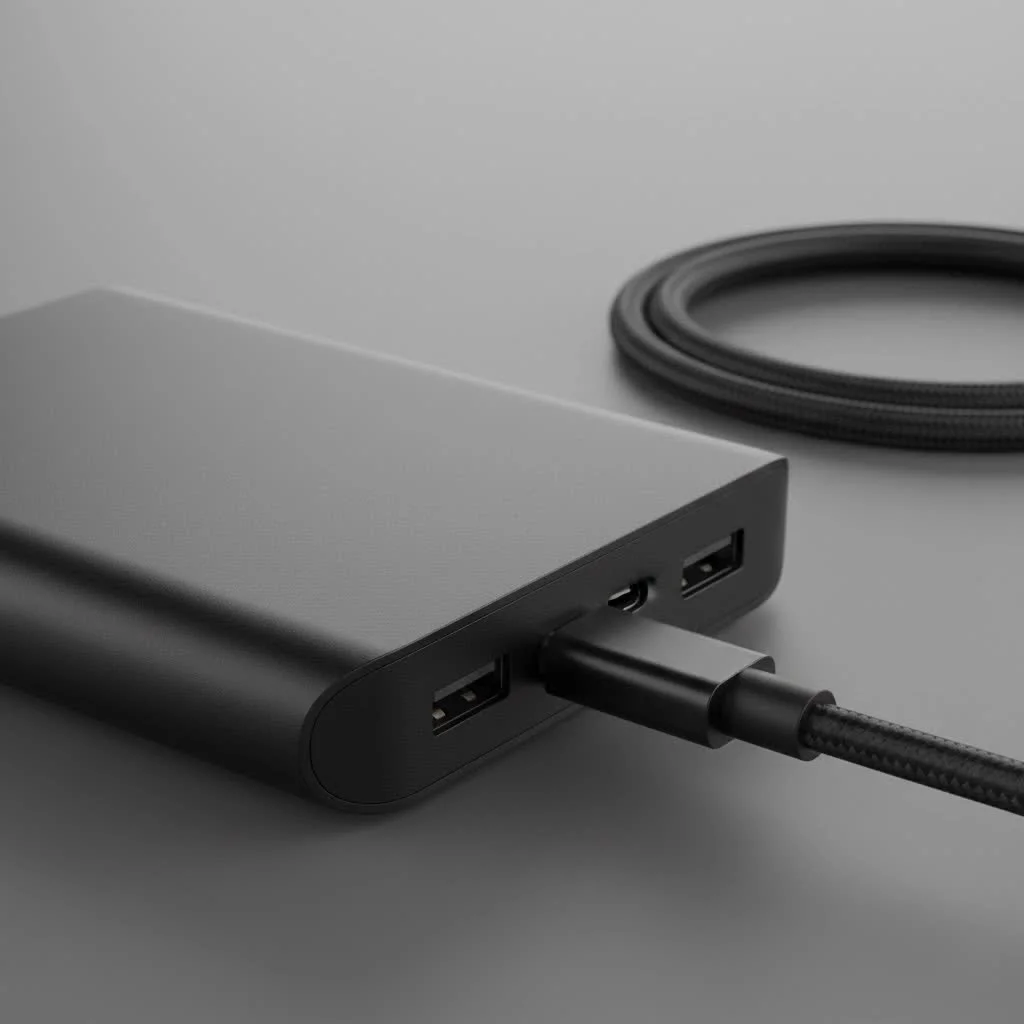
Choosing the right USB-C hub involves more than just counting ports; it requires understanding the technical specifications to match your workflow. Whether you’re a creative professional editing 4K video, a remote worker setting up a home office, or a student needing to connect to a projector, selecting the correct multiport adapter is crucial for a seamless experience. As specialists who have tested countless peripherals, we’ll break down everything you need to know to find the perfect hub for your needs.
What to Look for in the Best USB-C Hub
Choosing the best USB-C hub involves more than just counting the number of ports. The technical specifications behind those connections are what truly determine performance. Getting this right means the difference between a seamless setup and a frustrating bottleneck.
The Essential Ports: Your Connectivity Checklist
Before you buy, take inventory of the devices you use daily. This will help you prioritize the ports you can’t live without.
- USB-A Ports: These are the classic rectangular USB ports essential for connecting mice, keyboards, webcams, and flash drives. Look for hubs with at least two USB-A ports, preferably with USB 3.0 (or higher) speeds for fast data transfer up to 5Gbps.
- HDMI/DisplayPort: To connect an external monitor, you’ll need a video output. HDMI is the most common, but ensure the hub supports the resolution and refresh rate you need. For a smooth experience on a 4K monitor, aim for a hub that offers 4K at 60Hz (4K@60Hz). A lower 30Hz refresh rate can result in choppy cursor movement and video playback.
- Ethernet Port: While Wi-Fi is convenient, a wired internet connection offers superior speed and stability, crucial for online gaming, large file transfers, and uninterrupted video conferencing. If you need a reliable connection, an Ethernet port is non-negotiable.
- SD/microSD Card Readers: For photographers, videographers, and drone enthusiasts, built-in card readers are a massive time-saver. They eliminate the need for a separate dongle to transfer files from your camera or device.
- USB-C Power Delivery (PD): This is one of the most critical features. A USB-C PD port allows you to charge your laptop through the hub using your existing laptop charger. This means you can connect all your peripherals and power your laptop with just a single cable.
“Many users underestimate the importance of Power Delivery wattage,” notes hardware specialist Maria Flores. “A hub with 100W PD input doesn’t deliver 100W to the laptop; it uses 10-15W to power itself. For a high-performance laptop, you need a hub that can provide sufficient pass-through wattage to ensure stable charging under heavy load.”
Understanding Data and Power Specs
|
Our Picks for the Best USB Hub in 2026
As an Amazon Associate I earn from qualifying purchases.
|
||
| Num | Product | Action |
|---|---|---|
| 1 | P9R PRO USB C Hub Ethernet, 10 in 1 USB Docking Station 10Gbps with 4K@60Hz HDMI, USB C and 2 USB A 3.2, LAN, 2 USB A 2.0, PD 100W, SD/TF Ports, USB to Ethernet Adapter for PC, iPhone 16/15, Mac |

|
| 2 | Anker Laptop Docking Station Dual Monitor, 8-in-1 USB C Hub, 4K Dual Monitor with 2 HDMI, 1 Gbps Ethernet Hub, 85W Power Delivery, SD Card Reader for MacBook Pro, XPS and More (Charger not Included) |
|
| 3 | 13 in 1 USB C Docking Station - Dual Monitor, Triple Display, 8 USB C/A Ports, Ethernet, Audio - LIONWEI USB C Hub for MacBook,Dell,HP,Lenovo,Surface |
|
| 4 | 3-in-1 USB C Splitter, 3 in 1 Type-C Charging Data Cable Data Transmission Decive Charging Adapter Power Charger Equipment for ome Office Use, Fast & Efficient |
|
| 5 | Powered USB Hub 10Gbps, intpw 9-Port USB 3.2 Hub, USB C Hub with USB A/USB C 3.2, 4 USB 3.0, 2 PD 45W Charging Ports, 65W Power Adapter and 3.3FT Cable, Aluminum USB Hub for Laptop, iPhone 17/16/15,PC |
|
| 6 | USB Hub 3.0, 7-Port USB Hub Splitter with Individual On/Off Switches and Lights, 3.2ft/1m Long Cable Compatible with MacBook, Laptop, Surface Pro, PS4, PC, Flash Drive, Mobile HDD |
|
| 7 | USB C Docking Station with M.2 NVMe SSD Enclosure 10Gbps, 9 in 1 USB-C Hub, Type C SSD Slot with 4K@60Hz HDMI, USB 3.2 Gen2, PD100W, SD/TF Card Reader, Laptop Docking Station for Dell/HP/Lenovo/Mac |
|
| 8 | UGREEN USB 3.0 Hub, 4 Ports USB A Splitter Ultra-Slim USB Expander for Mouse, Keyboard, Flash Drive, U Disk, Printer Compatible with Laptop, Desktop PC, Xbox, PS5, and More |
|
| 9 | Anker USB Hub 4 Ports with 5Gbps Data Transfer, Multiple USB 3.0 Hub, USB Splitter for Laptop, Extender for A Port Laptop, PC, Desktop and More [Charging Not Supported](0.7 ft USB-A) |
|
| 10 | Powered USB Hub, Wenter 11-Port USB Splitter Hub (10 Faster Data Transfer Ports+ 1 Smart Charging Port) with Individual LED On/Off Switches, USB Hub 3.0 Powered with Power Adapter for Mac, PC |
|
Not all ports are created equal. The speed and power they deliver can significantly impact your workflow.
- Data Transfer Speed: Most modern hubs use USB 3.0, which offers speeds up to 5Gbps. This is great for most uses. Some premium hubs feature USB 3.1 Gen 2 or 3.2, offering speeds of 10Gbps or even 20Gbps, which is ideal for transferring large files from ultra-fast SSDs.
- Power Delivery (PD) Wattage: Check your laptop’s charger to see its wattage (e.g., 65W, 96W). Your USB-C hub should have a PD input rating that is higher than your laptop’s requirement. A hub with 100W PD is a safe bet for most laptops, including powerful ones like the MacBook Pro.
How to Choose the Right USB-C Hub
Finding your ideal hub is a balancing act between features, portability, and price. Here’s a simple guide to help you decide.
- List Your Devices: Write down every peripheral you want to connect simultaneously (monitor, mouse, keyboard, external hard drive, SD card, etc.).
- Check Your Monitor’s Specs: If you have a 4K monitor, verify if you need 30Hz or 60Hz. This is a common feature that separates budget hubs from premium ones.
- Determine Your Power Needs: Look at your laptop’s charger. Ensure the hub’s Power Delivery output is enough to charge it effectively.
- Consider Your Workspace: Are you always on the go? A compact, bus-powered hub without an external power brick is best. For a permanent desk setup, a larger, more powerful hub or even a full-fledged dock might be a better investment.
Frequently Asked Questions (FAQ)
What is the difference between a USB-C hub and a Thunderbolt dock? A USB-C hub is a multiport adapter that connects to a standard USB-C port and is widely compatible with most laptops. A Thunderbolt dock connects to a Thunderbolt 3 or 4 port (which uses the same physical connector as USB-C) and offers much higher bandwidth, allowing for features like connecting multiple 4K monitors and daisy-chaining devices. Thunderbolt docks are generally more expensive and only work with Thunderbolt-equipped computers.
Do USB-C hubs slow down my internet or devices? A well-designed USB-C hub should not noticeably slow down your devices. However, cheap, poor-quality hubs can suffer from internal interference that may affect Wi-Fi signals or data transfer speeds when all ports are used simultaneously. Investing in a reputable brand helps mitigate this risk.
Will a USB-C hub work with my MacBook Pro, Dell XPS, or HP Spectre? Yes, most USB-C hubs work universally with any laptop that has a USB-C port with DisplayPort Alternate Mode (for video) and Power Delivery (for charging). These features are standard on most modern laptops from Apple, Dell, HP, Lenovo, and others. However, always check the product’s compatibility list to be certain.
Do I need a powered USB-C hub? A “powered” hub typically refers to one that has its own AC power adapter. These are less common than “bus-powered” hubs that draw power from the laptop. You generally only need an AC-powered hub or dock if you plan to connect multiple high-power devices, like several external hard drives that need more power than the laptop’s port can provide. Most users find a standard hub with Power Delivery pass-through to be sufficient.
Can a cheap USB-C hub damage my laptop? There is a small but real risk. Poorly made, non-compliant USB-C hubs can potentially fail to manage power correctly, which could damage your laptop’s port or even its motherboard. To stay safe, stick to well-reviewed products from established brands that adhere to USB-IF standards.
Your Gateway to a Clutter-Free Workspace
The best USB-C hub is the one that seamlessly integrates with your digital life. It should eliminate dongle-frustration and empower you to build the efficient, organized workstation you deserve. By evaluating your specific needs for ports, power, and performance, you can confidently choose an adapter that will serve you well for years to come. Take a moment to inventory your devices, consider your future needs, and get ready to unlock a new level of productivity.
Frequently Asked Questions
What is the difference between a USB-C hub and a Thunderbolt dock?
A USB-C hub is a multiport adapter that connects to a standard USB-C port and is widely compatible with most laptops. A Thunderbolt dock connects to a Thunderbolt 3 or 4 port, offering much higher bandwidth for features like connecting multiple 4K monitors and daisy-chaining devices, but they are generally more expensive and only work with Thunderbolt-equipped computers.
Do USB-C hubs slow down my internet or connected devices?
A well-designed USB-C hub should not noticeably slow down your devices. However, cheap, poor-quality hubs can suffer from internal interference that may affect Wi-Fi signals or data transfer speeds when all ports are used simultaneously. Investing in a reputable brand helps mitigate this risk.
Will a USB-C hub work with my MacBook Pro, Dell XPS, or HP Spectre laptop?
Yes, most USB-C hubs work universally with any laptop that has a USB-C port with DisplayPort Alternate Mode (for video) and Power Delivery (for charging). These features are standard on most modern laptops from Apple, Dell, HP, Lenovo, and others. Always check the product's compatibility list to be certain.
Do I need a powered USB-C hub with an external power adapter?
You generally only need an AC-powered hub or dock if you plan to connect multiple high-power devices, such as several external hard drives, that require more power than the laptop's port can provide. Most users find a standard bus-powered hub with Power Delivery pass-through to be sufficient for their needs.
Can a cheap or low-quality USB-C hub damage my laptop?
There is a small but real risk that poorly made, non-compliant USB-C hubs could potentially fail to manage power correctly, which might damage your laptop's port or even its motherboard. To stay safe, it is recommended to stick to well-reviewed products from established brands that adhere to USB-IF standards.
How to Choose the Right USB-C Hub
Finding your ideal USB-C hub involves balancing features, portability, and price to match your specific needs.
Write down every peripheral you want to connect simultaneously, including your monitor, mouse, keyboard, external hard drive, and SD card. This inventory helps prioritize the essential ports you need.
If you have a 4K monitor, verify whether you need 30Hz or 60Hz refresh rate support. This specific feature often differentiates budget hubs from premium ones and impacts video smoothness.
Look at your laptop's charger to identify its wattage (e.g., 65W, 96W). Ensure the USB-C hub's Power Delivery output is sufficient to charge your laptop effectively while powering other devices.
If you are always on the go, a compact, bus-powered hub without an external power brick is ideal. For a permanent desk setup, a larger, more powerful hub or even a full-fledged dock might be a better long-term investment.
Get our weekly buyer guide
Practical specs, not advice. Unsubscribe anytime.
I bought this hub hoping to solve my port problems for my Dell XPS. It works fine for basic peripherals like a mouse and keyboard, but when I try to connect my projector for presentations, the video sometimes flickers. It’s not a dealbreaker, but it’s a bit annoying when I’m trying to set up quickly for a meeting. I might need something with better video output stability.
I was really struggling with my new MacBook Pro only having two USB-C ports. This hub is a game-changer! I can finally connect my external monitor, keyboard, and even an old USB-A flash drive all at once. It’s super compact too, which is great for when I travel for work. Definitely recommend it for anyone needing more connectivity.
As a creative professional, I’m constantly moving large files and need reliable connections. This USB-C hub has been a lifesaver for editing 4K video. The data transfer speeds are excellent, and I haven’t experienced any lag or disconnections, even with multiple external drives plugged in. It truly unlocks my laptop’s full potential.
Got this for my home office setup, and it’s been mostly fantastic. The ability to connect my 4K monitor and still have ports for my mouse and an external SSD is exactly what I needed. My only minor gripe is that it gets a little warm when I’m really pushing it with multiple high-bandwidth devices, but it hasn’t affected performance.