Choosing the right StarTech USB hub involves assessing connectivity needs, power requirements, and host computer port types to ensure stable, high-speed connections for various devices. StarTech.com specializes in professional-grade, robust USB hubs, offering superior build quality, certified performance, and specialized solutions like industrial hubs with ESD protection, making them a preferred choice for IT professionals and prosumers.
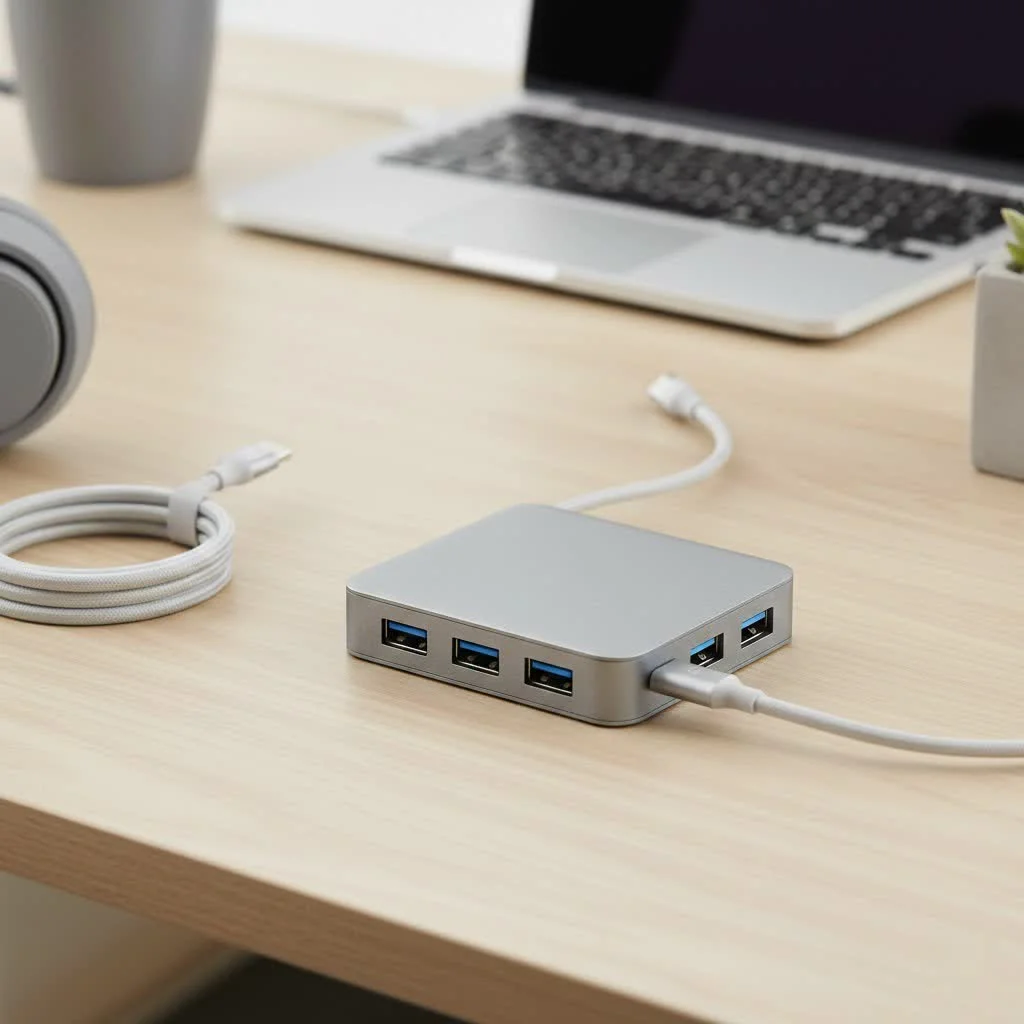
As specialists in high-performance connectivity, we at Meeob understand that not all hubs are created equal. StarTech.com has carved out a niche by focusing on professional-grade, robust solutions. This guide will break down everything you need to know to select the perfect StarTech hub for your needs, ensuring you get the stable, high-speed connection you depend on.
What Makes StarTech USB Hubs a Professional’s Choice?
Unlike many consumer brands that compete on price alone, StarTech focuses on build quality, reliability, and specialized features. They design their products for IT professionals, technicians, and prosumers who can’t afford connection dropouts or hardware failures.
“In a professional setting, a failed USB hub isn’t an inconvenience; it’s a workflow killer,” notes David Chen, a senior IT architect with over 15 years of experience. “We choose StarTech because their hubs are built to last and perform consistently under heavy load, which is critical for server rooms, labs, and mission-critical workstations.”
This commitment translates into several key advantages:
- Superior Build Quality: Many StarTech hubs feature metal, industrial-grade enclosures instead of plastic, offering better durability and heat dissipation.
- Certified Performance: They adhere strictly to USB specifications, ensuring you get the advertised speeds and features without compatibility headaches.
- Specialized Solutions: StarTech offers a wide range of hubs, including mountable industrial hubs with electrostatic discharge (ESD) protection, a feature rarely found in consumer-grade products.
- Reliable Power Delivery: Their powered hubs are designed to provide stable, consistent power to all connected devices, preventing data errors and disconnections.
Decoding the StarTech USB Hub Lineup
Navigating the StarTech catalog can be daunting, but their products generally fall into a few key categories. Understanding these will help you narrow down your search for the ideal StarTech hub USB.
For the Everyday Professional: Desktop Hubs
These are the workhorses for most office and home office setups. They are designed to expand your connectivity conveniently on your desk.
- USB 3.0 Hubs: Often referred to as USB 3.2 Gen 1, these offer speeds up to 5Gbps. They are perfect for connecting standard peripherals like keyboards, mice, webcams, and external hard drives. StarTech offers these in various port configurations, typically from 4 to 10 ports.
- USB-C Hubs: Designed for modern laptops and MacBooks, these hubs use the versatile USB-C connector. Many also function as mini-docking stations, offering additional ports like HDMI, Ethernet, and SD card readers, alongside USB-A ports for legacy devices.
Built for Tough Environments: Industrial USB Hubs
|
Our Picks for the Best USB Hub in 2026
As an Amazon Associate I earn from qualifying purchases.
|
||
| Num | Product | Action |
|---|---|---|
| 1 | UGREEN USB 3.0 Hub, 4 Ports USB A Splitter Ultra-Slim USB Expander for Mouse, Keyboard, Flash Drive, U Disk, Printer Compatible with Laptop, Desktop PC, Xbox, PS5, and More |

|
| 2 | USB C Docking Station with M.2 NVMe SSD Enclosure 10Gbps, 9 in 1 USB-C Hub, Type C SSD Slot with 4K@60Hz HDMI, USB 3.2 Gen2, PD100W, SD/TF Card Reader, Laptop Docking Station for Dell/HP/Lenovo/Mac |
|
| 3 | 13 in 1 USB C Docking Station - Dual Monitor, Triple Display, 8 USB C/A Ports, Ethernet, Audio - LIONWEI USB C Hub for MacBook,Dell,HP,Lenovo,Surface |
|
| 4 | Powered USB Hub, Wenter 11-Port USB Splitter Hub (10 Faster Data Transfer Ports+ 1 Smart Charging Port) with Individual LED On/Off Switches, USB Hub 3.0 Powered with Power Adapter for Mac, PC |
|
| 5 | Powered USB Hub 10Gbps, intpw 9-Port USB 3.2 Hub, USB C Hub with USB A/USB C 3.2, 4 USB 3.0, 2 PD 45W Charging Ports, 65W Power Adapter and 3.3FT Cable, Aluminum USB Hub for Laptop, iPhone 17/16/15,PC |
|
| 6 | 3-in-1 USB C Splitter, 3 in 1 Type-C Charging Data Cable Data Transmission Decive Charging Adapter Power Charger Equipment for ome Office Use, Fast & Efficient |
|
| 7 | USB Hub 3.0, 7-Port USB Hub Splitter with Individual On/Off Switches and Lights, 3.2ft/1m Long Cable Compatible with MacBook, Laptop, Surface Pro, PS4, PC, Flash Drive, Mobile HDD |
|
| 8 | P9R PRO USB C Hub Ethernet, 10 in 1 USB Docking Station 10Gbps with 4K@60Hz HDMI, USB C and 2 USB A 3.2, LAN, 2 USB A 2.0, PD 100W, SD/TF Ports, USB to Ethernet Adapter for PC, iPhone 16/15, Mac |
|
| 9 | Anker Laptop Docking Station Dual Monitor, 8-in-1 USB C Hub, 4K Dual Monitor with 2 HDMI, 1 Gbps Ethernet Hub, 85W Power Delivery, SD Card Reader for MacBook Pro, XPS and More (Charger not Included) |
|
| 10 | Anker USB Hub 4 Ports with 5Gbps Data Transfer, Multiple USB 3.0 Hub, USB Splitter for Laptop, Extender for A Port Laptop, PC, Desktop and More [Charging Not Supported](0.7 ft USB-A) |
|
This is where StarTech truly shines. Their industrial hubs are engineered for reliability in challenging conditions like factories, warehouses, and labs.
- Rugged Metal Housing: Provides physical protection and acts as a heatsink.
- Surface-Mountable: Includes mounting brackets for secure installation on walls, under desks, or on DIN rails.
- Wide Operating Temperature Range: Can function reliably in extreme heat or cold.
- ESD and Surge Protection: Protects your connected equipment from power fluctuations and static electricity, crucial for sensitive and expensive machinery.
The Power of USB-C and Thunderbolt Hubs
For power users, creatives, and anyone with a high-performance laptop, StarTech’s USB-C and Thunderbolt hubs are game-changers. While all Thunderbolt 4 ports are USB-C, not all USB-C ports support Thunderbolt. These hubs leverage the high bandwidth of these connections to offer unparalleled performance.
- High-Speed Data Transfer: Thunderbolt 4 hubs support speeds up to 40Gbps, ideal for video editors, animators, and anyone working with massive files.
- Power Delivery (PD): Many of these hubs can charge your laptop with up to 100W of power, allowing you to connect all your peripherals and power your computer with a single cable.
- Dual 4K Display Support: They can drive multiple high-resolution monitors, turning your laptop into a full-fledged desktop workstation.
How to Choose the Right StarTech USB Hub for You
Selecting the perfect hub involves more than just counting ports. Follow these steps to find your match.
Step 1: Assess Your Connectivity Needs
Start by listing all the USB devices you plan to connect simultaneously. Think about keyboards, mice, webcams, microphones, external drives, printers, and scanners. It’s always wise to choose a hub with one or two extra ports than you currently need to accommodate future devices.
Step 2: Consider Your Power Requirements
This is one of the most critical decisions.
- Bus-Powered Hubs: These draw power directly from the host computer. They are portable and convenient but have limited power output. They are suitable for low-power devices like flash drives, mice, or keyboards, but can struggle if you connect multiple high-power devices like external HDDs or webcams.
- Externally Powered Hubs: These come with their own AC adapter and are the recommended choice for most desktop setups. A powered StarTech hub USB ensures that every port receives full, stable power, which is essential for preventing data corruption and ensuring devices like external hard drives run reliably.
Step 3: Match the Port to Your Computer
Look at the ports on your host computer.
- If you have traditional rectangular USB-A ports, you will need a hub with a USB-A upstream cable.
- If you have a modern laptop with the small, oval USB-C ports, a USB-C hub is the best choice to take advantage of the higher speeds and features like Power Delivery.
Step 4: Evaluate Your Workspace and Use Case
Where and how will you use the hub?
- For a clean desktop: A standard desktop hub with a sleek design will fit right in.
- For travel: A compact, bus-powered hub is easy to pack.
- For a permanent workstation or industrial setting: A mountable hub offers a secure, clutter-free installation.
Frequently Asked Questions (FAQ)
Are StarTech hubs plug-and-play?
Yes, the vast majority of StarTech USB hubs are plug-and-play and do not require any special drivers for modern operating systems like Windows 10/11 and macOS. They use standard, built-in drivers for core functionality.
Do StarTech USB hubs work with both Mac and Windows?
Absolutely. StarTech designs its products for broad compatibility and rigorously tests them to ensure they work seamlessly across different operating systems, including Windows, macOS, and even Linux.
Why are StarTech hubs more expensive than other brands?
The price reflects their focus on higher-quality components, more robust construction (like metal casings), advanced features like ESD protection, and rigorous compliance testing. You are paying for reliability and performance, especially under demanding conditions.
What is ESD protection on an industrial hub?
Electrostatic Discharge (ESD) is a sudden flow of electricity that can damage sensitive electronic components. ESD protection in a hub safeguards both the hub and your connected devices from this damage, which is a significant risk in industrial or dry environments.
Can I charge my phone or tablet with a StarTech hub?
Yes, most powered StarTech hubs support the USB Battery Charging Specification (BC 1.2) on some or all of their ports. This allows them to deliver more power than a standard USB port, enabling you to charge devices like smartphones and tablets efficiently.
Final Thoughts: The Right Connection for the Job
Choosing a StarTech hub USB is an investment in stability and peace of mind. While they may come at a premium compared to generic brands, their superior build quality, reliable performance, and specialized features provide value that far outweighs the cost, especially for professional or mission-critical applications. By evaluating your device needs, power requirements, and workspace, you can select a hub that will serve as the dependable heart of your digital setup for years to come.
Frequently Asked Questions
Are StarTech USB hubs compatible with different operating systems?
Yes, StarTech USB hubs are designed for broad compatibility and are rigorously tested to work seamlessly across various operating systems, including Windows, macOS, and Linux. They are generally plug-and-play, requiring no special drivers for modern OS versions.
Why do StarTech USB hubs often cost more than other brands?
StarTech hubs are typically more expensive due to their focus on higher-quality components, robust construction (often metal casings), advanced features like ESD protection, and rigorous compliance testing. This investment ensures superior reliability and performance, especially in demanding professional environments.
What does ESD protection mean for an industrial USB hub?
ESD (Electrostatic Discharge) protection in an industrial hub safeguards both the hub and connected devices from sudden flows of electricity that can cause damage. This feature is crucial in industrial or dry environments where static electricity is a significant risk to sensitive electronic components.
Can I use a StarTech hub to charge my smartphone or tablet?
Yes, most powered StarTech hubs support the USB Battery Charging Specification (BC 1.2) on some or all of their ports. This allows them to deliver more power than a standard USB port, enabling efficient charging of devices like smartphones and tablets.
What are the key differences between bus-powered and externally powered USB hubs?
Bus-powered hubs draw power directly from the host computer, making them portable but with limited power output, suitable for low-power devices. Externally powered hubs come with their own AC adapter, providing stable and consistent power to all connected devices, which is essential for high-power peripherals like external hard drives.
How to Choose the Right StarTech USB Hub
Selecting the perfect StarTech USB hub involves evaluating your connectivity needs, power requirements, and the types of ports on your computer and devices.
List all USB devices you plan to connect simultaneously, such as keyboards, mice, webcams, and external drives. It is recommended to choose a hub with one or two more ports than your current needs to accommodate future devices.
Determine if you need a bus-powered or externally powered hub. Bus-powered hubs are portable but have limited power, while externally powered hubs provide stable power for multiple high-power devices via an AC adapter.
Identify the USB ports on your host computer. If you have traditional USB-A ports, select a hub with a USB-A upstream cable. For modern laptops with USB-C ports, a USB-C hub is ideal for higher speeds and features like Power Delivery.
Consider where and how you will use the hub. A standard desktop hub suits a clean desktop, a compact bus-powered hub is good for travel, and a mountable hub is best for permanent workstations or industrial settings.
Get our weekly buyer guide
Practical specs, not advice. Unsubscribe anytime.
I’ve been using a StarTech hub for my home office setup for months now, and it’s been a game-changer. I needed something reliable for my external hard drives and webcam, and the certified performance really delivers. No more dropped connections or lag, even with multiple devices running. Definitely worth the investment for anyone serious about their connectivity.
I picked up one of the StarTech industrial hubs with ESD protection for my workshop, and it’s holding up great. The build quality is definitely superior to other brands I’ve tried. My only minor gripe is that the power adapter is a bit bulky, but that’s a small trade-off for the peace of mind knowing my sensitive equipment is protected.
Finally, a USB hub that actually lives up to its promises! I was tired of cheap hubs that would randomly disconnect or slow down my data transfers. This StarTech hub, especially with its focus on stable, high-speed connections, has been fantastic. It handles my external SSD and charging my phone without any issues. Highly recommend for prosumers.
I got a StarTech hub to expand the USB ports on my laptop, and while it works, I’ve noticed it sometimes struggles with power delivery to all my devices simultaneously. I have a couple of high-power drawing peripherals, and I occasionally have to unplug one to get the other to register. It’s okay for basic use, but I was hoping for a bit more oomph for my specific needs.