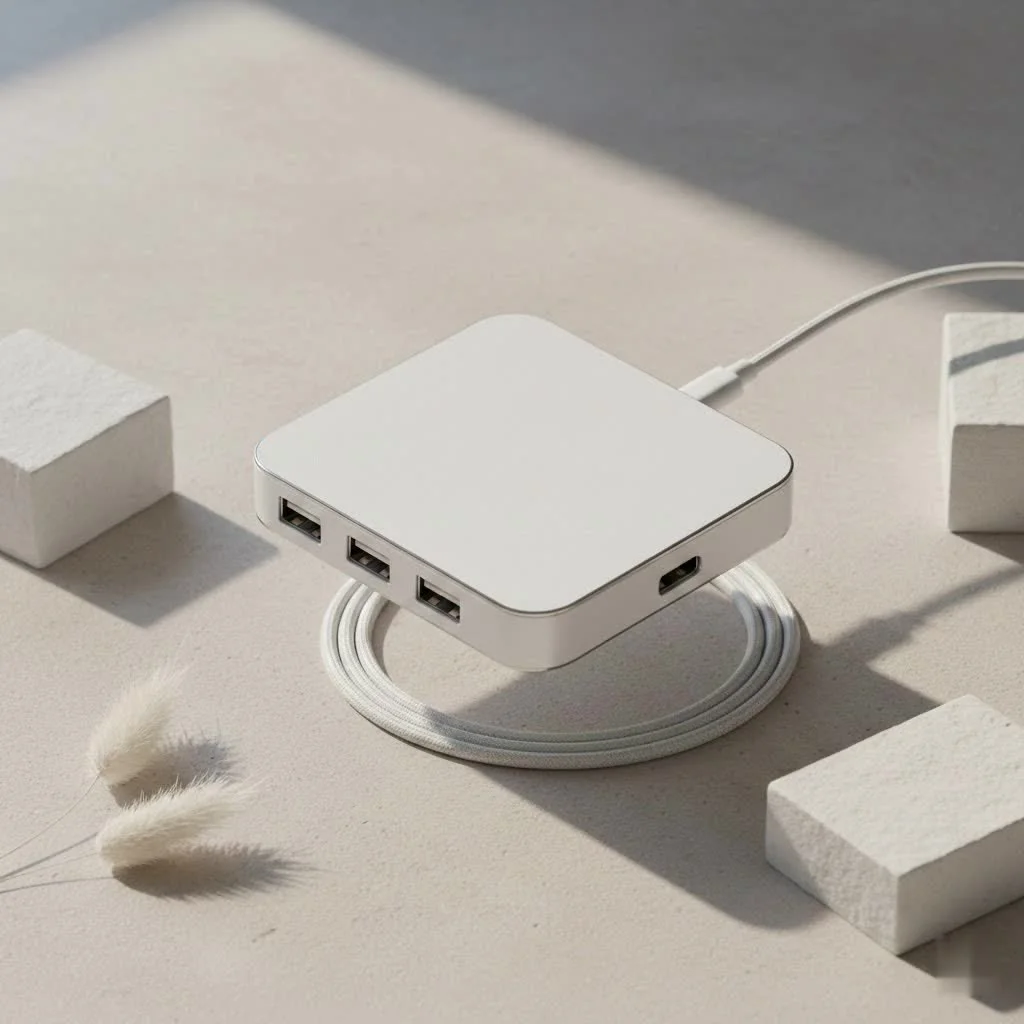
A USB Ethernet hub is a compact device that connects to your computer’s USB port, providing a physical Ethernet port for a stable, wired internet connection and often expanding connectivity with additional USB, HDMI, or SD card ports. This solution addresses the common issue of limited ports on modern slim laptops and the unreliability of Wi-Fi, offering consistent speeds and lower latency crucial for tasks like online gaming and video conferencing.
What Exactly is a USB Ethernet Hub?
Think of a USB Ethernet hub as a multi-tool for your computer. At its core, it’s a device that plugs into one of your computer’s USB ports (either USB-A or the newer USB-C) and provides you with a physical Ethernet port. This allows you to connect your laptop directly to a modem or router using an Ethernet cable, giving you a wired internet connection.
However, most modern hubs do much more than that. They are combination devices, or “docks,” that also include a variety of other useful ports.
- Extra USB Ports: For connecting mice, keyboards, and external hard drives.
- HDMI/DisplayPort: To connect to external monitors.
- SD Card Readers: For photographers and videographers.
- Power Delivery (PD): A USB-C port that allows you to charge your laptop through the hub itself.
“A USB Ethernet hub is no longer just an adapter; it’s the central nervous system for a modern workspace,” explains tech expert Amelia Chen. “It bridges the gap between portability and full-featured functionality, providing the reliability of a wired connection that wireless simply cannot always guarantee.”
Why You Absolutely Need a Hub with Ethernet
While Wi-Fi is incredibly convenient, it isn’t always the king of performance. A USB hub with an Ethernet port offers a superior alternative for anyone who values speed, stability, and expanded functionality. It’s a major upgrade for professionals, gamers, and students alike.
The Unbeatable Stability of a Wired Connection
Wi-Fi is susceptible to interference from other networks, physical obstacles like walls, and even microwave ovens. This can lead to annoying lag, dropped video calls, and slow downloads. An Ethernet connection, on the other hand, is a direct physical link to your network.
Key benefits include:
- Consistent Speed: You get the full speed your internet plan offers, without the fluctuations common with Wi-Fi.
- Lower Latency: This is crucial for online gaming and real-time video conferencing, where every millisecond counts.
- Enhanced Security: Wired connections are generally more secure and less vulnerable to hacking than wireless networks.
Expand Your Device’s Connectivity Instantly
Laptops like the MacBook Air or Dell XPS are praised for their sleek design, but this often comes at the cost of ports. Many models only offer one or two USB-C ports. A hub usb ethernet instantly solves this problem. A single hub can give you back all the ports you need: USB-A for legacy devices, HDMI for a second screen, and an SD card reader, all while providing a rock-solid internet connection.
The All-in-One Convenience for a Clean Workspace
|
Our Picks for the Best USB Hub in 2026
As an Amazon Associate I earn from qualifying purchases.
|
||
| Num | Product | Action |
|---|---|---|
| 1 | Anker USB Hub 4 Ports with 5Gbps Data Transfer, Multiple USB 3.0 Hub, USB Splitter for Laptop, Extender for A Port Laptop, PC, Desktop and More [Charging Not Supported](0.7 ft USB-A) |
 on Amazon](https://meeob.com/wp-content/plugins/amazon-tables/assets/images/buy.png)
|
| 2 | P9R PRO USB C Hub Ethernet, 10 in 1 USB Docking Station 10Gbps with 4K@60Hz HDMI, USB C and 2 USB A 3.2, LAN, 2 USB A 2.0, PD 100W, SD/TF Ports, USB to Ethernet Adapter for PC, iPhone 16/15, Mac |
|
| 3 | USB Hub 3.0, 7-Port USB Hub Splitter with Individual On/Off Switches and Lights, 3.2ft/1m Long Cable Compatible with MacBook, Laptop, Surface Pro, PS4, PC, Flash Drive, Mobile HDD |
|
| 4 | Powered USB Hub, Wenter 11-Port USB Splitter Hub (10 Faster Data Transfer Ports+ 1 Smart Charging Port) with Individual LED On/Off Switches, USB Hub 3.0 Powered with Power Adapter for Mac, PC |
|
| 5 | 13 in 1 USB C Docking Station - Dual Monitor, Triple Display, 8 USB C/A Ports, Ethernet, Audio - LIONWEI USB C Hub for MacBook,Dell,HP,Lenovo,Surface |
|
| 6 | 3-in-1 USB C Splitter, 3 in 1 Type-C Charging Data Cable Data Transmission Decive Charging Adapter Power Charger Equipment for ome Office Use, Fast & Efficient |
|
| 7 | Anker Laptop Docking Station Dual Monitor, 8-in-1 USB C Hub, 4K Dual Monitor with 2 HDMI, 1 Gbps Ethernet Hub, 85W Power Delivery, SD Card Reader for MacBook Pro, XPS and More (Charger not Included) |
|
| 8 | USB C Docking Station with M.2 NVMe SSD Enclosure 10Gbps, 9 in 1 USB-C Hub, Type C SSD Slot with 4K@60Hz HDMI, USB 3.2 Gen2, PD100W, SD/TF Card Reader, Laptop Docking Station for Dell/HP/Lenovo/Mac |
|
| 9 | Powered USB Hub 10Gbps, intpw 9-Port USB 3.2 Hub, USB C Hub with USB A/USB C 3.2, 4 USB 3.0, 2 PD 45W Charging Ports, 65W Power Adapter and 3.3FT Cable, Aluminum USB Hub for Laptop, iPhone 17/16/15,PC |
|
| 10 | UGREEN USB 3.0 Hub, 4 Ports USB A Splitter Ultra-Slim USB Expander for Mouse, Keyboard, Flash Drive, U Disk, Printer Compatible with Laptop, Desktop PC, Xbox, PS5, and More |
|
Instead of juggling multiple dongles—one for Ethernet, one for your monitor, another for a USB drive—a multi-port hub consolidates everything. You plug in one cable to your laptop, and your entire workstation comes to life. This is especially useful for hybrid workers who frequently move between home and the office. Just unplug one cable and go, leaving all your peripherals connected to the hub.
How to Choose the Right USB Ethernet Hub
With so many options on the market, selecting the perfect hub can feel overwhelming. Focus on these four key areas to find the one that best suits your needs.
1. Connection Type: USB-A vs. USB-C
First, look at the ports on your computer.
- USB-C: This is the modern, oval-shaped standard found on most new laptops, tablets, and even phones. If your device has a USB-C or Thunderbolt 3/4 port, you should get a USB-C hub. This type supports faster data transfer, video output, and Power Delivery.
- USB-A: This is the older, rectangular port. If you have an older laptop or desktop, a USB-A hub will work perfectly for adding Ethernet and extra USB ports, though it won’t support features like video output or high-wattage charging.
2. Ethernet Port Speed: Don’t Settle for Less Than Gigabit
The speed of the Ethernet port is critical. Look for a hub that specifies Gigabit Ethernet or 10/100/1000 Mbps. This ensures the port can handle internet speeds up to 1 Gbps, which is the standard for most modern home and office networks. Cheaper hubs might only offer “Fast Ethernet” (100 Mbps), which will create a bottleneck for your internet connection.
3. Additional Ports and Features
Think about what else you need to connect.
- USB-A Ports: How many accessories (mouse, keyboard, webcam) do you have? Aim for at least two.
- HDMI/DisplayPort: Do you want to connect to an external monitor? If so, check the supported resolution and refresh rate (e.g., 4K at 60Hz is ideal for smooth video).
- Power Delivery (PD): For USB-C hubs, this is a must-have. Look for a PD port that supports at least 60W to charge your laptop while using the hub. Power users with larger laptops should look for 100W PD.
- Card Readers: If you’re a photographer or content creator, a built-in SD or microSD card reader is a huge convenience.
4. Build Quality and Portability
A hub is something you’ll likely use every day, so it should be built to last.
- Material: Aluminum-cased hubs are more durable and better at dissipating heat than plastic ones.
- Cable Length: A short, integrated cable is great for travel, but a slightly longer one can offer more flexibility in a desk setup.
- Size and Weight: If you’re always on the move, a compact and lightweight hub is essential.
Frequently Asked Questions (FAQ)
Does a USB Ethernet hub slow down the internet?
No, a quality USB Ethernet hub with a Gigabit Ethernet port will not slow down your internet. It provides speeds equivalent to a built-in Ethernet port, with your internet plan being the primary limiting factor, not the hub itself.
Is a hub with Ethernet better than a simple adapter?
Yes, a hub with Ethernet is generally better than a simple adapter. While a basic USB-to-Ethernet adapter provides a wired connection, a hub offers significantly more value by including additional ports for other devices, making it a more versatile investment for a similar price.
Do I need to install drivers for a USB Ethernet hub?
Most modern USB Ethernet hubs are plug-and-play, meaning they work automatically without driver installation on Windows, macOS, or ChromeOS. Only some specialized or older models might require a one-time driver download for full functionality.
Can I use a USB Ethernet hub with a gaming console?
Yes, you can use a USB Ethernet hub with a gaming console if it has a USB port but lacks a built-in Ethernet port. For example, a Nintendo Switch can benefit from a USB Ethernet hub to achieve a more stable connection for online gaming.
Will the hub get hot during use?
It is normal for a USB Ethernet hub to become warm to the touch, especially when multiple ports are active and it’s delivering power to your laptop. The metal casing helps dissipate this heat, but the device should not become too hot to handle.
The Final Verdict
The humble hub usb ethernet is one of the most practical and powerful accessories you can buy for your modern computer. It solves the dual problems of limited ports and unreliable Wi-Fi with a single, elegant solution. By providing a stable, fast, and secure wired internet connection while simultaneously expanding your ability to connect monitors, drives, and other peripherals, it transforms your portable laptop into a full-fledged workstation. When making your choice, prioritize a Gigabit Ethernet port, the correct USB connector for your device, and the extra ports that will streamline your workflow.
Frequently Asked Questions
Does a USB Ethernet hub slow down the internet connection?
No, a quality USB Ethernet hub with a Gigabit Ethernet port will not slow down your internet. It provides speeds equivalent to a built-in Ethernet port, with your internet plan being the primary limiting factor, not the hub itself.
Is a hub with an Ethernet port better than a simple adapter?
Yes, a hub with Ethernet is generally better than a simple adapter. While a basic USB-to-Ethernet adapter provides a wired connection, a hub offers significantly more value by including additional ports for other devices, making it a more versatile investment for a similar price.
Do I need to install drivers for a new USB Ethernet hub?
Most modern USB Ethernet hubs are plug-and-play, meaning they work automatically without driver installation on Windows, macOS, or ChromeOS. Only some specialized or older models might require a one-time driver download for full functionality.
Can a USB Ethernet hub be used with a gaming console?
Yes, you can use a USB Ethernet hub with a gaming console if it has a USB port but lacks a built-in Ethernet port. For example, a Nintendo Switch can benefit from a USB Ethernet hub to achieve a more stable connection for online gaming.
Is it normal for a USB Ethernet hub to get hot during use?
It is normal for a USB Ethernet hub to become warm to the touch, especially when multiple ports are active and it's delivering power to your laptop. The metal casing helps dissipate this heat, but the device should not become too hot to handle.
Get our weekly buyer guide
Practical specs, not advice. Unsubscribe anytime.
Finally, a solution for my ultra-slim laptop that only has two USB-C ports! This hub not only gives me a reliable wired internet connection, which is essential for my large file transfers, but it also adds an HDMI port. Now I can easily connect to my external monitor without needing a separate adapter. Highly recommend for anyone with limited ports.
I’ve been using a USB-C Ethernet hub for my MacBook Air for a few weeks now, and it’s a game-changer. Wi-Fi at my apartment can be really spotty, especially during peak hours. Now I get consistent speeds for my online gaming sessions, and there’s no more lag. Plus, having the extra USB ports for my external drive is super convenient.
I got one of these USB-A hubs to use with my older desktop, mainly for the SD card reader feature. It works fine for the most part, and the Ethernet connection is stable. My main complaint is that it gets surprisingly warm, even when I’m not using all the ports. It’s not hot enough to worry me, but it’s noticeable.
This USB Ethernet hub is exactly what I needed for my work laptop. My company’s VPN works much better over a wired connection, and I was tired of dealing with dropped calls during video conferences. The only minor thing is that the cable is a bit short, so I had to rearrange my desk setup a little. Otherwise, it’s been rock solid.