The Sabrent HB-UNMC 6-Port USB-C Hub is the best Sabrent USB hub for USB-C connectivity, offering a versatile combination of essential ports for modern workflows. It provides a robust solution for expanding connectivity on laptops and other USB-C enabled devices, ensuring efficient data transfer and peripheral management with 100W Power Delivery and 4K@30Hz HDMI output.
Quick comparison
| Model | USB-A Ports | USB-C Ports | HDMI | Power Delivery |
|---|---|---|---|---|
| Sabrent HB-UNMC | 3 (USB 3.0) | 1 (PD) | 1 (4K@30Hz) | Up to 100W |
| Sabrent HB-B7C3 | 7 (USB 3.0) | 0 | 0 | No (Bus-powered) |
| Sabrent HB-UNMD | 2 (USB 3.0) | 1 (PD) | 1 (4K@60Hz) | Up to 100W |
What USB-C needs from a USB Hub
A USB-C hub must address several key requirements to be truly effective for modern devices. First, it needs to offer sufficient power delivery (PD) capabilities, ideally supporting 60W or 100W passthrough to charge the host device while peripherals are connected. This prevents the need for multiple chargers. Second, a good hub provides a variety of port types. This includes multiple USB-A ports for legacy devices, an HDMI or DisplayPort for external monitors, and often an Ethernet port for stable wired network access. Data transfer speeds are crucial; USB 3.0 (5Gbps) is a minimum, with USB 3.2 Gen 2 (10Gbps) being preferable for high-bandwidth tasks. The hub’s build quality and cable length also matter for durability and convenience. Compact, durable aluminum designs are often preferred for portability and heat dissipation. Compatibility with various operating systems like Windows, macOS, and Chrome OS is also essential for broad usability. Finally, the hub should operate reliably without causing interference or requiring complex driver installations.
Detailed reviews
Sabrent HB-UNMC 6-Port USB-C Hub
The Sabrent HB-UNMC 6-Port USB-C Hub stands out for its balanced feature set. It includes three USB 3.0 Type-A ports, providing 5Gbps data transfer speeds for external drives, keyboards, and mice. A crucial addition is the HDMI port, supporting 4K resolution at 30Hz, which is suitable for most productivity and casual media consumption. The hub also features a USB-C Power Delivery port, allowing up to 100W passthrough charging to your host device, ensuring your laptop stays powered even with multiple peripherals connected. Its compact aluminum design makes it highly portable and durable, ideal for users on the go. The integrated cable is robust, and the plug-and-play functionality ensures immediate use without driver installation. This hub is an excellent choice for users needing a versatile expansion for their USB-C laptop or tablet.
Sabrent HB-B7C3 7-Port USB 3.0 Hub
While not a dedicated USB-C hub in the sense of offering video output or PD, the Sabrent HB-B7C3 is a powerful option for expanding USB-A connectivity from a USB-C port via an adapter. This hub provides seven USB 3.0 Type-A ports, each capable of 5Gbps data transfer. It is bus-powered, meaning it draws power directly from the host device, making it highly portable. For users who primarily need to connect numerous USB-A peripherals like external hard drives, flash drives, and input devices, this hub is exceptionally effective. Its robust construction ensures durability, and the individual power switches for each port offer convenient control over connected devices, saving power and simplifying device management. If your main requirement is a high number of USB-A ports and you already have a separate solution for video or power, the HB-B7C3 is a strong contender.
Sabrent HB-UNMD 4-Port USB-C Hub
The Sabrent HB-UNMD offers a premium experience with its focus on high-resolution video output and fast data transfer. This hub features two USB 3.0 Type-A ports, delivering 5Gbps speeds for standard peripherals. Its standout feature is the HDMI 2.0 port, which supports stunning 4K resolution at 60Hz, providing a smoother and more immersive visual experience compared to 30Hz alternatives. This makes it ideal for graphic designers, video editors, or anyone requiring high-fidelity external display support. The HB-UNMD also includes a USB-C Power Delivery port, capable of up to 100W passthrough, ensuring your laptop remains charged during intensive tasks. Its sleek, minimalist aluminum chassis complements modern devices and enhances heat dissipation. For users prioritizing superior display quality and essential USB-A expansion, the HB-UNMD is an excellent, high-performance choice.
Routine fit
Integrating a Sabrent USB-C hub into your daily routine significantly enhances productivity and connectivity. For remote workers, a hub like the HB-UNMC allows a single USB-C port on a laptop to connect to an external monitor, a full-sized keyboard, and a mouse, transforming a portable device into a complete workstation. Students can use these hubs to connect flash drives, external hard drives for backups, and projectors for presentations, all while keeping their laptop charged. Creative professionals, particularly those using the HB-UNMD, benefit from the 4K@60Hz HDMI output for detailed visual work on larger screens. Even for casual users, a Sabrent hub simplifies connecting various gadgets, from charging phones to transferring photos from cameras, making device management seamless and efficient. The portability of these hubs also means you can maintain your expanded setup whether at home, in the office, or on the go.
FAQs
What is Power Delivery (PD) in a USB-C hub?
Power Delivery (PD) in a USB-C hub allows the hub to pass power from an external power adapter directly to your host device, such as a laptop, through the same USB-C cable that carries data and video. This means you can charge your laptop while simultaneously using the hub’s other ports for peripherals and displays. Sabrent hubs often support up to 100W PD, which is sufficient for most modern laptops, eliminating the need for a separate charger for your computer when using the hub.
Can Sabrent USB-C hubs support dual monitors?
Most standard Sabrent USB-C hubs, like the HB-UNMC or HB-UNMD, typically support a single external monitor via their HDMI port. To support dual monitors, you would generally need a more advanced docking station or a hub specifically designed with multiple video outputs (e.g., two HDMI or one HDMI and one DisplayPort). Always check the product specifications carefully if dual monitor support is a critical requirement for your setup, as single-port video output is common for compact hubs.
Are Sabrent USB-C hubs compatible with all USB-C devices?
Sabrent USB-C hubs are generally compatible with most devices that feature a full-function USB-C port. This includes laptops, tablets, and some smartphones that support DisplayPort Alternate Mode (Alt Mode) for video output and USB Power Delivery. However, older USB-C ports or those on devices that only support charging might not work with all hub features. It is always recommended to verify that your device’s USB-C port supports the specific functions (video, PD) you intend to use with the hub.
Do Sabrent USB-C hubs require drivers?
No, most Sabrent USB-C hubs are designed to be plug-and-play. They utilize standard USB and DisplayPort Alternate Mode protocols, which are natively supported by operating systems like Windows, macOS, Chrome OS, and Linux. This means you can simply connect the hub to your device, and it should function immediately without the need to install any additional drivers or software. This ensures a hassle-free setup and immediate productivity.
What is the difference between USB 3.0 and USB 3.2 Gen 2?
The primary difference lies in their data transfer speeds. USB 3.0 (also known as USB 3.1 Gen 1 or USB 3.2 Gen 1) offers a maximum theoretical data transfer rate of 5 Gigabits per second (Gbps). USB 3.2 Gen 2 (also known as USB 3.1 Gen 2) doubles that speed to 10 Gbps. For most everyday peripherals like keyboards, mice, and standard flash drives, 5Gbps is sufficient. However, for high-bandwidth devices like NVMe enclosures or high-speed external SSDs, 10Gbps provides a noticeable performance improvement.
Verdict
For users seeking the best Sabrent USB hub for USB-C, the Sabrent HB-UNMC 6-Port USB-C Hub offers the most balanced and versatile solution. Its combination of USB-A ports, 4K@30Hz HDMI, and 100W Power Delivery makes it an ideal choice for expanding connectivity for a wide range of USB-C devices. While the HB-UNMD excels with 4K@60Hz video for specific needs, and the HB-B7C3 provides extensive USB-A expansion, the HB-UNMC delivers a comprehensive feature set suitable for most productivity and multimedia tasks. Sabrent consistently provides reliable and well-built hubs, ensuring efficient and seamless integration into any USB-C ecosystem.
Frequently Asked Questions
What is Power Delivery (PD) in a USB-C hub and why is it important?
Power Delivery (PD) in a USB-C hub allows the hub to pass power from an external adapter directly to your host device, such as a laptop, through the same USB-C cable. This means you can charge your laptop while simultaneously using the hub's other ports. Sabrent hubs often support up to 100W PD, which is sufficient for most modern laptops.
Can Sabrent USB-C hubs support multiple external monitors?
Most standard Sabrent USB-C hubs, like the HB-UNMC or HB-UNMD, typically support a single external monitor via their HDMI port. To support dual monitors, you would generally need a more advanced docking station or a hub specifically designed with multiple video outputs. Always check product specifications for multi-monitor support.
Are Sabrent USB-C hubs universally compatible with all USB-C devices?
Sabrent USB-C hubs are generally compatible with most devices featuring a full-function USB-C port, including laptops, tablets, and smartphones that support DisplayPort Alternate Mode (Alt Mode) for video output and USB Power Delivery. However, older USB-C ports or those only supporting charging might not work with all hub features. Verify your device's USB-C port capabilities.
Do Sabrent USB-C hubs require specific drivers or software installation?
No, most Sabrent USB-C hubs are designed to be plug-and-play. They utilize standard USB and DisplayPort Alternate Mode protocols, which are natively supported by operating systems like Windows, macOS, Chrome OS, and Linux. This means you can simply connect the hub to your device, and it should function immediately without additional driver installation.
What is the speed difference between USB 3.0 and USB 3.2 Gen 2?
The primary difference lies in their data transfer speeds. USB 3.0 offers a maximum theoretical data transfer rate of 5 Gigabits per second (Gbps). USB 3.2 Gen 2 doubles that speed to 10 Gbps. While 5Gbps is sufficient for most everyday peripherals, 10Gbps provides a noticeable performance improvement for high-bandwidth devices like external SSDs.
Get our weekly buyer guide
Practical specs, not advice. Unsubscribe anytime.
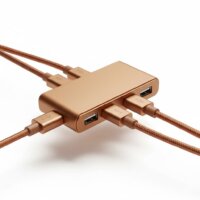
I picked up the Sabrent HB-UNMC 6-Port USB-C Hub after reading about it, and it’s been a game-changer for my MacBook Pro. The 100W Power Delivery is fantastic, letting me charge my laptop and use all my peripherals without any issues. Plus, the 4K@30Hz HDMI output works perfectly with my external monitor. Highly recommend for anyone needing more ports!
I got the Sabrent HB-UNMD for my work laptop, mainly for the 4K@60Hz HDMI. While that part works great, I’ve noticed that sometimes the connection to my external SSD drops out for a second or two. It’s not constant, but it’s a bit annoying when I’m transferring large files. Otherwise, the build quality is good and the power delivery is reliable.
The Sabrent HB-B7C3 is exactly what I needed for my desktop setup. Seven USB 3.0 ports are more than enough for all my external drives and accessories. It’s bus-powered, which is convenient, but I do wish it had at least one USB-C port for future-proofing. Still, for pure USB-A expansion, it’s solid.
This Sabrent hub is a lifesaver for my new ultrabook. I was constantly running out of ports, and the HB-UNMC solved everything. Having three USB 3.0 ports, a USB-C PD port, and HDMI all in one compact device is incredibly convenient. Data transfer speeds are fast, and it feels very durable.