A Satechi USB-C hub serves as a command center for modern laptops, expanding connectivity options by adding essential ports like HDMI, USB-A, SD card readers, and Ethernet. These hubs are particularly beneficial for minimalist laptops that have sacrificed ports for portability, allowing users to connect multiple peripherals simultaneously while often providing pass-through charging. Satechi is recognized for its premium aluminum construction, thoughtful design, and reliable performance.
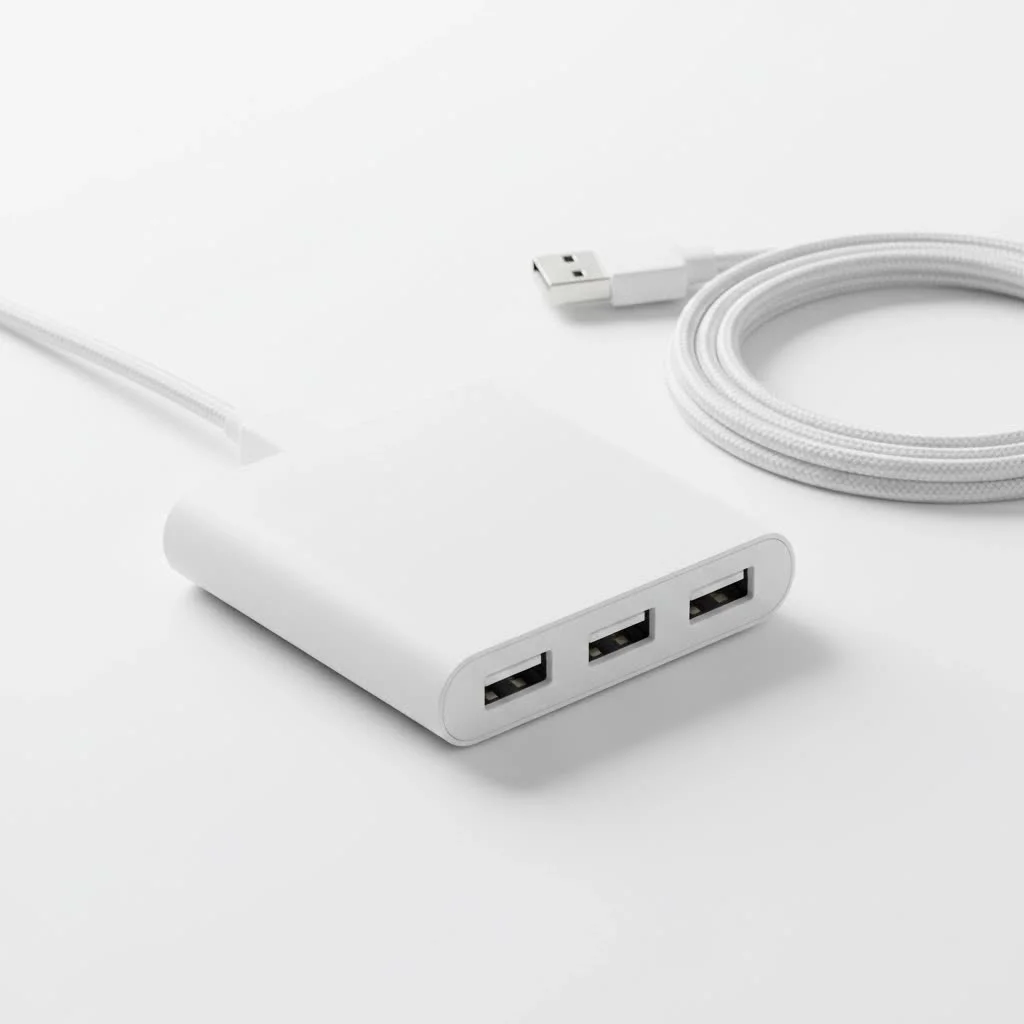
At Meeob, we’ve observed Satechi consistently delivering robust functionality with Apple-esque aesthetics. This guide will help you select the ideal Satechi hub for your specific setup. For compare top usb hubs on this site.
What Makes Satechi USB-C Hubs a Class Apart?
Satechi stands out in the crowded USB-C hub market due to its superior approach to expanding connectivity.
- Premium Build Quality: Satechi hubs feature durable aluminum construction, which not only enhances their aesthetic appeal but also aids in effective heat dissipation. This material choice ensures longevity and a solid feel, complementing premium devices like MacBooks and iPads.
- Thoughtful Design: Designed to integrate seamlessly with high-end electronics, Satechi hubs are available in colors such as Space Gray and Silver. Their cohesive and professional appearance helps maintain an organized workspace.
- Reliable Performance: Satechi prioritizes high-quality components to ensure stable and consistent performance. This reliability is crucial for tasks such as transferring large files, streaming 4K video, or maintaining a stable wired network connection.
Choosing Your Perfect Satechi USB-C Hub: A Breakdown
Satechi offers a diverse range of hubs, each designed to meet different user requirements. Matching the hub’s capabilities to your daily workflow is key to finding the right model.
For the Everyday User: The Multi-Port Adapter V2
The Multi-Port Adapter V2 is a popular choice, balancing portability with essential functionality. It is ideal for students, remote workers, or anyone needing to connect standard peripherals on the go.
Key Features typically include:
- A 4K HDMI port for external monitor connections.
- Multiple USB-A ports for legacy devices like keyboards, mice, and thumb drives.
- Integrated SD and microSD card readers, beneficial for photographers and content creators.
- A USB-C Power Delivery (PD) port for pass-through charging, preserving your laptop’s charging capability.
For the Power User & Professional: The Pro Hub Series
The Pro Hub series, including models like the Pro Hub Max and Pro Hub Mini, is engineered for MacBook Pro and Air users. These hubs attach flush against the laptop and provide specialized, high-performance ports for demanding creative and professional workflows.
Key Features often include:
- Gigabit Ethernet for a stable, high-speed wired internet connection.
- Multiple USB-C/Thunderbolt compatible ports for rapid data transfer.
- High-resolution video output, frequently supporting multiple displays.
- A comprehensive suite of standard ports to accommodate various connection scenarios.
For the Traveler: The Slim Multi-Port Adapter
|
Our Picks for the Best USB Hub in 2026
As an Amazon Associate I earn from qualifying purchases.
|
||
| Num | Product | Action |
|---|---|---|
| 1 | Powered USB Hub, Wenter 11-Port USB Splitter Hub (10 Faster Data Transfer Ports+ 1 Smart Charging Port) with Individual LED On/Off Switches, USB Hub 3.0 Powered with Power Adapter for Mac, PC |

|
| 2 | Anker USB Hub 4 Ports with 5Gbps Data Transfer, Multiple USB 3.0 Hub, USB Splitter for Laptop, Extender for A Port Laptop, PC, Desktop and More [Charging Not Supported](0.7 ft USB-A) |
|
| 3 | 13 in 1 USB C Docking Station - Dual Monitor, Triple Display, 8 USB C/A Ports, Ethernet, Audio - LIONWEI USB C Hub for MacBook,Dell,HP,Lenovo,Surface |
|
| 4 | Powered USB Hub 10Gbps, intpw 9-Port USB 3.2 Hub, USB C Hub with USB A/USB C 3.2, 4 USB 3.0, 2 PD 45W Charging Ports, 65W Power Adapter and 3.3FT Cable, Aluminum USB Hub for Laptop, iPhone 17/16/15,PC |
|
| 5 | 3-in-1 USB C Splitter, 3 in 1 Type-C Charging Data Cable Data Transmission Decive Charging Adapter Power Charger Equipment for ome Office Use, Fast & Efficient |
|
| 6 | P9R PRO USB C Hub Ethernet, 10 in 1 USB Docking Station 10Gbps with 4K@60Hz HDMI, USB C and 2 USB A 3.2, LAN, 2 USB A 2.0, PD 100W, SD/TF Ports, USB to Ethernet Adapter for PC, iPhone 16/15, Mac |
|
| 7 | Anker Laptop Docking Station Dual Monitor, 8-in-1 USB C Hub, 4K Dual Monitor with 2 HDMI, 1 Gbps Ethernet Hub, 85W Power Delivery, SD Card Reader for MacBook Pro, XPS and More (Charger not Included) |
|
| 8 | USB Hub 3.0, 7-Port USB Hub Splitter with Individual On/Off Switches and Lights, 3.2ft/1m Long Cable Compatible with MacBook, Laptop, Surface Pro, PS4, PC, Flash Drive, Mobile HDD |
|
| 9 | UGREEN USB 3.0 Hub, 4 Ports USB A Splitter Ultra-Slim USB Expander for Mouse, Keyboard, Flash Drive, U Disk, Printer Compatible with Laptop, Desktop PC, Xbox, PS5, and More |
|
| 10 | USB C Docking Station with M.2 NVMe SSD Enclosure 10Gbps, 9 in 1 USB-C Hub, Type C SSD Slot with 4K@60Hz HDMI, USB 3.2 Gen2, PD100W, SD/TF Card Reader, Laptop Docking Station for Dell/HP/Lenovo/Mac |
|
The Slim Multi-Port Adapter is designed for maximum portability, featuring a compact and lightweight profile. It is perfect for users who travel frequently and require essential device connectivity without adding significant bulk to their bag.
Key Features to Consider Before You Buy
When selecting a Satechi USB-C hub, consider these technical aspects to ensure it aligns with your specific requirements.
Port Selection: What Do You Really Need?
Assess your daily device usage. Determine if you require an HDMI port for presentations, an Ethernet port for a stable desktop connection, or SD card readers for media transfer. This evaluation will guide you to a hub with the optimal port combination, preventing unnecessary expenditure on unused ports.
Power Delivery (PD): Charge While You Work
Power Delivery is a critical feature, enabling your laptop to charge directly through the USB-C hub. This means you can connect your laptop’s charger to the hub, powering both the laptop and all connected peripherals without occupying an additional USB-C port. Verify the wattage (e.g., 60W, 100W) to ensure it meets your laptop’s power requirements.
Video Output: 4K and Beyond
For external monitor connections, scrutinize the HDMI port’s specifications. Most Satechi hubs support 4K resolution; however, the refresh rate is equally important. A 60Hz refresh rate (4K@60Hz) offers a significantly smoother visual experience compared to 30Hz, particularly for activities like video editing or gaming.
A Word on Compatibility
While Satechi hubs are renowned for seamless integration with Apple products such as MacBooks and iPads, they are also broadly compatible with a wide array of other devices. Most models offer plug-and-play functionality with Windows laptops, Chromebooks, and select Android devices, provided the host device supports DisplayPort over USB-C and Power Delivery.
“In my experience, the true value of a Satechi hub lies in its ‘it just works’ quality,” states tech analyst Maria Chen. “The seamless plug-and-play functionality across different platforms, from macOS to Windows, saves users from the driver-related headaches that plague many other peripherals. It’s a premium product built for reliability.”
Frequently Asked Questions (FAQ)
What is the best Satechi USB-C hub?
The best Satechi USB-C hub depends on individual needs. For general use, the Multi-Port Adapter V2 is an excellent all-around choice, while professionals requiring higher speeds and more ports often prefer the Pro Hub Max.
Do Satechi hubs get hot?
Yes, it is normal for any USB-C hub to become warm during operation, especially when multiple ports are active or high-power charging is in use. Satechi’s aluminum casing is specifically designed to effectively and safely dissipate this heat.
Will a Satechi hub work with my Windows laptop?
Most Satechi USB-C hubs are fully compatible with Windows laptops that feature a USB-C port supporting necessary capabilities like DisplayPort Alt Mode for video. They are not exclusively designed for Apple products.
Is Satechi a good and reliable brand?
Satechi is an excellent and reliable brand, having established a strong reputation for producing high-quality, well-designed, and dependable accessories. They are considered a premium brand within the USB-C hub market.
Your Desk Setup, Perfected
Choosing the right Satechi USB-C hub optimizes your workflow, reduces desk clutter, and maximizes your laptop’s potential. By matching your daily requirements with features like port selection and power delivery, you can invest in a device that offers long-term reliability and significant returns in convenience and productivity.
Frequently Asked Questions
What is the best Satechi USB-C hub for everyday use?
For general use, the Satechi Multi-Port Adapter V2 is an excellent all-around choice. It offers a balanced set of features including HDMI, USB-A ports, and SD card readers, making it suitable for students and remote workers.
Is it normal for Satechi USB-C hubs to get warm during operation?
Yes, it is normal for any USB-C hub to become warm, especially when multiple ports are active or high-power charging is engaged. Satechi's aluminum casing is specifically designed to effectively dissipate this heat for safe operation.
Can Satechi USB-C hubs be used with Windows laptops?
Yes, most Satechi USB-C hubs are fully compatible with Windows laptops that have a USB-C port supporting necessary capabilities like DisplayPort Alt Mode for video. They are not exclusive to Apple products and offer plug-and-play functionality.
What makes Satechi a reliable brand for USB-C hubs?
Satechi is considered a premium and reliable brand due to its commitment to high-quality components, durable aluminum construction, and thoughtful design. Their hubs are known for stable performance and seamless integration across various platforms.
What is Power Delivery (PD) in a Satechi USB-C hub?
Power Delivery (PD) is a crucial feature that allows your laptop to charge directly through the USB-C hub. This means you can connect your laptop's charger to the hub, powering both the laptop and all connected peripherals without occupying an additional USB-C port. Check the wattage (e.g., 60W, 100W) to ensure it meets your laptop's power needs.
How to Choose the Right Satechi USB-C Hub
Selecting the perfect Satechi USB-C hub involves evaluating your daily needs and matching them with the hub's specific features to enhance your laptop's connectivity and streamline your workflow.
Inventory the devices you use daily. Determine if you require an HDMI port for external displays, an Ethernet port for stable internet, or SD/microSD card readers for media. This assessment helps avoid purchasing a hub with unnecessary ports.
Check if you need pass-through charging for your laptop. A hub with Power Delivery allows you to charge your laptop through the hub itself, freeing up your laptop's USB-C port. Verify the wattage (e.g., 60W, 100W) to ensure it's sufficient for your device.
If connecting an external monitor, pay close attention to the HDMI port's resolution and refresh rate. Most Satechi hubs support 4K, but a 60Hz refresh rate (4K@60Hz) provides a significantly smoother visual experience compared to 30Hz, especially for video or gaming.
Identify if you are an everyday user, a power user, or a frequent traveler. Satechi offers specific series like the Multi-Port Adapter V2 for general use, the Pro Hub series for professionals, and the Slim Multi-Port Adapter for portability, each tailored to different user profiles.
Get our weekly buyer guide
Practical specs, not advice. Unsubscribe anytime.
This Satechi hub has really helped expand the connectivity for my ultrabook. I needed more USB-A ports for my older peripherals and the Ethernet port is super handy for stable internet during video calls. The pass-through charging works great, so I only need one cable going into my laptop. My only minor gripe is that it can get a little warm when I have a lot of things plugged in and charging, but it hasn’t affected performance.
Finally, a hub that doesn’t feel cheap! The thoughtful design of my Satechi hub is evident. I can connect my keyboard, mouse, and an external SSD, and it all just works seamlessly. The fact that it blends so well with my minimalist laptop setup is a huge bonus. It’s truly a command center for all my devices, exactly what I needed to solve my port shortage.
I got a Satechi USB-C hub primarily for the SD card reader and HDMI output. While both work fine, I found the placement of some ports a bit awkward for my desk setup, making cable management a bit messy. It’s a solid hub with good build quality, but I wish the design was a little more flexible for different configurations. It does the job, but not perfectly for my specific needs.
I’ve been using a Satechi USB-C hub for my MacBook Pro for about six months now, and it’s been a game-changer. The aluminum construction really does match my laptop perfectly, and it feels incredibly sturdy. I love being able to connect my external monitor via HDMI, my old USB-A hard drive, and still have an SD card reader all in one compact device. It’s definitely worth the investment for the premium feel and reliable performance.