A powered USB C hub expands a single USB-C port into multiple ports (USB-A, HDMI, Ethernet, SD card readers) and connects to an external AC power source, providing stable, ample power to all connected peripherals. This prevents performance issues and ensures devices like external SSDs, webcams, and printers function flawlessly, while also potentially charging your laptop at full speed.
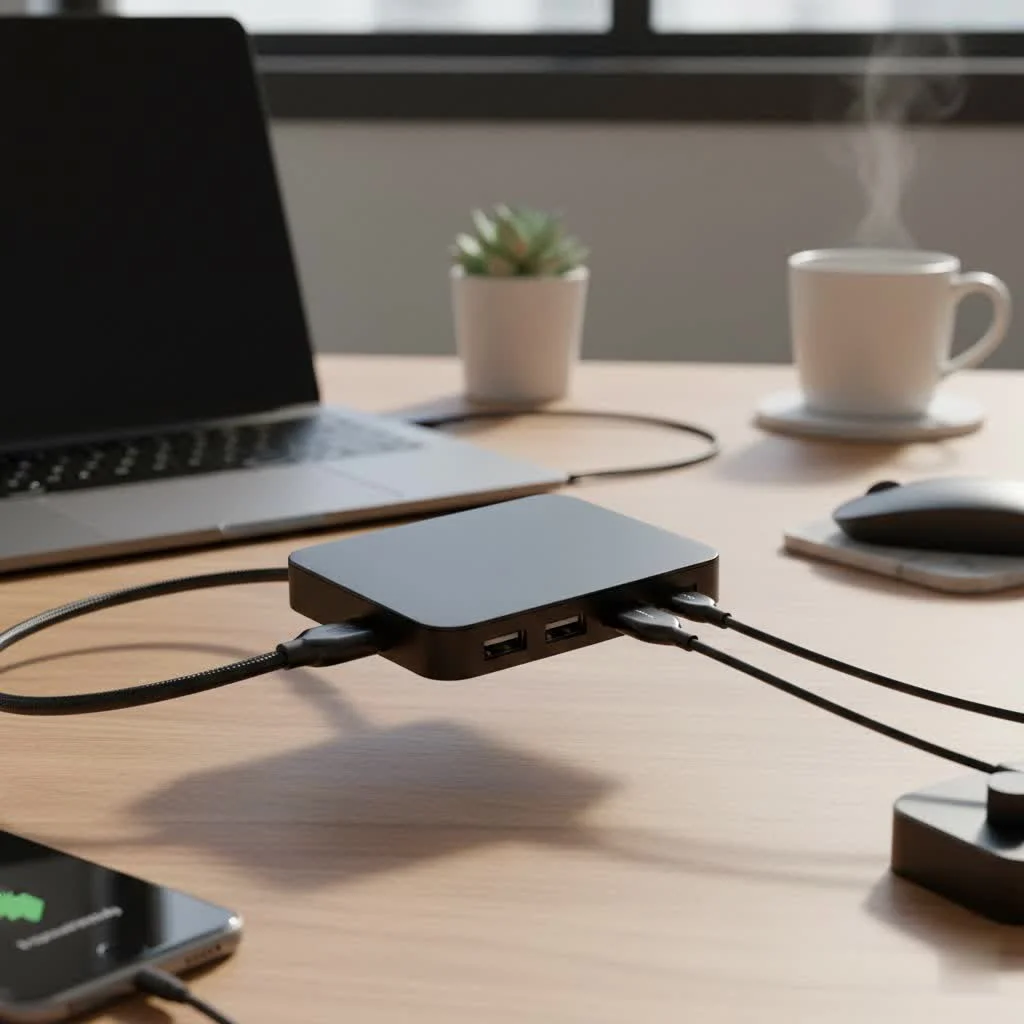
A powered hub acts as your central command for all peripherals, ensuring every connected device receives the stable power it needs to function flawlessly, all while potentially charging your laptop at full speed.
What is a Powered USB C Hub, Exactly?
A powered USB C hub is a device that expands a single USB-C port on your computer into multiple ports, including USB-A, HDMI, Ethernet, and SD card readers. Unlike its unpowered (or passive) counterparts that draw all their energy from the host device, a powered hub connects to an external power source via an AC adapter.
This crucial difference means it doesn’t rely on your laptop’s limited power budget. Instead, it provides its own ample, stable power to all connected peripherals, from power-hungry external SSDs to webcams and printers, preventing the random disconnects and performance issues that often plague unpowered hubs.
“The single biggest mistake users make is underestimating their power needs,” explains David Chen, Lead Engineer at Meeob. “A powered USB C hub isn’t just about adding ports; it’s about guaranteeing that every one of those ports can deliver its full potential without compromising the performance of your laptop or your accessories.”
Why You Need a Powered Hub in Your Setup
Still on the fence? Let’s break down the tangible benefits a powered hub brings to your desk. If you’re a professional, a creative, or a power user, these advantages are game-changers.
Stable Power for Demanding Peripherals
Have you ever plugged in an external hard drive and heard that dreaded “click-click-click” of it failing to spin up? That’s a classic sign of insufficient power. Unpowered hubs split your laptop’s single port of power among multiple devices, which often isn’t enough.
A powered USB C hub solves this by providing dedicated, robust power to each port.
- External Hard Drives & SSDs: These require consistent power for reliable data transfer and to prevent data corruption.
- Webcams & Microphones: High-resolution webcams and studio mics need stable energy to avoid stuttering or dropping during important calls.
- Printers & Scanners: These devices often have significant power draws that a laptop port alone cannot handle.
High-Speed Laptop Charging with Power Delivery (PD)
|
Our Picks for the Best USB Hub in 2026
As an Amazon Associate I earn from qualifying purchases.
|
||
| Num | Product | Action |
|---|---|---|
| 1 | 3-in-1 USB C Splitter, 3 in 1 Type-C Charging Data Cable Data Transmission Decive Charging Adapter Power Charger Equipment for ome Office Use, Fast & Efficient |

|
| 2 | Anker USB Hub 4 Ports with 5Gbps Data Transfer, Multiple USB 3.0 Hub, USB Splitter for Laptop, Extender for A Port Laptop, PC, Desktop and More [Charging Not Supported](0.7 ft USB-A) |
|
| 3 | USB Hub 3.0, 7-Port USB Hub Splitter with Individual On/Off Switches and Lights, 3.2ft/1m Long Cable Compatible with MacBook, Laptop, Surface Pro, PS4, PC, Flash Drive, Mobile HDD |
|
| 4 | Anker Laptop Docking Station Dual Monitor, 8-in-1 USB C Hub, 4K Dual Monitor with 2 HDMI, 1 Gbps Ethernet Hub, 85W Power Delivery, SD Card Reader for MacBook Pro, XPS and More (Charger not Included) |
|
| 5 | Powered USB Hub 10Gbps, intpw 9-Port USB 3.2 Hub, USB C Hub with USB A/USB C 3.2, 4 USB 3.0, 2 PD 45W Charging Ports, 65W Power Adapter and 3.3FT Cable, Aluminum USB Hub for Laptop, iPhone 17/16/15,PC |
|
| 6 | P9R PRO USB C Hub Ethernet, 10 in 1 USB Docking Station 10Gbps with 4K@60Hz HDMI, USB C and 2 USB A 3.2, LAN, 2 USB A 2.0, PD 100W, SD/TF Ports, USB to Ethernet Adapter for PC, iPhone 16/15, Mac |
|
| 7 | Powered USB Hub, Wenter 11-Port USB Splitter Hub (10 Faster Data Transfer Ports+ 1 Smart Charging Port) with Individual LED On/Off Switches, USB Hub 3.0 Powered with Power Adapter for Mac, PC |
|
| 8 | USB C Docking Station with M.2 NVMe SSD Enclosure 10Gbps, 9 in 1 USB-C Hub, Type C SSD Slot with 4K@60Hz HDMI, USB 3.2 Gen2, PD100W, SD/TF Card Reader, Laptop Docking Station for Dell/HP/Lenovo/Mac |
|
| 9 | 13 in 1 USB C Docking Station - Dual Monitor, Triple Display, 8 USB C/A Ports, Ethernet, Audio - LIONWEI USB C Hub for MacBook,Dell,HP,Lenovo,Surface |
|
| 10 | UGREEN USB 3.0 Hub, 4 Ports USB A Splitter Ultra-Slim USB Expander for Mouse, Keyboard, Flash Drive, U Disk, Printer Compatible with Laptop, Desktop PC, Xbox, PS5, and More |
|
Many powered hubs feature USB-C Power Delivery (PD). This allows the hub to pass a high wattage of electricity from its AC adapter directly to your laptop. A single cable from the hub to your computer can handle data, video, and power, effectively replacing your standard laptop charger. This means you can leave your original charger in your travel bag and rely on one central device to keep your workspace tidy and your laptop juiced up.
Unlock a Universe of Connectivity
Modern laptops have shed their ports, but our need for them hasn’t disappeared. A powered hub brings them all back and then some.
- HDMI/DisplayPort: Connect one or more 4K or even 8K external monitors to create an expansive workstation.
- Ethernet: Get a faster, more reliable internet connection than Wi-Fi, which is crucial for online gaming, streaming, and large file transfers.
- USB-A: Connect your legacy devices like keyboards, mice, flash drives, and webcams without needing a collection of annoying dongles.
- SD/MicroSD Card Readers: A must-have for photographers and videographers to transfer files quickly and efficiently.
How to Choose the Perfect Powered USB C Hub
Not all powered hubs are created equal. To find the right one, you need to match its specifications to your specific workflow and devices.
1. Check the Power Delivery (PD) Wattage
This is the most critical factor. The hub’s PD output (measured in watts) must meet or exceed your laptop’s charging requirements.
- Ultraportables (e.g., MacBook Air, Dell XPS 13): Typically require 45W to 65W.
- Professional Laptops (e.g., MacBook Pro 14″, Lenovo ThinkPad): Often need 65W to 95W.
- High-Performance Workstations (e.g., MacBook Pro 16″, Gaming Laptops): May require 100W or more.
Check your laptop’s original charger to find its wattage. Choosing a hub with insufficient PD will result in slow charging or even battery drain while plugged in.
2. Scrutinize the Port Selection
Think about what you need to connect daily. Don’t pay for ports you’ll never use, but don’t leave yourself short.
- For Creatives: Prioritize multiple high-speed USB-A/USB-C ports (10Gbps), an HDMI/DisplayPort with 4K@60Hz support, and fast SD/MicroSD card readers (UHS-II).
- For Office Professionals: An Ethernet port, several USB-A ports for peripherals, and at least one HDMI port are usually sufficient.
- For Gamers: A 2.5G Ethernet port and an HDMI 2.1 port capable of 4K@120Hz are key features to look for.
3. Understand Data and Video Speeds
Speed matters, especially when it comes to transferring large files or driving high-resolution displays.
- Data Transfer: Look for USB 3.1 Gen 2 or USB 3.2 ports, which offer speeds of 10Gbps. This is twice as fast as the older 5Gbps standard and makes a huge difference when backing up data to an external SSD.
- Video Output: For a smooth visual experience on an external monitor, you need 4K@60Hz. Cheaper hubs often only support 4K@30Hz, which results in a choppy, laggy cursor movement that’s frustrating for daily use.
Powered Hub Feature Checklist
| Feature | What to Look For | Why It Matters |
|---|---|---|
| Power Delivery | 65W – 100W+ | Matches your laptop’s needs for efficient charging. |
| Video Output | HDMI or DisplayPort with 4K@60Hz | Ensures a smooth, high-resolution display experience. |
| Data Ports | USB-A/USB-C at 10Gbps | Provides lightning-fast file transfers to and from SSDs. |
| Networking | 1Gbps or 2.5Gbps Ethernet | Offers a more stable and faster internet connection than Wi-Fi. |
| Card Reader | UHS-II SD/MicroSD | Critical for photographers and videographers for rapid file ingestion. |
| Build Quality | Aluminum casing, durable cable | Ensures longevity and better heat dissipation. |
Frequently Asked Questions (FAQ)
Q: Can a powered USB C hub damage my laptop or devices?A: A high-quality, certified powered USB C hub is perfectly safe. The USB Power Delivery standard includes sophisticated communication protocols that allow the hub, charger, and laptop to negotiate the correct voltage and current. This prevents overcharging or damage. Stick to reputable brands to ensure these safety standards are met.
Q: What is the difference between a powered USB C hub and a docking station?A: The line is blurring, but traditionally, docking stations are larger, less portable, and often proprietary devices designed to live permanently on a desk. Powered USB-C hubs offer much of the same functionality in a more compact and portable form factor, making them more versatile for hybrid work environments.
Q: Do I need to install any drivers?A: For the vast majority of powered hubs, no. They are designed to be plug-and-play with modern operating systems like Windows, macOS, and ChromeOS. The basic functions like USB ports, HDMI, and Ethernet will work instantly. Some very advanced hubs with specialized features might require a driver for full functionality.
Q: Can I use a powered USB C hub with an iPad Pro or Android device?A: Absolutely. Many tablets and even some smartphones with USB-C ports support DisplayPort Alternate Mode, allowing them to output video to an external monitor via a hub. This can turn your tablet into a capable desktop-like workstation.
The Final Word: Invest in Stability and Power
In a world of dongles and compromises, a powered USB C hub is a statement of efficiency. It declutters your desk, simplifies your workflow, and provides the stable foundation your high-performance peripherals demand. By freeing your laptop from the burden of powering your entire setup, it unleashes the true potential of your devices.
Stop juggling adapters and worrying about whether your external drive will connect. Assess your needs, choose a hub with the right power and ports, and reclaim the seamless connectivity you’ve been missing. Your productivity will thank you for it.
Frequently Asked Questions
Can a powered USB C hub damage my laptop or connected devices?
No, a high-quality, certified powered USB C hub is perfectly safe. The USB Power Delivery standard includes sophisticated communication protocols that allow the hub, charger, and laptop to negotiate the correct voltage and current, preventing overcharging or damage. Always choose reputable brands to ensure these safety standards are met.
What is the main difference between a powered USB C hub and a docking station?
Traditionally, docking stations are larger, less portable, and often proprietary devices designed for permanent desk setups. Powered USB-C hubs offer much of the same functionality in a more compact and portable form factor, making them more versatile for hybrid work environments and travel.
Do I need to install any special drivers to use a powered USB C hub?
For the vast majority of powered hubs, no drivers are needed. They are designed to be plug-and-play with modern operating systems like Windows, macOS, and ChromeOS, meaning basic functions like USB ports, HDMI, and Ethernet will work instantly. Some very advanced hubs with specialized features might require a driver for full functionality.
Can a powered USB C hub be used with an iPad Pro or Android device?
Yes, absolutely. Many tablets and even some smartphones with USB-C ports support DisplayPort Alternate Mode, allowing them to output video to an external monitor via a hub. This capability can effectively transform your tablet into a more capable desktop-like workstation.
How much Power Delivery (PD) wattage should I look for in a hub?
The required PD wattage depends on your laptop's charging needs. Ultraportables typically need 45W-65W, professional laptops 65W-95W, and high-performance workstations 100W or more. Always check your laptop's original charger to match its wattage for efficient charging.
How to Choose the Perfect Powered USB C Hub
Selecting the right powered USB C hub involves matching its specifications to your specific workflow and devices to ensure optimal performance and connectivity.
Determine your laptop's charging requirements by checking its original charger's wattage. The hub's PD output must meet or exceed this wattage (e.g., 45W-100W+) to ensure efficient charging and prevent battery drain.
Identify the specific ports you need daily, such as HDMI/DisplayPort for monitors (4K@60Hz), Ethernet for stable internet, multiple USB-A/USB-C ports (10Gbps) for peripherals, and fast SD/MicroSD card readers (UHS-II) for media transfer. Avoid paying for unused ports while ensuring you have enough for your setup.
Prioritize hubs with USB 3.1 Gen 2 or USB 3.2 ports for 10Gbps data transfer speeds, which are crucial for external SSDs. For video output, ensure the hub supports 4K@60Hz for a smooth visual experience, as 4K@30Hz can result in choppy cursor movement.
Get our weekly buyer guide
Practical specs, not advice. Unsubscribe anytime.
I got a powered USB C hub primarily for the SD card reader, and it works fine for that. However, I noticed that when I have my webcam and an external hard drive connected simultaneously, the hard drive sometimes takes a moment to spin up. It’s not a huge deal, but I was hoping for absolutely flawless performance across all ports at once. Still, it’s better than my old unpowered hub.
This hub is exactly what I needed for my new MacBook. The extra USB-A ports are super handy for my older peripherals, and the HDMI output works perfectly for my second monitor. I appreciate that it also has an Ethernet port, which is much more reliable than Wi-Fi for my work. Definitely a solid investment.
I finally upgraded to a powered USB C hub after constantly dealing with my external SSD disconnecting. This guide really helped me understand why a powered hub is essential for stable connections. Now everything runs smoothly, and I can even charge my laptop at the same time. It’s a game-changer for my home office setup.
My old setup was a mess of dongles, and I was always running out of ports. This powered USB C hub has simplified everything. I love having the dedicated power source because it keeps all my devices, especially my printer, working without any hiccups. Plus, the ability to charge my laptop through it is incredibly convenient. Highly recommend for anyone with multiple peripherals.