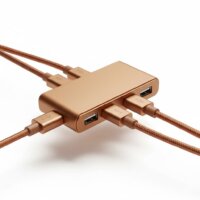
The Belkin USB-C 4-Port Mini Hub is the best Belkin USB hub for portable use, offering a compact design and essential connectivity for users on the go. This hub features four USB 3.0 ports, delivering data transfer speeds up to 5Gbps, and is bus-powered, making it ideal for travel and mobile workstations.
Quick Comparison
| Model | Ports | Connectivity | Key Feature |
|---|---|---|---|
| Belkin USB-C 4-Port Mini Hub | 4x USB-A | USB 3.0 | Ultra-compact, bus-powered |
| Belkin USB-C 7-in-1 Multiport Adapter | USB-A, USB-C, HDMI, SD, microSD, Ethernet | USB 3.0, HDMI 4K | Versatile, power delivery |
| Belkin USB-C to Gigabit Ethernet Adapter + Charge | USB-C (PD), Ethernet | USB 3.0, Gigabit Ethernet | Network and power, compact |
What Portable Needs from a USB Hub
A portable USB hub must prioritize a compact and lightweight design. Users frequently move these devices, so a hub that easily fits into a laptop bag or even a pocket is crucial. Durability is another key factor; portable hubs often endure more wear and tear than stationary ones. Look for robust construction materials that can withstand daily travel. Power efficiency is also important, especially for bus-powered hubs that draw power directly from the host device. This minimizes battery drain on laptops or tablets. Essential connectivity includes multiple USB-A ports for peripherals like mice, keyboards, and external drives. USB-C Power Delivery (PD) is highly beneficial for charging the host device while using the hub, reducing the need for multiple adapters. Finally, a hub should offer reliable data transfer speeds to ensure efficient workflow, even when connecting multiple devices simultaneously.
Detailed Reviews
Belkin USB-C 4-Port Mini Hub
The Belkin USB-C 4-Port Mini Hub stands out for its exceptional portability and straightforward functionality. Designed for users who need to expand their USB-A connectivity without adding bulk, this hub features four USB 3.0 ports. It’s bus-powered, meaning it draws all necessary power directly from your laptop or tablet’s USB-C port, eliminating the need for an external power adapter. This makes it incredibly convenient for travel and mobile workstations. The compact form factor allows it to slip easily into any bag or even a pocket. Data transfer speeds reach up to 5Gbps, ensuring quick file transfers and smooth operation for connected peripherals. Its plug-and-play design requires no drivers, making it instantly usable across various operating systems. The durable plastic casing protects against minor bumps and scratches, ideal for frequent travel.
Belkin USB-C 7-in-1 Multiport Adapter
For users requiring a more comprehensive range of ports in a portable package, the Belkin USB-C 7-in-1 Multiport Adapter is an excellent choice. This adapter transforms a single USB-C port into a versatile workstation. It includes two USB-A 3.0 ports, a USB-C Power Delivery port (up to 100W), an HDMI port supporting 4K resolution at 30Hz, an SD card reader, a microSD card reader, and a Gigabit Ethernet port. This extensive port selection makes it ideal for professionals who need to connect to projectors, external monitors, and wired networks while on the go. The aluminum casing provides enhanced durability and helps dissipate heat efficiently. Its compact design, while slightly larger than the mini hub, remains highly portable, fitting comfortably into most laptop bags. The integrated USB-C PD ensures your laptop stays charged even when multiple peripherals are connected.
Belkin USB-C to Gigabit Ethernet Adapter + Charge
The Belkin USB-C to Gigabit Ethernet Adapter + Charge is a specialized portable hub designed for users who prioritize reliable wired internet access and device charging. This compact adapter provides a Gigabit Ethernet port, essential for stable and fast network connections in environments where Wi-Fi is unreliable or unavailable. Additionally, it features a USB-C Power Delivery port, allowing you to charge your laptop or tablet with up to 60W of power while simultaneously using the Ethernet connection. This dual functionality is particularly useful for business travelers or remote workers who need consistent internet and power. The adapter’s small footprint and lightweight design make it highly portable, easily fitting into a small pouch or pocket. Its robust construction ensures durability for frequent travel, and the plug-and-play operation simplifies setup across various devices.
Routine Fit
A portable Belkin USB hub seamlessly integrates into various daily routines. For students, a compact hub like the Belkin USB-C 4-Port Mini Hub allows easy connection of external drives for projects or a mouse for comfortable study sessions in libraries or cafes. Business travelers benefit from the versatility of the Belkin USB-C 7-in-1 Multiport Adapter, enabling them to connect to hotel projectors, external monitors, and wired networks for presentations or secure work. Remote workers can use the Belkin USB-C to Gigabit Ethernet Adapter + Charge to ensure a stable internet connection for video calls and data transfers, even when working from co-working spaces or temporary setups. Photographers and videographers find the SD/microSD card readers on the 7-in-1 adapter invaluable for quick media offloads in the field. Gamers can connect their peripherals to a portable hub for an enhanced experience on the go. These hubs are designed to be grab-and-go solutions, enhancing productivity and connectivity wherever you are.
FAQs
What is the primary advantage of a Belkin portable USB hub?
The primary advantage of a Belkin portable USB hub is its combination of compact design, reliable performance, and essential connectivity. Belkin hubs are engineered for durability and ease of use, making them ideal for users who need to expand their device’s ports while traveling or working remotely. They often feature plug-and-play functionality, requiring no complex driver installations, which saves time and effort on the go.
Do Belkin portable USB hubs require external power?
Many Belkin portable USB hubs are bus-powered, meaning they draw power directly from the host device’s USB-C port, eliminating the need for an external power adapter. However, some multiport adapters, like the Belkin USB-C 7-in-1, include a USB-C Power Delivery (PD) port. Connecting a power adapter to the PD port allows it to charge the host device with up to 100W and provide more stable power to connected peripherals.
Can I connect an external monitor to a Belkin portable USB hub?
Yes, certain Belkin portable USB hubs are designed with video output capabilities. For instance, the Belkin USB-C 7-in-1 Multiport Adapter includes an HDMI port that supports 4K resolution at 30Hz. This allows you to connect an external monitor or projector to your laptop or tablet through the hub, making it suitable for presentations or extended desktop setups.
Are Belkin portable USB hubs compatible with all laptops?
Belkin portable USB hubs are generally compatible with most laptops, tablets, and smartphones that feature a USB-C port. For full functionality, the host device’s USB-C port should support USB-C Alt Mode (for video output) and Power Delivery (for charging through the hub). They are broadly compatible with Windows, macOS, ChromeOS, and Android devices.
What data transfer speeds can I expect from a Belkin portable USB hub?
Most Belkin portable USB hubs, especially those featuring USB 3.0 or newer standards, offer data transfer speeds of up to 5Gbps. This speed is sufficient for quickly transferring large files and using various peripherals without noticeable lag. For hubs with Gigabit Ethernet ports, you can expect wired network speeds of up to 1000Mbps.
Verdict
For ultimate portability and essential connectivity, the Belkin USB-C 4-Port Mini Hub is the top choice among Belkin’s offerings. Its compact size, bus-powered operation, and reliable USB 3.0 ports make it perfect for users who need to expand their device’s capabilities without adding bulk. For those requiring a more comprehensive solution with video output and Ethernet, the Belkin USB-C 7-in-1 Multiport Adapter provides excellent versatility in a still-portable design. Belkin consistently delivers durable and efficient hubs, ensuring your portable setup remains productive and connected wherever your work or travels take you.
Frequently Asked Questions
What is the primary advantage of a Belkin portable USB hub?
The primary advantage of a Belkin portable USB hub is its combination of compact design, reliable performance, and essential connectivity. Belkin hubs are engineered for durability and ease of use, making them ideal for users who need to expand their device's ports while traveling or working remotely. They often feature plug-and-play functionality, requiring no complex driver installations.
Do Belkin portable USB hubs require external power?
Many Belkin portable USB hubs are bus-powered, meaning they draw power directly from the host device's USB-C port, eliminating the need for an external power adapter. However, some multiport adapters, like the Belkin USB-C 7-in-1, include a USB-C Power Delivery (PD) port. Connecting a power adapter to the PD port allows it to charge the host device with up to 100W and provide more stable power to connected peripherals.
Can I connect an external monitor to a Belkin portable USB hub?
Yes, certain Belkin portable USB hubs are designed with video output capabilities. For instance, the Belkin USB-C 7-in-1 Multiport Adapter includes an HDMI port that supports 4K resolution at 30Hz. This allows you to connect an external monitor or projector to your laptop or tablet through the hub, making it suitable for presentations or extended desktop setups.
Are Belkin portable USB hubs compatible with all laptops?
Belkin portable USB hubs are generally compatible with most laptops, tablets, and smartphones that feature a USB-C port. For full functionality, the host device's USB-C port should support USB-C Alt Mode (for video output) and Power Delivery (for charging through the hub). They are broadly compatible with Windows, macOS, ChromeOS, and Android devices.
What data transfer speeds can I expect from a Belkin portable USB hub?
Most Belkin portable USB hubs, especially those featuring USB 3.0 or newer standards, offer data transfer speeds of up to 5Gbps. This speed is sufficient for quickly transferring large files and using various peripherals without noticeable lag. For hubs with Gigabit Ethernet ports, you can expect wired network speeds of up to 1000Mbps.
Get our weekly buyer guide
Practical specs, not advice. Unsubscribe anytime.
This Belkin USB hub selection really helped me narrow down my choices. I ended up getting the 4-port mini hub, and it’s perfect for my needs. I use it to connect my wireless mouse and keyboard dongles, plus a flash drive, to my tablet when I’m working remotely. It’s bus-powered, which is exactly what I needed so I don’t have to carry another power brick.
I picked up the Belkin USB-C 4-Port Mini Hub for my MacBook Air, and it’s been a game-changer for travel. It’s truly ultra-compact and fits right into my laptop sleeve without adding any bulk. The 5Gbps data transfer speed is plenty fast for moving files between my external drive and a flash drive. Definitely recommend it for anyone needing extra ports on the go.
I got the Belkin USB-C to Gigabit Ethernet Adapter + Charge hoping to get a more stable internet connection for my work laptop. The Gigabit Ethernet works great, and it’s nice to have the USB-C PD passthrough. However, I found the cable a bit too short for my desk setup, which makes it a little awkward to position. It’s functional, but the short cable is a minor inconvenience.
The Belkin USB-C 7-in-1 Multiport Adapter is a solid choice for my home office setup. I love having the HDMI 4K output for my monitor and the extra USB-A ports for peripherals. The power delivery feature is super convenient, letting me charge my laptop through the hub. My only minor gripe is that it can get a little warm with everything plugged in, but it performs well.